<?xml version="1.0" encoding="utf-8"?>
<feed xmlns="http://www.w3.org/2005/Atom">

  <title><![CDATA[Acko.net]]></title>
  <link href="https://acko.net/atom.xml" rel="self"/>
  <link href="https://acko.net/"/>
  <updated>2026-03-05T12:10:39+01:00</updated>
  <id>https://acko.net</id>
  <author>
    <name><![CDATA[Steven Wittens]]></name>
    
  </author>

  
  <entry>
    <title type="html"><![CDATA[Occlusion with Bells On]]></title>
    <link href="https://acko.net/blog/occlusion-with-bells-on/"/>
    <updated>2025-03-24T00:00:00+01:00</updated>
    <id>https://acko.net/blog/occlusion-with-bells-on</id>
    <content type="html"><![CDATA[<div class="g8 i2 first"><div class="pad">
  <h2 class="sub">Modern SSAO in a modern run-time</h2>
</div></div>

<div class="c"></div>

<p><img src="https://acko.net/files/use-gpu-14/cover.jpg" style="position: absolute; left: -5000px; top: 0;" alt="Cover Image - SSAO with Image Based Lighting" /></p>

<div class="g8 i2 mt1"><div class="pad">

<p><a href="https://usegpu.live">Use.GPU</a> 0.14 is out, so here's an update on my declarative/reactive rendering efforts.</p>

<p>The highlights in this release are:</p>

<ul class="indent">
<li>dramatic inspector viewing upgrades</li>
<li>a modern ambient-occlusion (SSAO/GTAO) implementation</li>
<li>newly revised render pass infrastructure</li>
<li>expanded shader generation for bind groups</li>
<li>more use of generated WGSL struct types</li>
</ul>

</div></div>

<div class="c"></div>

<div class="g12"><div class="pad">
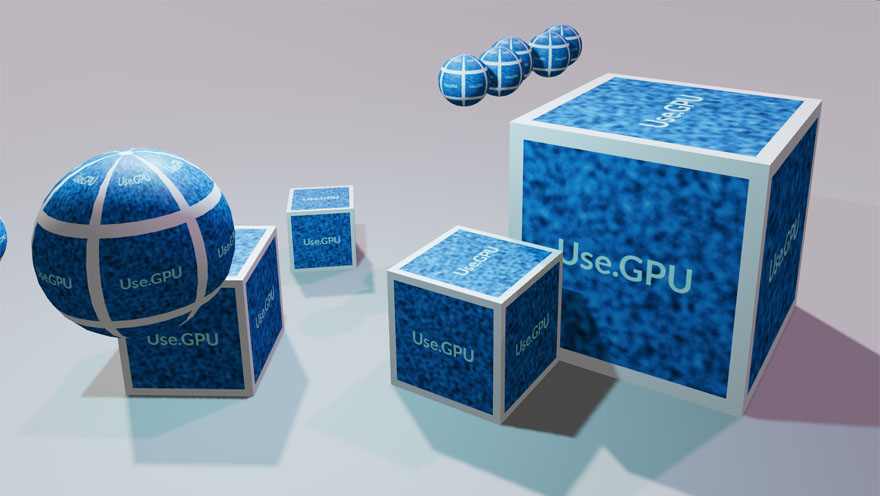
  <div class="mt1"><img src="https://acko.net/files/use-gpu-14/ssao-resolved.jpg" alt="SSAO with image based lighting" /></div>
  <p class="tc"><i>SSAO with Image-Based Lighting</i></p>
</div></div>

<div class="g8 i2"><div class="pad">

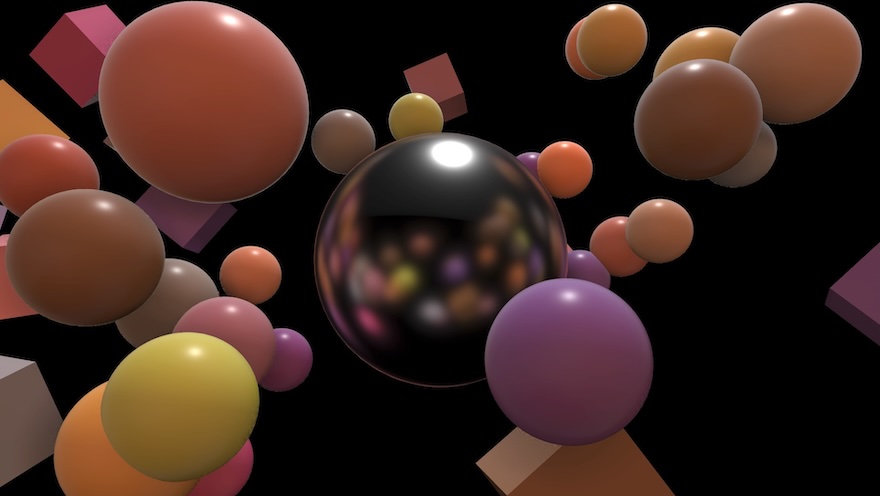
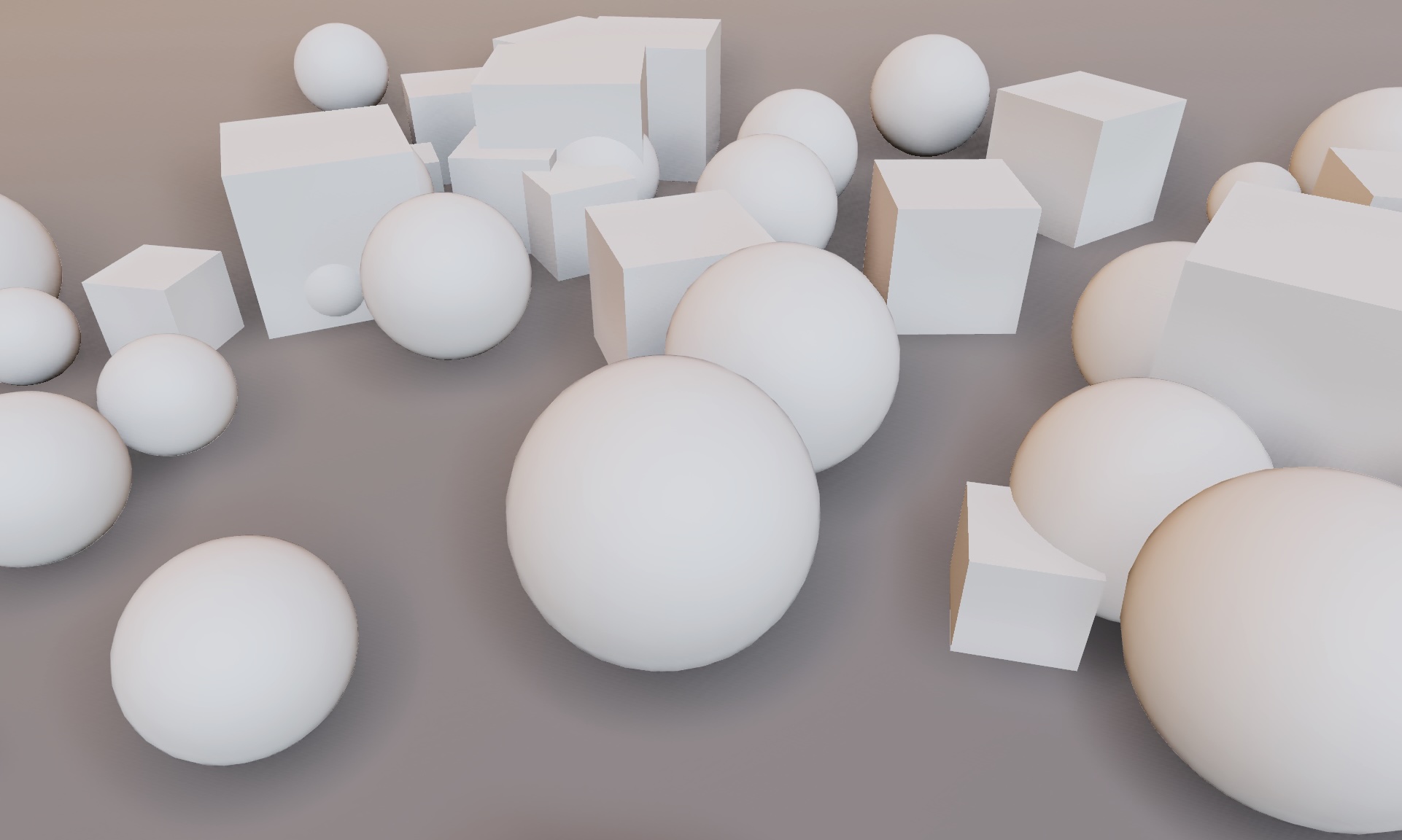
<p>The main effect is that out-of-the-box, without any textures, Use.GPU no longer looks like early 2000s OpenGL. This is a problem every home-grown 3D effort runs into: how to make things look good without premium, high-quality models and pre-baking all the lights.</p>

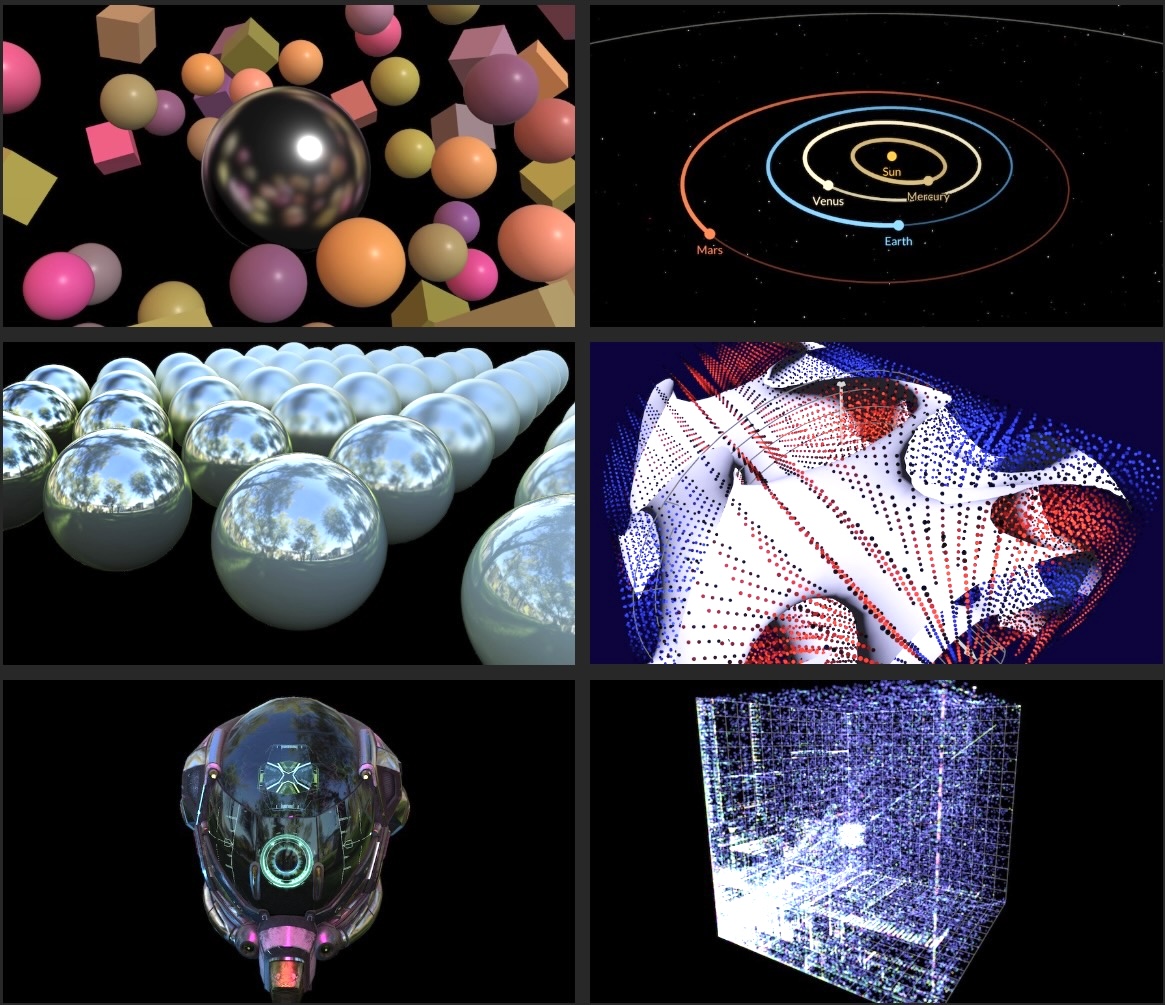
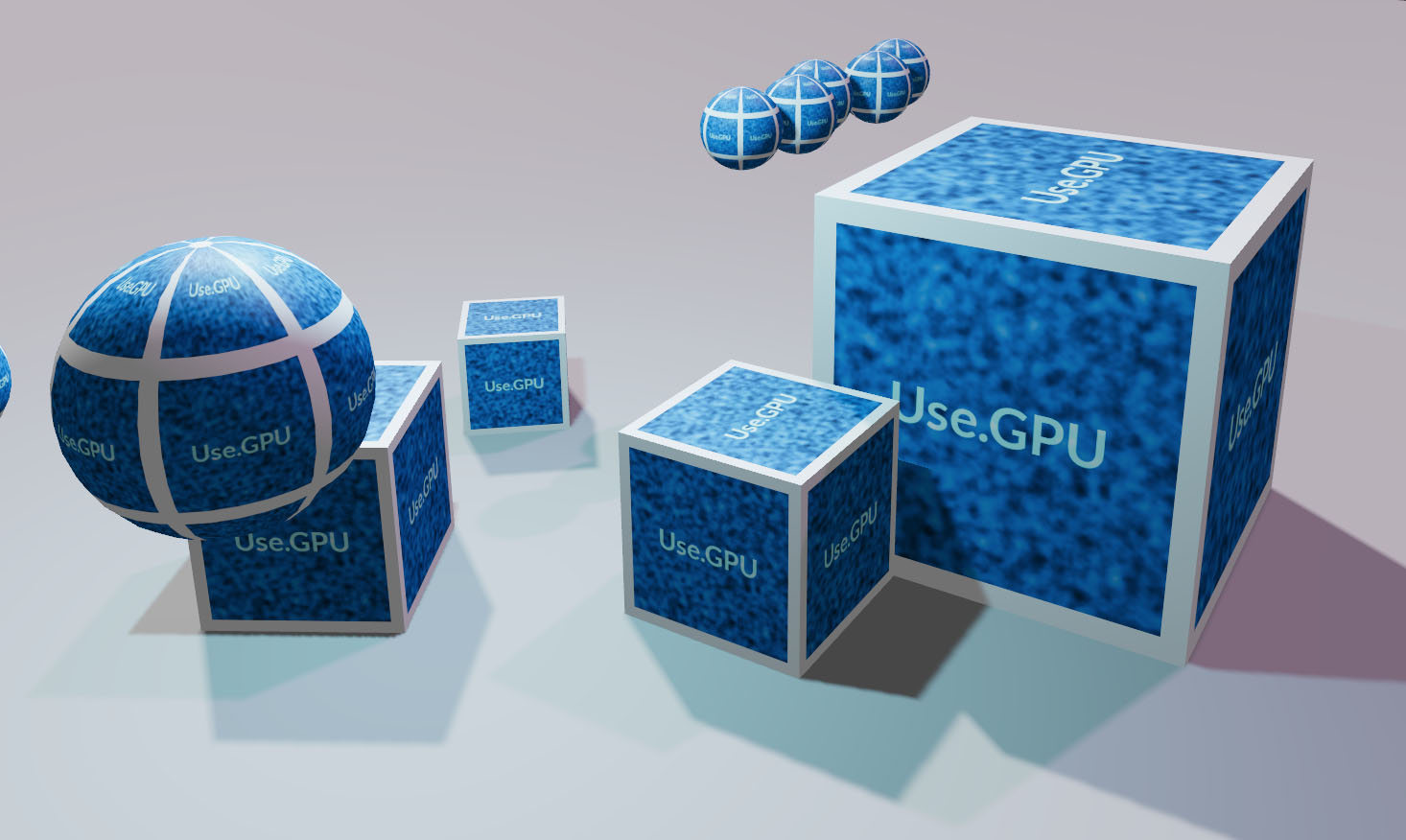
<p>Use.GPU's reactive run-time continues to purr along well. Its main role is to enable doing at run-time what normally only happens at build time: dealing with shader permutations, assigning bindings, and so on. I'm quite proud of the <a href="https://usegpu.live/demo/rtt/cube-target" target="_blank">line up of demos</a> Use.GPU has now, for the sheer diversity of rendering techniques on display, including an example path tracer. The new inspector is the cherry on top.</p>

</div></div>

<div class="c"></div>

<div class="g10 i1"><div class="pad">
  <div class="mt1"><a href="https://usegpu.live/demo/rtt/cube-target" target="_blank"><img src="https://acko.net/files/use-gpu-14/mosaic.jpg" alt="Example mosaic" /></a></div>
</div></div>

<div class="c"></div>

<div class="g8 i2 mt1"><div class="pad">

<p>A lot of the effort continues to revolve around mitigating flaws in GPU API design, and offering something simpler. As such, the challenge here wasn't just implementing SSAO: the basic effect is pretty easy. Rather, it brings with it a few new requirements, such as temporal accumulation and reprojection, that put new demands on the rendering pipeline, which I still want to expose in a modular and flexible way. This refines the efforts <a href="https://acko.net/blog/use-gpu-goes-trad/" target="_blank">I detailed previously</a> for 0.8.</p>

<p>Good SSAO also requires deep integration in the lighting pipeline. Here there is tension between modularizing and ease-of-use. If there is only one way to assemble a particular set of components, then it should probably be provided as a prefab. As such, occlusion has to remain a first class concept, tho it can be provided in several ways. It's a good case study of pragmatism over purity.</p>

<p>In case you're wondering: WebGPU is still not readily available on every device, so Use.GPU remains niche, tho it already excels at in-house use for adventurous clients. At this point you can imagine me and the browser GPU teams eyeing each other awkwardly from across the room: I certainly do.</p>

<h2 class="mt3">Inspector Gadget</h2>

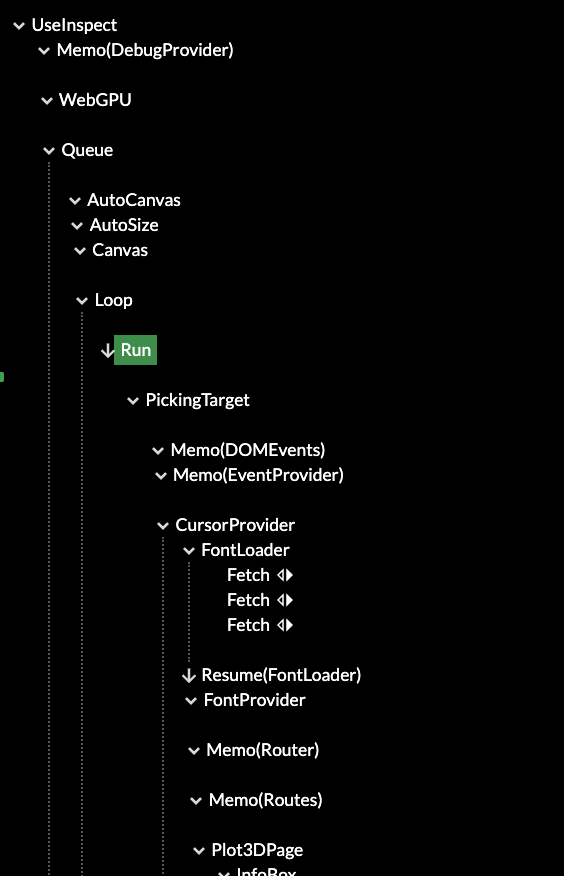
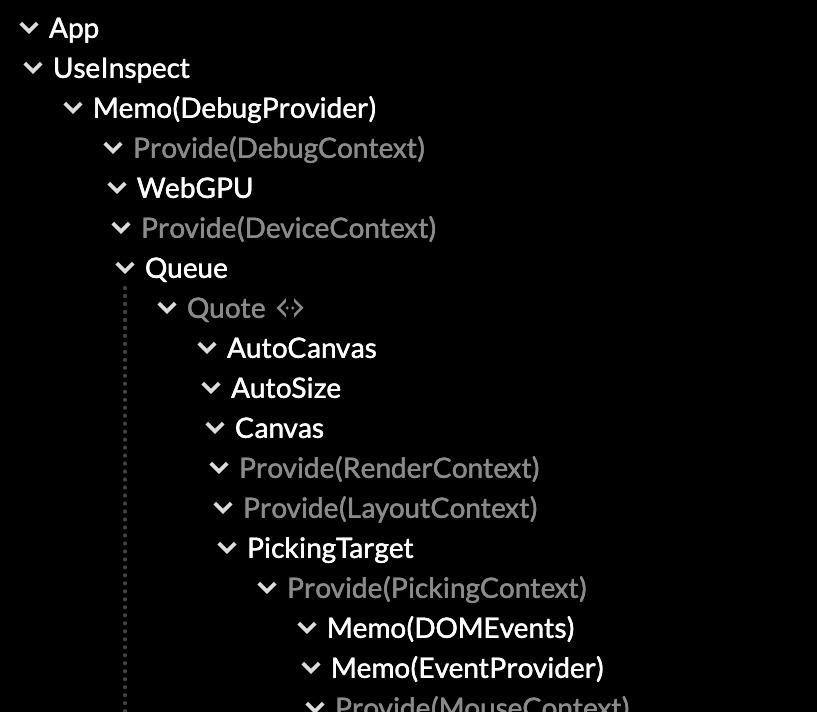
<p>The first thing to mention is the upgraded the Use.GPU inspector. It already had a lot of quality-of-life features like highlighting, but the main issue was finding your way around the giant trees that Use.GPU now expands into.</p>

</div></div>

<div class="c mt1"></div>

<div class="g5 i1"><div class="pad">
  <div class="mt1"><img src="https://acko.net/files/use-gpu-14/inspect-1.png" alt="Inspector without filtering" /></div>
  <p class="tc"><i>Old</i></p>
</div></div>

<div class="g5"><div class="pad">
  <div class="mt1"><img src="https://acko.net/files/use-gpu-14/inspect-2.png" alt="Inspector with filtering" /></div>
  <p class="tc"><i>New</i></p>
</div></div>

<div class="g8 i2"><div class="pad">
  <div class="mt1 mb1"><img src="https://acko.net/files/use-gpu-14/inspect-filter.png" alt="Inspector filter" /></div>
</div></div>

<div class="g4">
  <div class="mt1"><img src="https://acko.net/files/use-gpu-14/inspect-3.png" alt="Inspector with highlights" /></div>
  <p class="tc"><i>Highlights show data dependencies</i></p>
</div>

<div class="g8"><div class="pad">

<p>The fix was filtering by type. This is very simple as a component already advertises its inspectability in a few pragmatic ways. Additionally, it uses the data dependency graph between components to identify relevant parents. This shows a surprisingly tidy overview with no additional manual tagging. For each demo, it really does show you the major parts first now.</p>

<p>If you've checked it out before, give it another try. The layered structure is now clearly visible, and often fits in one screen. The main split is how Live is used to reconcile different levels of representation: from data, to geometry, to renders, to dispatches. These points appear as different reconciler nodes, and can be toggled as a filter.</p>

<p>It's still the best way to see Live and Use.GPU in action. It can be tricky to grok that each line in the tree is really a plain function, calling other functions, as it's an execution trace you can inspect. It will now point you more in the right way, and auto-select the most useful tabs by default.</p>

<p>The inspector is unfortunately far heavier than the GPU rendering itself, as it all relies on HTML and React to do its thing. At some point it's probably worth to remake it into a Live-native version, maybe as a 2D canvas with some virtualization. But in the mean time it's a dev tool, so the important thing is that it still works when nothing else does.</p>

<p>Most of the images of buffers in this post can be viewed live in the inspector, if you have a WebGPU capable browser.</p>

</div></div>

<div class="c"></div>

<div class="g8 i2"><div class="pad">

<h2 class="mt3">SSAO</h2>

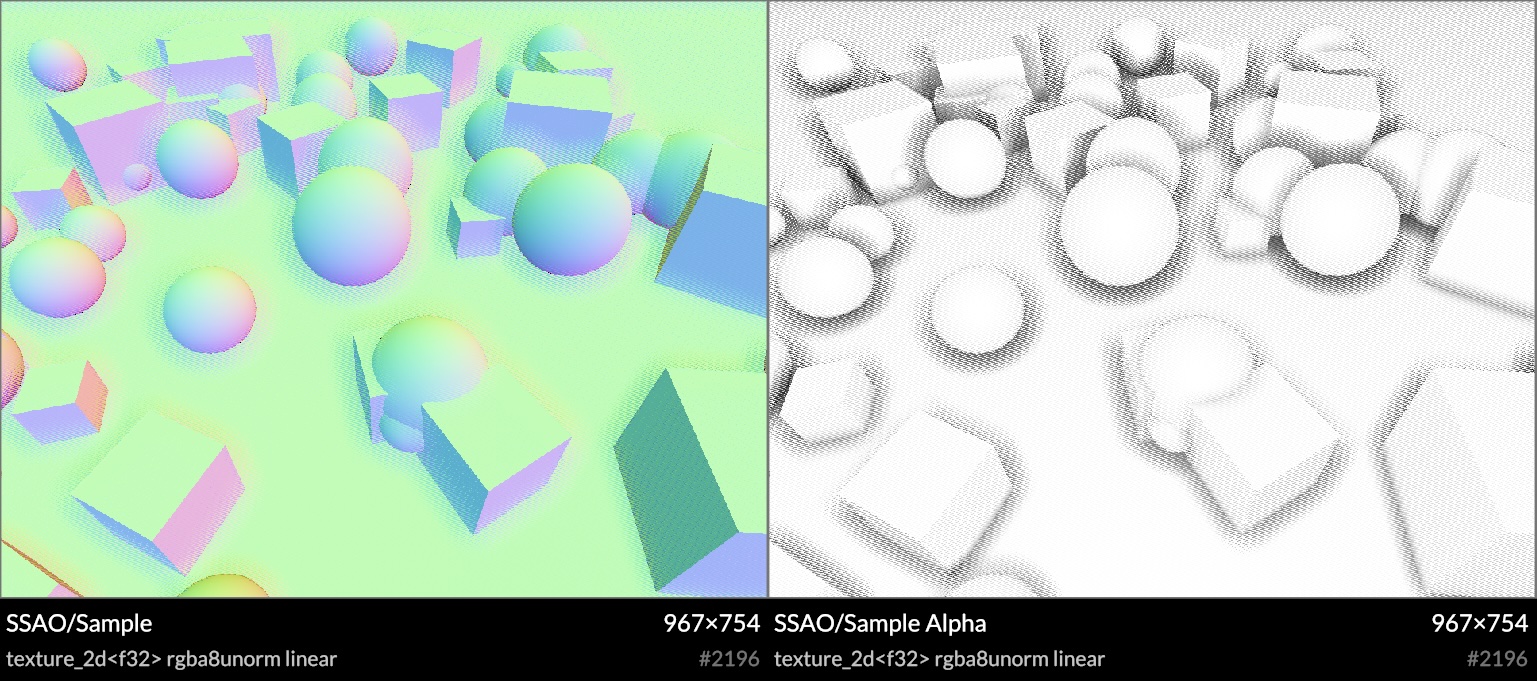
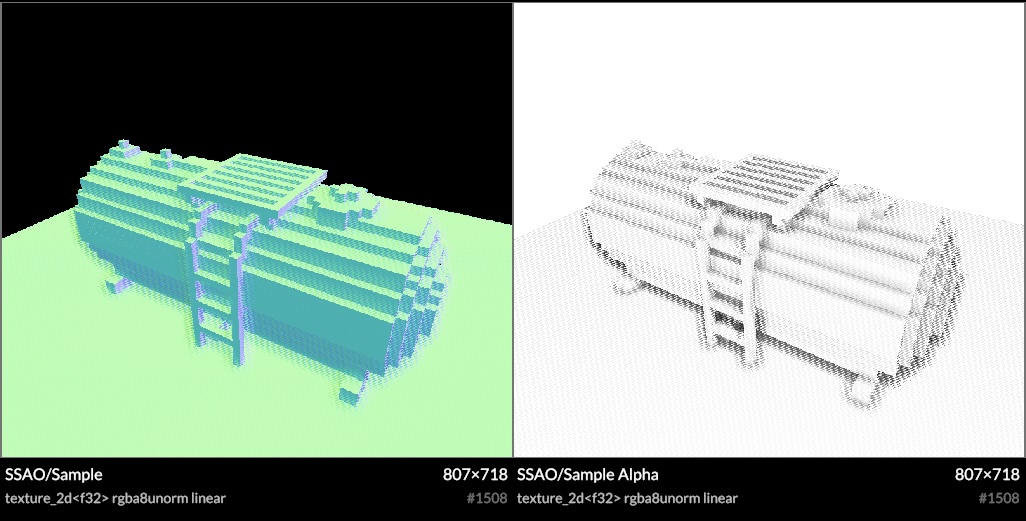
<p>Screen-space AO is common now: using the rendered depth buffer, you estimate occlusion in a hemisphere around every point. I opted for Ground Truth AO (GTAO) as it estimates the correct visibility integral, as opposed to a more empirical 'crease darkening' technique. It also allows me to estimate bent normals along the way, i.e. the average unoccluded direction, for better environment lighting.</p>

</div></div>

<div class="c"></div>

<div class="c"></div>

<div class="g8 i2">
</div>

<div class="c"></div>

<div class="g8 i2">
  <video controls="controls" src="https://acko.net/files/use-gpu-14/ssao-hemi.mov" width="800" height="540" style="margin: 0 auto; max-width: 100%; display: block"></video>
  <p class="tc"><i>Hemisphere sampling</i></p>
</div>

<div class="g8 i2"><div class="pad">

<p>This image shows the debug viz in the demo. Each frame will sample one green ring around a hemisphere, spinning rapidly, and you can hold ALT to capture the sampling process for the pixel you're pointing at. It was invaluable to find sampling issues, and also makes it trivial to verify alignment in 3D. The shader calls <code>printPoint(…)</code> and <code>printLine(…)</code> in WGSL, which are provided by a print helper, and linked in the same way it links any other shader functions.</p>

</div></div>

<div class="c"></div>

<div class="g10 i1"><div class="pad">
  <div class="mt1"><img src="https://acko.net/files/use-gpu-14/ssao-sample.jpg" alt="SSAO normal and occlusion samples" /></div>
  <p class="tc"><i>Bent normal and occlusion samples</i></p>
</div></div>

<div class="g8 i2"><div class="pad">

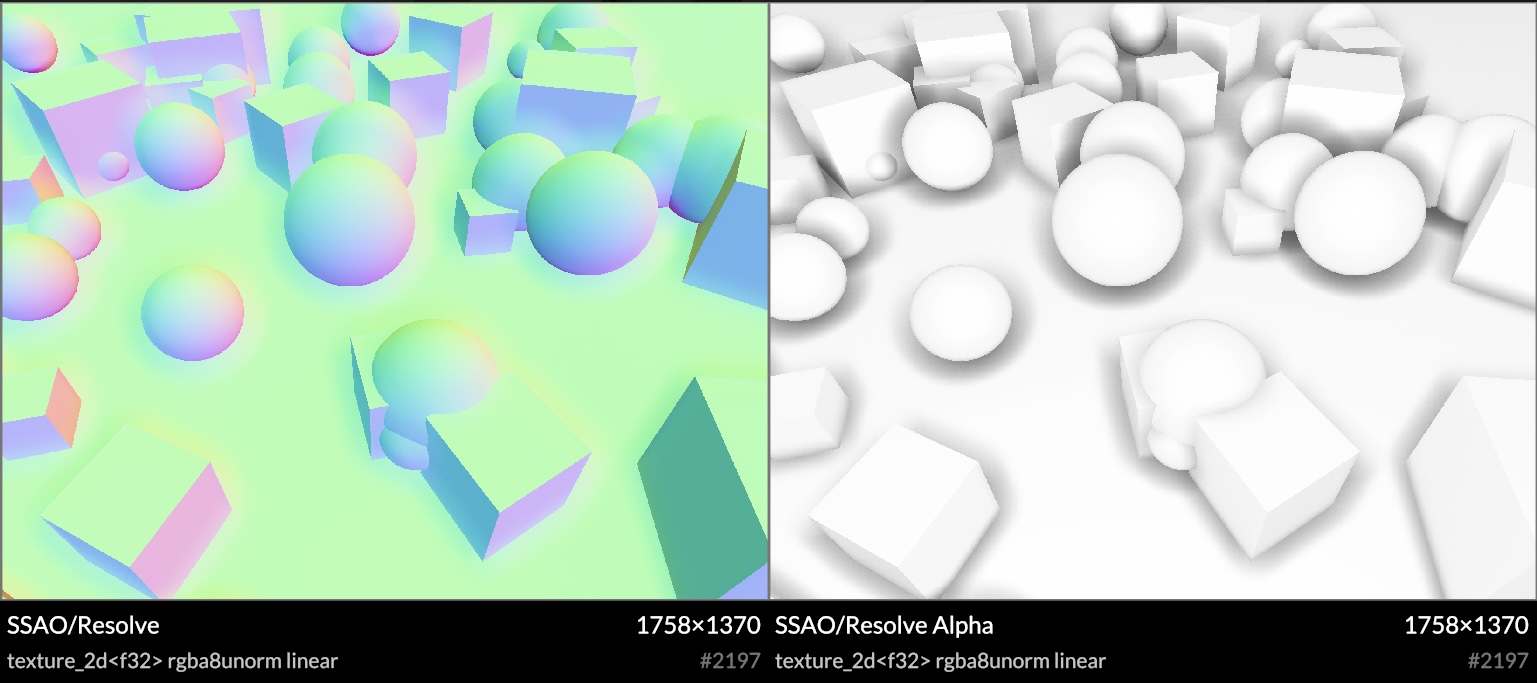
<p>SSAO is expensive, and typically done at half-res, with heavy blurring to hide the sampling noise. Mine is no different, though I did take care to handle odd-sized framebuffers correctly, with no unexpected sample misalignments.</p>

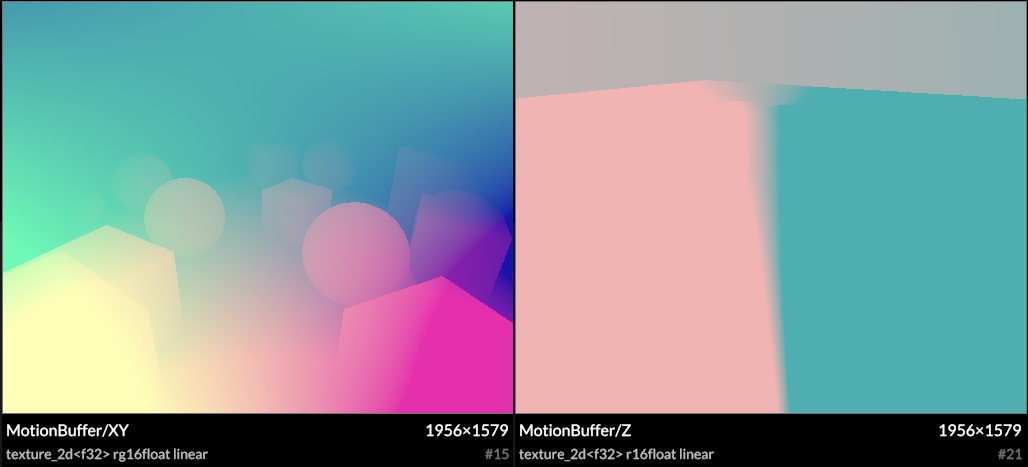
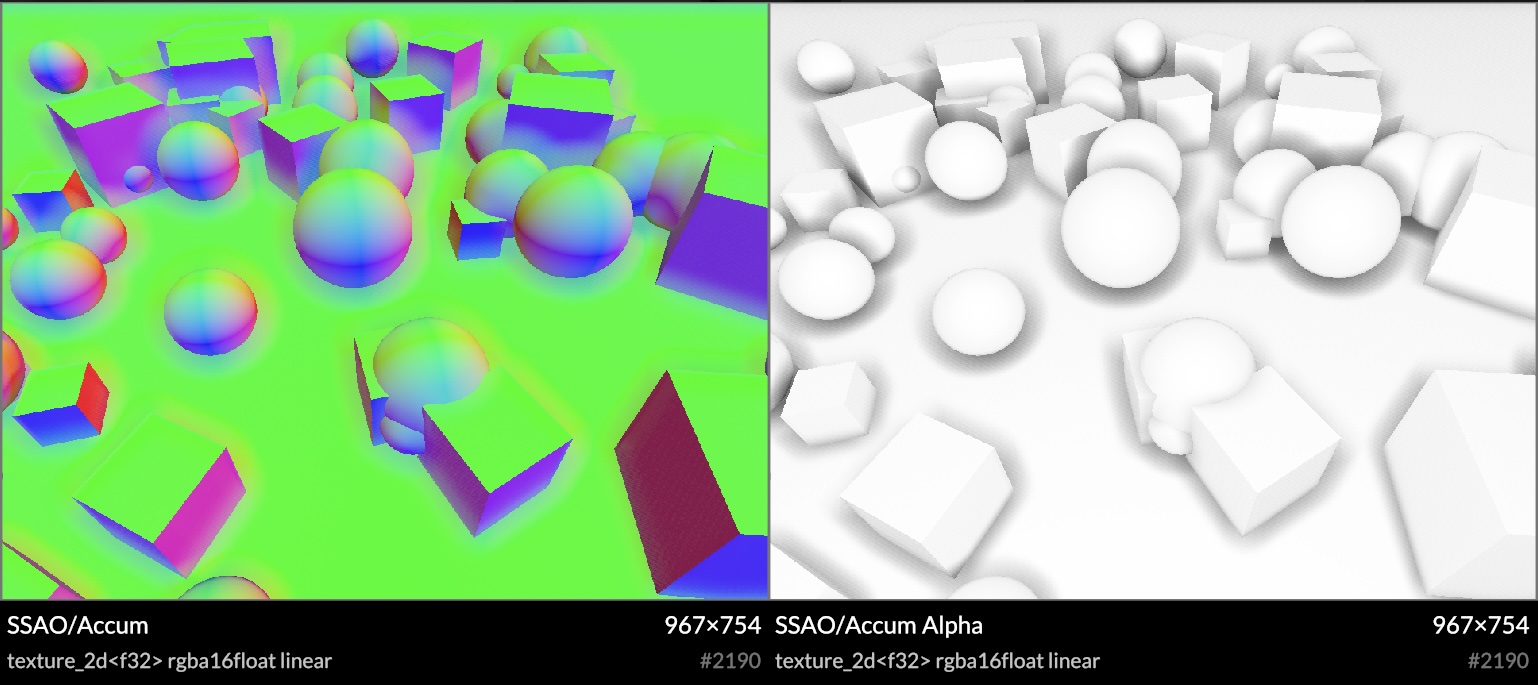
<p>It also has accumulation over time, as the shadows change slowly from frame to frame. This is done with temporal reprojection and motion vectors, at the cost of a little bit of ghosting. Moving the camera doesn't reset the ambient occlusion, as long as it's moving smoothly.</p>

</div></div>

<div class="c"></div>

<div class="g10 i1"><div class="pad">
  <div class="mt1"><img src="https://acko.net/files/use-gpu-14/ssao-motion.jpg" alt="SSAO motion vectors" /></div>
  <p class="tc"><i>Motion vectors example</i></p>
</div></div>

<div class="g10 i1"><div class="pad">
  <div class="mt1"><img src="https://acko.net/files/use-gpu-14/ssao-accum.jpg" alt="SSAO normal and occlusion accumulation" /></div>
  <p class="tc"><i>Accumulated samples</i></p>
</div></div>

<div class="g8 i2"><div class="pad">

<p>As Use.GPU doesn't render continuously, you can now use <code>&lt;Loop converge={N}&gt;</code> to decide how many extra frames you want to render after every visual change.</p>

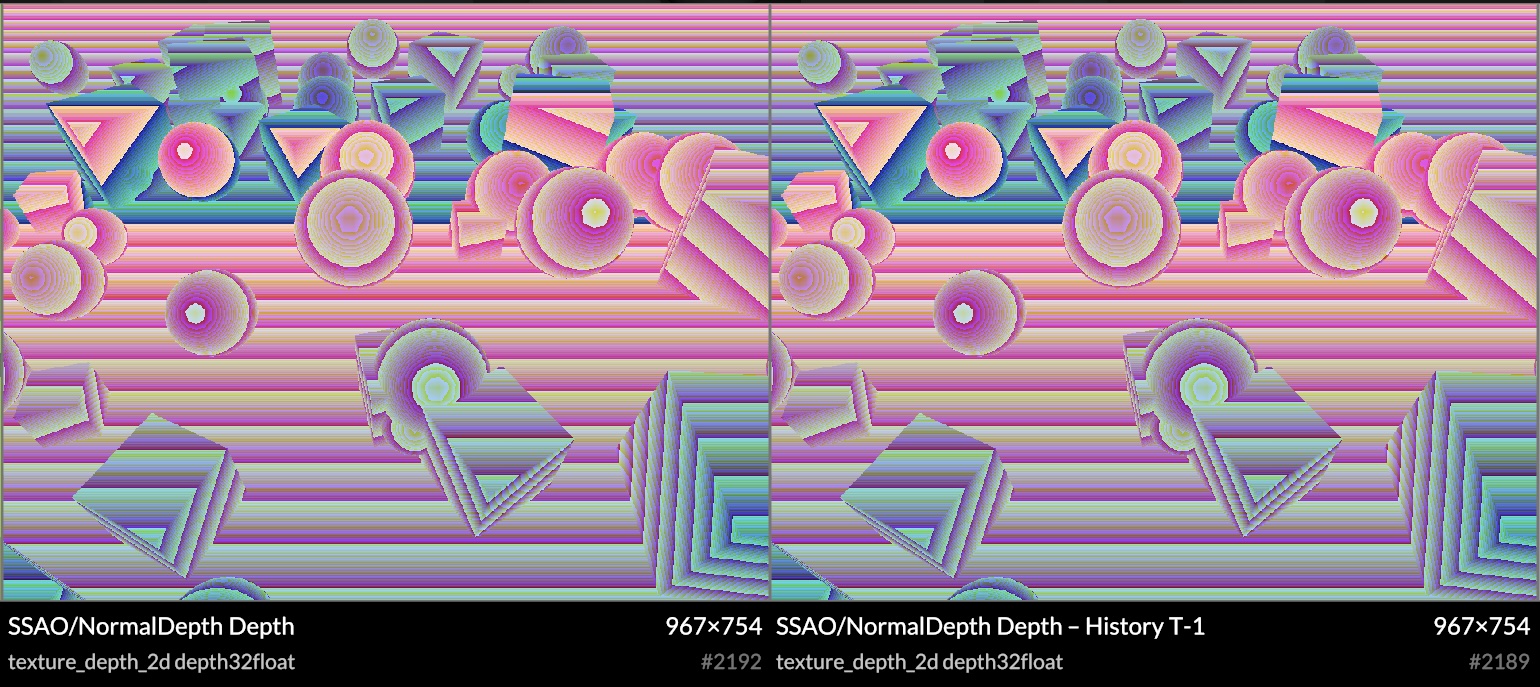
<p>Reprojection requires access to the last frame's depth, normal and samples, and this is trivial to provide. Use.GPU has built-in transparent history for render targets and buffers. This allows for a classic front/back buffer flipping arrangement with zero effort (also, n &gt; 2).</p>

</div></div>

<div class="c"></div>

<div class="g10 i1"><div class="pad">
  <div class="mt1"><img src="https://acko.net/files/use-gpu-14/ssao-depth.jpg" alt="Depth history" /></div>
  <p class="tc"><i>Depth history</i></p>
</div></div>

<div class="c"></div>

<p>You bind this as virtual sources, each accessing a fixed slot <code>history[i]</code>, which will transparently cycle whenever you render to its target. Any reimagined GPU API should seriously consider buffer history as a first-class concept. All the modern techniques require it.</p>

<div class="g4"><div class="pad">
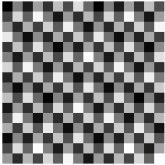
  <div class="mt1"><img src="https://acko.net/files/use-gpu-14/ign.jpg" alt="Interleaved Gradient Noise" /></div>
  <p class="tc"><i>IGN</i></p>
</div></div>

<div class="g8"><div class="pad">
  
<p>Rather than use e.g. blue noise and hope the statistics work out, I chose a very precise sampling and blurring scheme. This uses interleaved gradient noise (IGN), and pre-filters samples in alternating 2x2 quads to help diffuse the speckles as quickly as possible. IGN is designed for 3x3 filters, so a more specifically tuned noise generator may work even better, but it's a decent V1.</p>

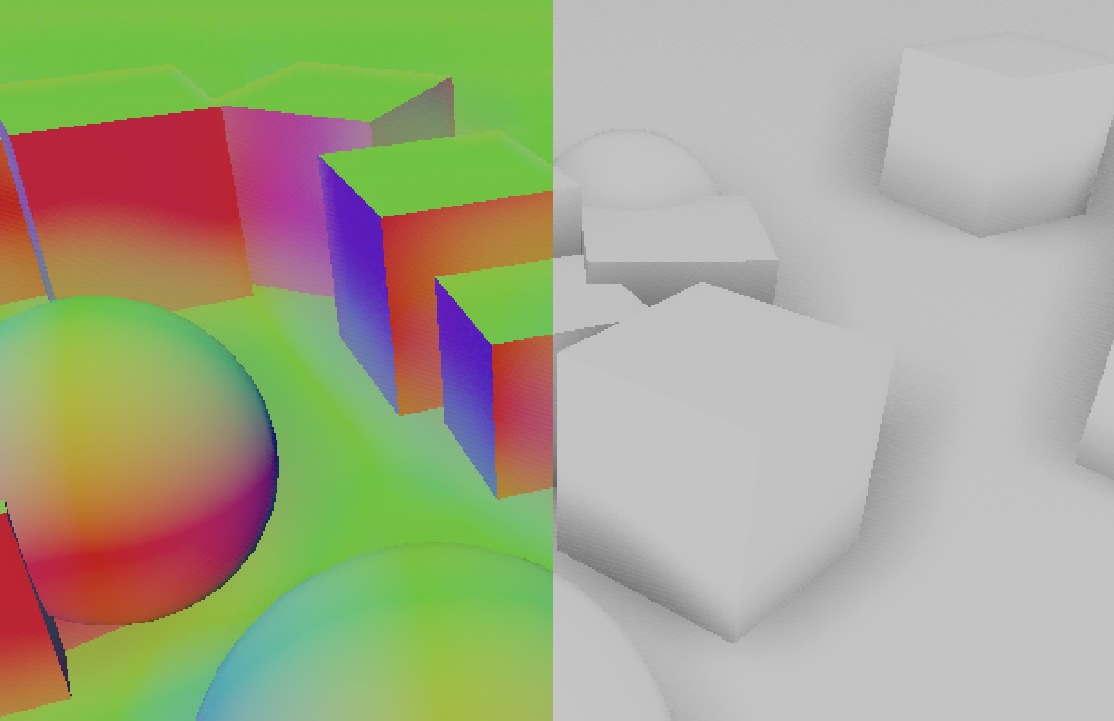
<p>Reprojection often doubles as a cheap blur filter, creating free anti-aliasing under motion or jitter. I avoided this however, as the data being sampled includes the bent normals, and this would cause all edges to become rounded. Instead I use a precise bilateral filter based on depth and normal, aided by 3D motion vectors. This means it knows exactly what depth to expect in the last frame, and the reprojected samples remain fully aliased, which is a good thing here. The choice of 3D motion vectors is mainly a fun experiment, it may be an unnecessary luxury.</p>

</div></div>

<div class="c"></div>

<div class="g10 i1"><div class="pad">
  <div class="mt1"><img src="https://acko.net/files/use-gpu-14/ssao-aliased.jpg" alt="SSAO aliased accumulation" /></div>
  <p class="tc"><i>Detail of accumulated samples</i></p>
</div></div>

<div class="g8 i2"><div class="pad">

<p>The motion vectors are based only on the camera motion for now, though there is already the option of implementing custom <code>motion</code> shaders similar to e.g. Unity. For live data viz and procedural geometry, motion vectors may not even be well-defined. Luckily it doesn't matter much: it converges fast enough that artifacts are hard to spot.</p>

</div></div>

<div class="g8 i2"><div class="pad">

<p>The final resolve can then do a bilateral upsample of these accumulated samples, using the original high-res normal and depth buffer:</p>

</div></div>

<div class="c"></div>

<div class="g10 i1"><div class="pad">
  <div class="mt1"><img src="https://acko.net/files/use-gpu-14/ssao-resolve.jpg" alt="SSAO upscaled and resolved samples" /></div>
  <p class="tc"><i>Upscaled and resolved samples, with overscan trimmed off</i></p>
</div></div>

<div class="g8 i2"><div class="pad">

<p>Because it's screen-space, the shadows disappear at the screen edges. To remedy this, I implemented a very precise form of overscan. It expands the framebuffer by a constant amount of pixels, and expands the <code>projectionMatrix</code> to match. This border is then trimmed off when doing the final resolve. In principle this is pixel-exact, barring GPU quirks. These extra pixels don't go to waste either: they can get reprojected into the frame under motion, reducing visible noise significantly.</p>

<p>In theory this is very simple, as it's a direct scaling of <code>[-1..1]</code> XY clip space. In practice you have to make sure absolutely nothing visual depends on the exact X/Y range of your <code>projectionMatrix</code>, either its aspect ratio or in screen-space units. This required some cleanup on the inside, as Use.GPU has some pretty subtle scaling shaders for 2.5D and 3D points and lines. I imagine this is also why I haven't seen more people do this. But it's definitely worth it.</p>

<p>Overall I'm very satisfied with this. Improvements and tweaks can be made aplenty, some performance tuning needs to happen, but it looks great already. It also works in both forward and deferred mode. The <a href="https://gitlab.com/unconed/use.gpu/-/blob/master/packages/wgsl/wgsl/ssao/ssao-sample.wgsl?ref_type=heads" target="_blank">shader source</a> is here.</p>


<h2 class="mt3">Render Buffers &amp; Passes</h2>

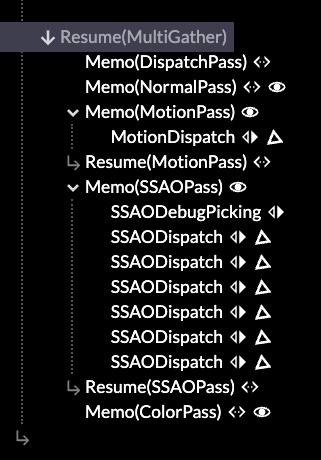
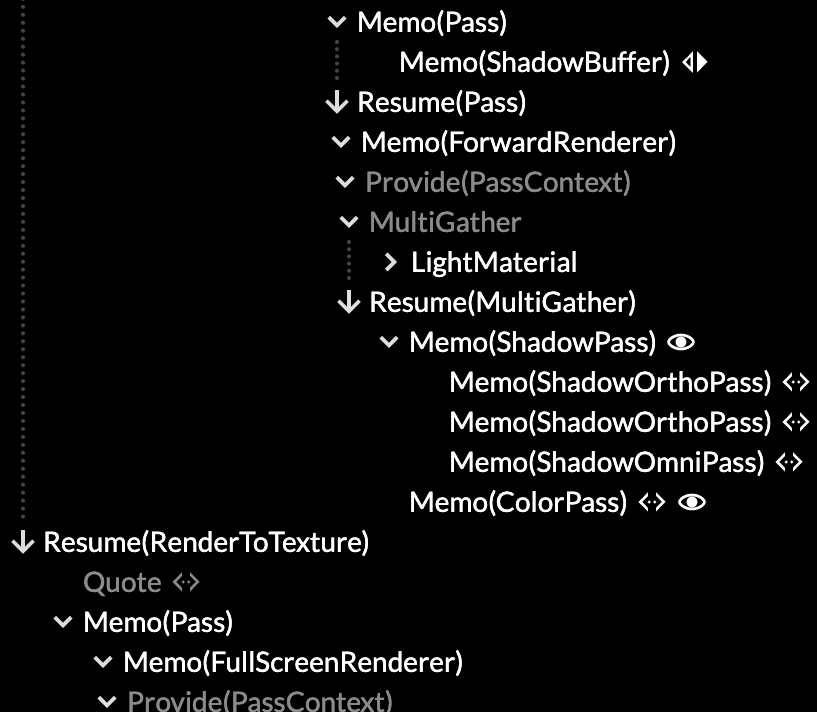
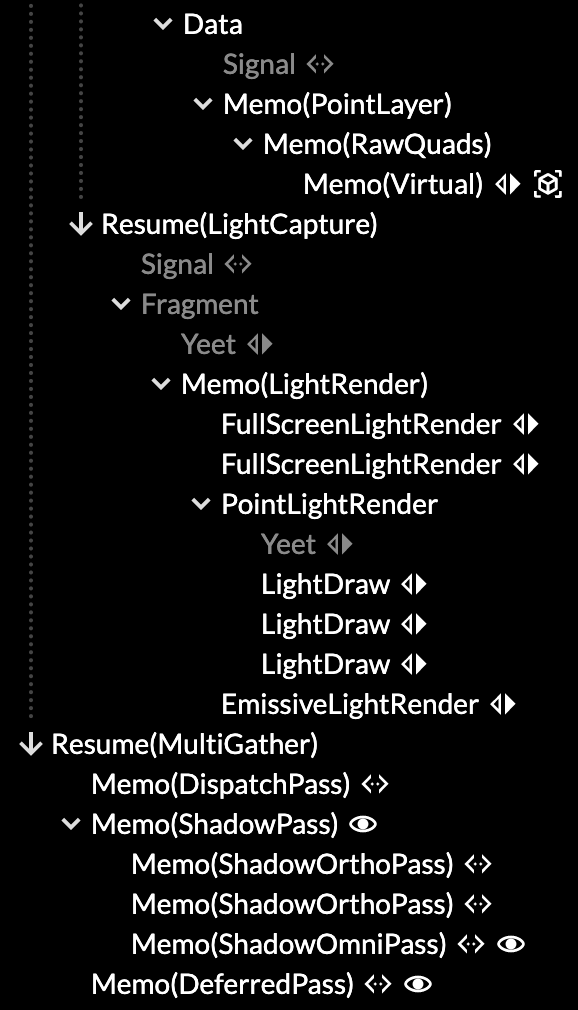
<p>The rendering API for passes reflects the way a user wants to think about it, as 1&nbsp;logical step in producing a final image. Sub-passes such as shadows or SSAO aren't really separate here, as the correct render cannot be finished without it.</p>

<p>The main entry point here is the <code>&lt;Pass&gt;</code> component, representing such a logical render pass. It sits inside a view, like an <code>&lt;OrbitCamera&gt;</code>, and has some kind of pre-existing render context, like the visible canvas.</p>


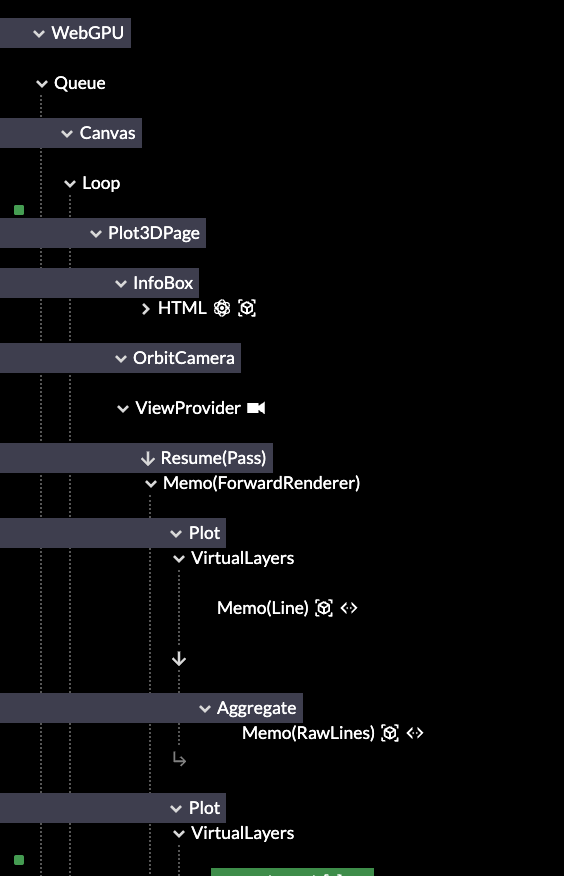
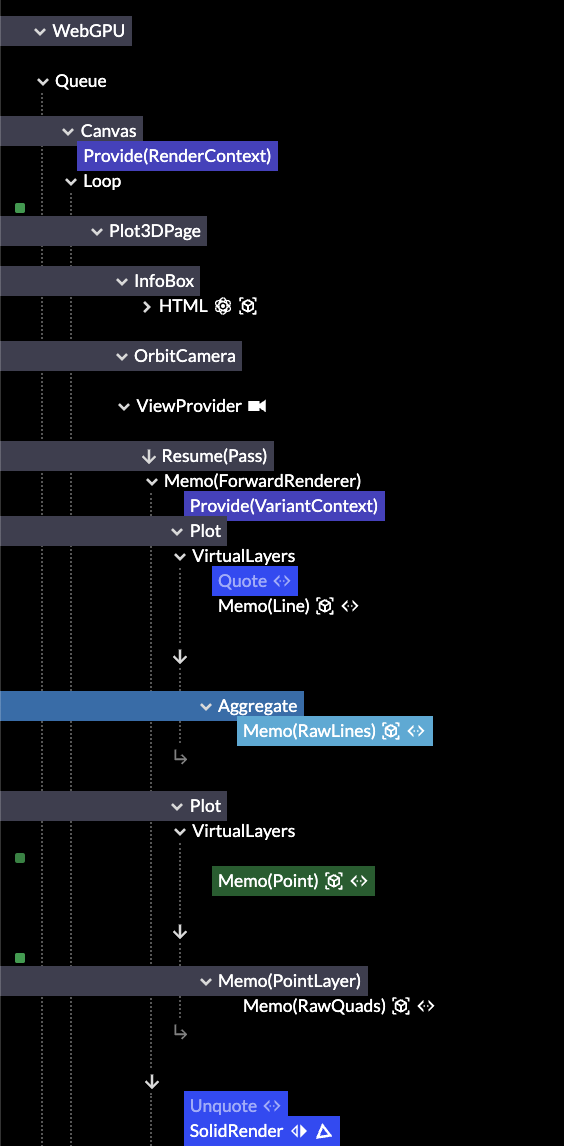
<pre><code class="language-tsx wrap">&lt;Pass
  lights
  ssao={{ radius: 3, indirect: 0.5 }}
  overscan={0.05}
&gt;
  ...
&lt;/Pass&gt;
</code></pre>
<div class="c"></div>


<p>You can sequence multiple logical passes to add overlays with <code>overlay: true</code>, or even merge two scenes in 3D using the same Z-buffer.</p>

<p>Inside it's a <a href="https://gitlab.com/unconed/use.gpu/-/blob/master/packages/workbench/src/render/pass.ts" target="_blank">declarative recipe</a> that turns a few flags and options into the necessary arrangement of buffers and passes required. This uses the alt-Live syntax <code>use(…)</code> but you can pretend that's JSX:</p>

<pre><code class="language-tsx wrap">const resources = [
  use(ViewBuffer, options),
  lights ? use(LightBuffer, options) : null,
  shadows ? use(ShadowBuffer, options) : null,
  picking ? use(PickingBuffer, options) : null,
  overscan ? use(OverscanBuffer, options) : null,
  ...(ssao ? [
    use(NormalBuffer, options),
    use(MotionBuffer, options),
  ] : []),
  ssao ? use(SSAOBuffer, options) : null,
];
</code></pre>
<div class="c"></div>

<pre><code class="language-tsx wrap">const resolved = passes ?? [
  normals ? use(NormalPass, options) : null,
  motion ? use(MotionPass, options) : null,
  ssao ? use(SSAOPass, options) : null,
  shadows ? use(ShadowPass, options) : null,
  use(DEFAULT_PASS[viewType], options),
  picking ? use(PickingPass, options) : null,
  debug ? use(DebugPass, options) : null,
]
</code></pre>
<div class="c"></div>

<p>e.g. The <code>&lt;SSAOBuffer&gt;</code> will spawn all the buffers necessary to do SSAO.</p>

<p>Notice what is absent here: the inputs and outputs. The render passes are wired up implicitly, because if you had to do it manually, there would only be one correct way. This is the purpose of separating the resources from the passes: it allows everything to be allocated once, up front, so that then the render passes can connect them into a suitable graph with a non-trivial but generally expected topology. They find each other using 'well-known names' like <code>normal</code> and <code>motion</code>, which is how it's done in practice anyway.</p>

</div></div>

<div class="g4"><div class="pad">
  <div class="mt1"><img src="https://acko.net/files/use-gpu-14/passes.jpg" alt="Mounted render passes" /></div>
  <p class="tc"><i>Render passes in the inspector</i></p>
</div></div>

<div class="g8"><div class="pad">

<p>This reflects what I am starting to run into more and more: that decomposed systems have little value if everyone has to use it the same way. It can lead to a lot of code noise, and also tie users to unimportant details of the existing implementation. Hence the simple recipe.</p>

<p>But, if you want to sequence your own render exactly, nothing prevents you from using the render components à la carte: the main method of composition is mounting reactive components in Live, like everything else. Your passes work exactly the same as the built-in ones.</p>

<p>I make use of the dynamicism of JS to e.g. not care what <code>options</code> are passed to the buffers and passes. The convention is that each should be namespaced so they don't collide. This provides real extensibility for custom use, while paving the cow paths that exist.</p>

<p>It's typical that buffers and passes come in matching pairs. However, one could swap out one variation of a <code>&lt;FooPass&gt;</code> for another, while reusing the same buffer type. Most <code>&lt;FooBuffer&gt;</code> implementations are themselves declarative recipes, with e.g. a <code>&lt;RenderTarget&gt;</code> or two, and perhaps an associated data binding. All the meat—i.e. the dispatches—is in the passes.</p>

</div></div>

<div class="g8 i2"><div class="pad">

<p>It's so declarative that there isn't much left <a href="https://gitlab.com/unconed/use.gpu/-/blob/master/packages/workbench/src/render/renderer.ts" target="_blank">inside <code>&lt;Renderer&gt;</code></a> itself. It maps logical calls into concrete ones by leveraging Live, and that's reflected entirely in what's there. It only gathers up some data it doesn't know details about, and helps ensure the sequence of compute before render before readback. This is a big clue that renderers really want to be reactive run-times instead.</p>


<h2 class="mt3">Bind Group Soup</h2>

<p>Use.GPU's initial design goal was "a unique shader for every draw call". This means its data binding fu has mostly been applied to <em>local</em> shader bindings. These apply only to one particular draw, and you bind the data to the shader at the same time as creating it.</p>

<p>This is the <code>useShader</code> hook. There is no separation where you first prepare the binding layout, and as such, you use it like a deferred function call, just like JSX.</p>


<pre><code class="language-tsx wrap">// Prepare to call surfaceShader(matrix, ray, normal, size, ...)
const getSurface = useShader(surfaceShader, [
  matrix, ray, normal, size, insideRef, originRef,
  sdf, palette, pbr, ...sources
], defs);
</code></pre>


<div class="c"></div>

<p>Shader and pipeline reuse is handled via structural hashing behind the scenes: it's merely a happy benefit if two draw calls can reuse the same shader and pipeline, but absolutely not a problem if they don't. As batching is highly encouraged, and large data sets can be rendered as one, the number of draw calls tends to be low.</p>

<p>All local bindings are grouped in two bind groups, <em>static</em> and <em>volatile</em>. The latter allows for the transparent history feature, as well as just-in-time allocated atlases. Static bindings don't need to be 100% static, they just can't change during dispatch or rendering.</p>

<p>WebGPU only has four bind groups total. I previously used the other two for respectively the global view, and the concrete render pass, using up all the bind groups. This was wasteful but an unfortunate necessity, without an easy way to compose them at run-time.</p>

<div style="display: flex; justify-content: center">
<table class="border solid mb1">
  <tr>
    <th class="tl">Bind Group:</th>
    <th class="tl">#0</th>
    <th class="tl">#1</th>
    <th class="tl">#2</th>
    <th class="tl">#3</th>
  </tr>
  <tr>
    <td>Use.GPU 0.13</td>
    <td>View</td>
    <td>Pass</td>
    <td>Static</td>
    <td>Volatile</td>
  </tr>
  <tr>
    <td>Use.GPU 0.14</td>
    <td>Pass</td>
    <td>Static</td>
    <td>Volatile</td>
    <td><em style="opacity: 0.5">Free</em></td>
  </tr>
</table>
</div>

<p>This has been fixed in 0.14, which frees up a bind group. It also means every render pass fully owns its own view. It can pick from a set of pre-provided ones (e.g. overscanned or not), or set a custom one, the same way it finds buffers and other bindings.</p>

<p>Having bind group 3 free also opens up the possibility of a more traditional sub-pipeline, as seen in a traditional scene graph renderer. These can handle larger amounts of individual draw calls, all sharing the same shader template, but with different textures and parameters. My goal however is to avoid monomorphizing to this degree, unless it's absolutely necessary (e.g. with the lighting).</p>

<p>This required upgrading the shader linker. Given e.g. a static binding snippet such as:</p>

<pre><code class="language-wgsl wrap">use '@use-gpu/wgsl/use/types'::{ Light };

@export struct LightUniforms {
  count: u32,
  lights: array&lt;Light&gt;,
};

@group(PASS) @binding(1) var&lt;storage&gt; lightUniforms: LightUniforms;
</code></pre>
<div class="c"></div>

<p>...you can import it in Typescript like any other shader module, with the <code>@binding</code> as an attribute to be linked. The shader linker will understand struct types like <code>LightUniforms</code> with <code>array&lt;Light&gt;</code> fully now, and is able to produce e.g. a correct minimum binding size for types that cross module boundaries.</p>

<p>The ergonomics of <code>useShader</code> have been replicated here, so that <code>useBindGroupLayout</code> takes a set of these and prepares them into a single static bind group, managing e.g. the shader stages for you. To bind data to the bind group, a render pass delegates via <code>useApplyPassBindGroup</code>: this allows the source of the data to be modularized, instead of requiring every pass to know about every possible binding (e.g. lighting, shadows, SSAO, etc.). That is, while there is a separation between bind group layout and data binding, it's lazy: both are still defined <a href="https://gitlab.com/unconed/use.gpu/-/blob/master/packages/workbench/src/render/buffer/light-buffer.ts#L8" target="_blank">in the same place</a>.</p>

</div></div>

<div class="c"></div>

<div class="g10 i1"><div class="pad">
  <div class="mt1"><img src="https://acko.net/files/use-gpu-14/ssao-voxel.jpg" alt="SSAO on voxels" /></div>
</div></div>

<div class="g8 i2"><div class="pad">

<p>The binding system is flexible enough end-to-end that the SSAO can e.g. be applied to the voxel raytracer from <code>@use-gpu/voxel</code> with zero effort required, as it also uses the <code>shaded</code> technique (with per fragment depth). It has a <code>getSurface(...)</code> shader function that raytraces and returns a surface fragment. The SSAO sampler can just attach its occlusion information to it, by <a href="https://gitlab.com/unconed/use.gpu/-/blob/master/packages/wgsl/wgsl/instance/surface/ssao-surface.wgsl#L18" target="_blank">decorating it in WGSL</a>.</p>

<h2 class="mt3">WGSL Types</h2>

<p>Worth noting, this all derives from previous work on auto-generated structs for data aggregation.</p>

<p>It's cool tech, but it's hard to show off, because it's completely invisible on the outside, and the shader code is all ugly autogenerated glue. There's a <a href="https://acko.net/files/use-gpu-12/use.gpu-wesl-export.pdf" target="_blank">presentation</a> up on the site that details it at the lower level, if you're curious.</p>

<p>The main reason I had aggregation initially was to work around the 8 storage buffers limit in WebGPU. The Plot API needed to auto-aggregate all the different attributes of shapes, with their given spread policies, based on what the user supplied.</p>

<p>This allows me to offer e.g. a bulk line drawing primitive where attributes don't waste precious bandwidth on repeated data. Each ends up grouped in structs, taking up only 1 storage buffer, depending on whether it is constant or varying, per instance or per vertex:</p>


<pre><code class="language-tsx wrap">&lt;Line
  // Two lines
  positions={[
    [[300, 50], [350, 150], [400, 50], [450, 150]],
    [[300, 150], [350, 250], [400, 150], [450, 250]],
  ]}
  // Of the same color and width
  color={'#40c000'}
  width={5}
/&gt;

&lt;Line
  // Two lines
  positions={[
    [[300, 250], [350, 350], [400, 250], [450, 350]],
    [[300, 350], [350, 450], [400, 350], [450, 450]],
  ]}
  // With color per line
  color={['#ffa040', '#7f40a0']}
  // And width per vertex
  widths={[[1, 2, 2, 1], [1, 2, 2, 1]}
/&gt;
</code></pre>
<div class="c"></div>


<p>This involves a comprehensive buffer interleaving and copying mechanism, that has to satisfy all the alignment constraints. This then leverages <code>@use-gpu/shader</code>'s <code>structType(…)</code> API to generate WGSL struct types at run-time. Given a list of attributes, it returns a virtual shader module with a real symbol table. This is materialized into shader code on demand, and can be exploded into individual accessor functions as well.</p>

<p>Hence data sources in Use.GPU can now have a format of <code>T</code> or <code>array&lt;T&gt;</code> with a WGSL shader module as the type parameter. I already had most of the pieces in place for this, but hadn't quite put it all together everywhere.</p>

<p>Using shader modules as the representation of types is very natural, as they carry all the WGSL attributes and GPU-only concepts. It goes far beyond what I had initially scoped for the linker, as it's all source-code-level, but it was worth it. The main limitation is that type inference only happens at link time, as binding shader modules together has to remain a fast and lazy op.</p>

<p>Native WGSL types are somewhat poorly aligned with the WebGPU API on the CPU side. A good chunk of <code>@use-gpu/core</code> is lookup tables with info about formats and types, as well as alignment and size, so it can all be resolved at run-time. There's something similar for bind group creation, where it has to translate between a few different ways of saying the same thing.</p>

<p>The types I expose instead are simple: <a href="https://usegpu.live/docs/reference-library-@use-gpu-core-TextureSource" target="_blank"><code>TextureSource</code></a>, <a href="https://usegpu.live/docs/reference-library-@use-gpu-core-StorageSource" target="_blank"><code>StorageSource</code></a> and <a href="https://usegpu.live/docs/reference-library-@use-gpu-core-LambdaSource" target="_blank"><code>LambdaSource</code></a>. Everything you bind to a shader is either one of these, or a constant (by reference). They carry all the necessary metadata to derive a suitable binding and accessor.</p>

<p>That said, I cannot shield you from the limitations underneath. Texture formats can e.g. be renderable or not, filterable or not, writeable or not, and the specific mechanisms available to you vary. If this involves native depth buffers, you may need to use a full-screen render pass to copy data, instead of just calling <code>copyTextureToTexture</code>. I run into this too, and can only provide a few more convenience hooks.</p>

<p>I did come up with a neat way to genericize these copy shaders, using the existing WGSL type inference I had, souped up a bit. This uses <a href="https://gitlab.com/unconed/use.gpu/-/blob/master/packages/wgsl/wgsl/render/copy/copy-select-depth-sample-2.wgsl#L13" target="_blank">simple selector functions</a> to serve the role of reassembling types. It's finally given me a concrete way to make 'root shaders' (i.e. the entry points) generic enough to support all use. I may end up using something similar to handle the ordinary vertex and fragment entry points, which still have to be provided in <a href="https://gitlab.com/unconed/use.gpu/-/tree/master/packages/wgsl/wgsl/render/vertex" target="_blank">various permutations</a>.</p>

<p class="mt2 mb2 tc" style="opacity: .5">* * *</p>

<p>Phew. Use.GPU is always a lot to go over. But its à la carte nature remains and that's great.</p>

<p>For in-house use it's already useful, especially if you need a decent GPU on a desktop anyway. I have been using it for some client work, and it seems to be making people happy. If you want to go off-road from there, you can.</p>

<p>It delivers on combining low-level shader code with its own stock components, without making you reinvent a lot of the wheels.</p>

<p class="mt2"><i>Visit <a href="https://usegpu.live" target="_blank">usegpu.live</a> for more and to <a href="https://usegpu.live/demo/index.html">view demos</a> in a WebGPU capable browser</i>.</p>

<p class="mt2"><em>PS: I upgraded the aging build of Jekyll that was driving this blog, so if you see anything out of the ordinary, please <a href="/about">let me know</a>.</em></p>

</div></div>
]]></content>
  </entry>
  
  <entry>
    <title type="html"><![CDATA[Use.GPU Goes Trad]]></title>
    <link href="https://acko.net/blog/use-gpu-goes-trad/"/>
    <updated>2023-01-14T00:00:00+01:00</updated>
    <id>https://acko.net/blog/use-gpu-goes-trad</id>
    <content type="html"><![CDATA[<div class="g8 i2 first"><div class="pad">
  <h2 class="sub">Old is new again</h2>
</div></div>

<div class="c"></div>

<p><img src="https://acko.net/files/use-gpu-goes-trad/cover.jpg" style="position: absolute; left: -5000px; top: 0;" alt="Cover Image - Traditional 3D Scene" /></p>

<div class="g8 i2 mt1"><div class="pad">

<p>I've released a new version of <a href="https://usegpu.live">Use.GPU</a>, my <b>experimental reactive/declarative WebGPU framework</b>, now at version 0.8.</p>

<p>My goal is to make GPU rendering easier and more sane. I do this by applying the lessons and patterns learned from the React world, and basically turning them all up to 11, sometimes 12. This is done via my own <a href="https://usegpu.live/docs/guides-live-vs-react" target="_blank">Live run-time,</a> which is like a martian React on steroids.</p>

<p>The previous 0.7 release was themed around <i>compute</i>, where I applied my shader linker to a few challenging use cases. It hopefully made it clear that Use.GPU is very good at things that traditional engines are kinda bad at.</p>

<p>In comparison, 0.8 will seem banal, because the theme was to fill the gaps and bring some traditional conveniences, like:</p>

<ul class="indent">
  <li>Scenes and nodes with matrices</li>
  <li>Meshes with instancing</li>
  <li>Shadow maps for lighting</li>
  <li>Visibility culling for geometry</li>
</ul>

</div></div>

<div class="g10 i1 mt1"><div class="pad">

  <img src="https://acko.net/files/use-gpu-goes-trad/scene.jpg" alt="Traditional 3D scene" />

</div></div>

<div class="g8 i2 mt1"><div class="pad">

<p>These were absent mostly because I didn't really need them, and they didn't seem like they'd push the architecture in novel directions. That's changed however, because there's one major refactor underpinning it all: the previously standard <i>forward</i> renderer is now entirely swappable. There is a shiny <i>deferred</i>-style renderer to showcase this ability, where lights are rendered separately, using a g-buffer with stenciling.</p>

<p>This new rendering pipeline is entirely component-driven, and fully dogfooded. There is no core renderer per-se: the way draws are realized depends purely on the components being used. It effectively realizes that most elusive of graphics grails, which established engines have had difficulty delivering on: a data-driven, scriptable render pipeline, that mortals can hopefully use.</p>

</div></div>

<div class="c"></div>
<div class="c mt1"></div>

<div class="g5 i1"><div class="pad">
  <img src="https://acko.net/files/use-gpu-goes-trad/tree-app.png" alt="Root of app tree" />
  <p class="tc"><i>Root of the App</i></p>
</div></div>

<div class="g5"><div class="pad">
  <img src="https://acko.net/files/use-gpu-goes-trad/tree-pass.png" alt="Deep inside app tree" />
  <p class="tc"><i>Deep inside the tree</i></p>
</div></div>

<div class="g8 i2"><div class="pad">

<p>I've spent countless words on Use.GPU's effect-based architecture in prior posts, which I won't recap. Rather, I'll just summarize the one big trick: it's structured entirely as if it needs to produce only 1 frame. Then in order to be interactive, and animate, it selectively rewinds parts of the program, and reactively re-runs them. If it sounds crazy, that's because it is. And yet it works.</p>

<p>So the key point isn't the feature list above, but rather, how it does so. It continues to prove that this way of coding can pay off big. It has all the benefits of immediate-mode UI, with none of the downsides, and tons of extensibility. And there are some surprises along the way.</p>

<h2 class="mt3">Real Reactivity</h2>

<p>You might think: isn't this a solved problem? There are plenty of JS 3D engines. Hasn't React-Three-Fiber (R3F) shown how to make that declarative? And aren't these just web versions of what native engines like Unreal and Unity already do well, and better?</p>

<p>My answer is no, but it might not be clear why. Let me give an example from my current job.</p>

</div></div>

<div class="g10 i1"><div class="pad">

<p>
<img src="https://acko.net/files/use-gpu-goes-trad/editing-app.jpg" alt="a 3D editing app" />
</p>

</div></div>

<div class="g8 i2"><div class="pad">

<p>My client needs a specialized 3D editing tool. In gaming terms you might think of it as a level design tool, except the levels are real buildings. The details don't really matter, only that they need a custom 3D editing UI. I've been using Three.js and R3F for it, because that's what works today and what other people know.</p>

<p>Three.js might seem like a great choice for the job: it has a 3D scene, editing controls and so on. But, my scene is not the source of truth, it's the output of a process. The actual source of truth being live-edited is another tree that sits before it. So I need to solve a two-way synchronization problem between both. This requires careful reasoning about state changes.</p>

</div></div>

<div class="c"></div>

<div class="g4"><div class="pad">
  <div class="mt1"><img src="https://acko.net/files/use-gpu-goes-trad/onchange.png" alt="onchange in three.js" /></div>
  <div class="mt1"><img src="https://acko.net/files/use-gpu-goes-trad/onchange2.png" alt="onchange in react three fiber" /></div>
  <p class="tc"><i>Change handlers in Three.js and R3F</i></p>
</div></div>

<div class="g8"><div class="pad">

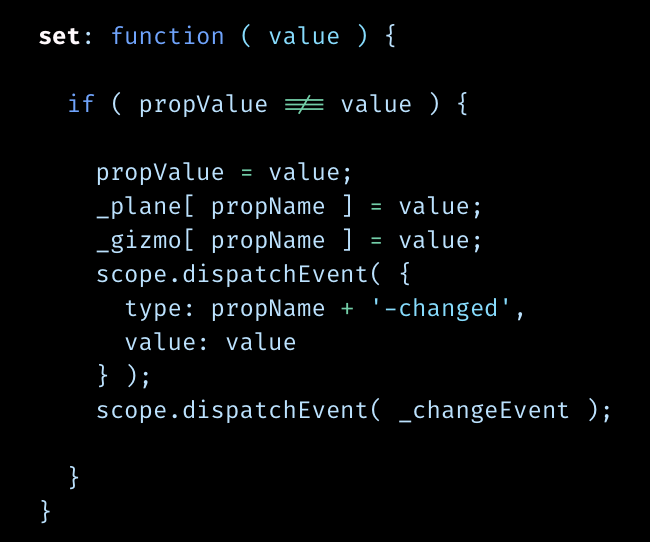
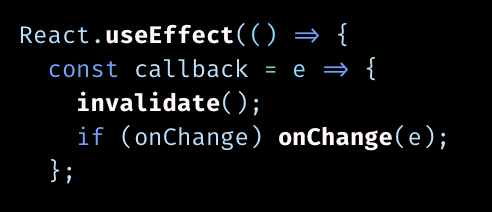
<p>Sadly, the way Three.js responds to changes is ill-defined. As is common, its objects have "dirty" flags. They are resolved and cleared when the scene is re-rendered. But this is not an iron rule: many methods do trigger a local refresh on the spot. Worse, certain properties have an invisible setter, which immediately triggers a "change" event when you assign a new value to it. This also causes derived state to update and cascade, and will be broadcast to any code that might be listening.</p>

<p>The coding principle applied here is "better safe than sorry". Each of these triggers was only added to fix a particular stale data bug, so their effects are incomplete, creating two big problems. Problem 1 is a mix of old and new state... but problem 2 is you can only make it worse, by adding <i>even more</i> pre-emptive partial updates, sprinkled around everywhere.</p>

<p>These "change" events are oblivious to the reason for the change, and this is actually key: if a change was caused by a user interaction, the rest of the app needs to respond to it. But if the change was <i>computed</i> from something else, then you explicitly don't want anything earlier to respond to it, because it would just create an endless cycle, which you need to detect and halt.</p>

</div></div>

<div class="g8 i2"><div class="pad">

<p>R3F introduces a declarative model on top, but can't fundamentally fix this. In fact it adds a few new problems of it own in trying to bridge the two worlds. The details are boring and too specific to dig into, but let's just say it took me a while to realize why my objects were moving around whenever I did a hot-reload, because the second render is not at all the same as the first.</p>

<p>Yet this is exactly what one-way data flow in reactive frameworks is meant to address. It creates a fundamental distinction between the two directions: cascading down (derived state) vs cascading up (user interactions). Instead of routing both through the same mutable objects, it creates a one-way reverse-path too, triggered only in specific circumstances, so that cause and effect are always unambigious, and cycles are impossible.</p>

<p>Three.js is good for classic 3D. But if you're trying to build applications with R3F it feels fragile, like there's something fundamentally wrong with it, that they'll never be able to fix. The big lesson is this: for code to be truly declarative, changes must not be allowed to travel backwards. They must also be resolved consistently, in one big pass. Otherwise it leads to endless bug whack-a-mole.</p>

<p>What reactivity really does is take cache invalidation, said to be the hardest problem, and turn the problem itself into the solution. You never invalidate a cache without immediately refreshing it, and you make that the sole way to cause anything to happen at all. Crazy, and yet it works.</p>

<p>When I tell people this, they often say <i>"well, it might work well for your domain, but it couldn't possibly work for mine."</i> And then I show them how to do it.</p>

<p class="mt2">
<img src="https://acko.net/files/use-gpu-goes-trad/axes.png" alt="a cubemap with 3 axes" style="max-width: 400px; margin: 0 auto;" />
<p class="tc"><i>Figuring out which way your cube map points:<br />just gfx programmer things.</i></p>
</p>

<h2 class="mt3">And... Scene</h2>

<p>One of the cool consequences of this architecture is that even the most traditional of constructs can suddenly bring neat, Lispy surprises.</p>

<p>The new scene system is a great example. Contrary to most other engines, it's actually entirely optional. But that's not the surprising part.</p>

<p>Normally you just have a tree where nodes contain other nodes, which eventually contain meshes, like this:</p>

<pre><code class="language-tsx wrap">&lt;Scene&gt;
  &lt;Node matrix={...}&gt;
    &lt;Mesh&gt;
    &lt;Mesh&gt;
  &lt;Node matrix={...}&gt;
    &lt;Mesh&gt;
    &lt;Node matrix={...}&gt;
      &lt;Mesh&gt;
      &lt;Mesh&gt;
</code></pre>
<div class="c"></div>

<p>It's a way to compose matrices: they cascade and combine from parent to child. The 3D engine is then built to efficiently traverse and render this structure.</p>

<p>But what it ultimately does is define a transform for every mesh: a function <code>vec3 =&gt; vec3</code> that maps one vertex position to another. So if you squint, <code>&lt;Mesh&gt;</code> is really just a marker for a place where you <i>stop</i> composing matrices and pass a composed matrix transform <i>to</i> something else.</p>

<p>Hence Use.GPU's equivalent, <code>&lt;Primitive&gt;</code>, could actually be called <code>&lt;Unscene&gt;</code>. What it does is <i>escape</i> from the scene model, mirroring the Lisp pattern of quote-unquote. A chain of <code>&lt;Node&gt;</code> parents is just a domain-specific-language (DSL) to produce a <code>TransformContext</code> with a shader function, one that applies a single combined matrix transform.</p>

<p>In turn, <code>&lt;Mesh&gt;</code> just becomes a combination of <code>&lt;Primitive&gt;</code> and a <code>&lt;FaceLayer&gt;</code>, i.e. triangle geometry that uses the transform. It all composes cleanly.</p>

<p>So if you just put meshes inside the scene tree, it works exactly like a traditional 3D engine. But if you put, say, a polar coordinate plot in there from the <a href="https://usegpu.live/docs/reference-live-@use-gpu-plot" target="_blank">plot</a> package, which is not a matrix transform, inside a primitive, then it will still compose cleanly. It will combine the transforms into a new shader function, and apply it to whatever's inside. You can unscene and scene repeatedly, because it's just exiting and re-entering a DSL.</p>

<p>In 3D this is complicated by the fact that tangents and normals transform differently from vertices. But, this was already addressed in 0.7 by pairing each transform with a differential function, and using shader fu to compose it. So this all just keeps working.</p>

<p>Another neat thing is how this works with instancing. There is now an <code>&lt;Instances&gt;</code> component, which is exactly like <code>&lt;Mesh&gt;</code>, except that it gives you a dynamic <code>&lt;Instance&gt;</code> to copy/paste via a render prop:</p>

<pre><code class="language-tsx wrap">&lt;Instances
   mesh={mesh}
   render={(Instance) =&gt; (&lt;&gt;
     &lt;Instance position={[1, 2, 3]} /&gt;
     &lt;Instance position={[3, 4, 5]} /&gt;
   &lt;/&gt;)
 /&gt;
</code></pre>
<div class="c"></div>

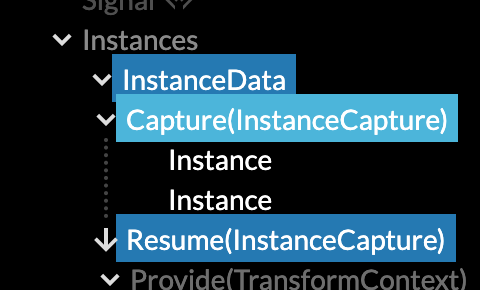
<p>As you might expect, it will gather the transforms of all instances, stuff all of them into a single buffer, and then render them all with a single draw call. The neat part is this: you can still wrap individual <code>&lt;Instance&gt;</code> components in as many <code>&lt;Node&gt;</code> levels as you like. Because all <code>&lt;Instance&gt;</code> does is pass its matrix transform back up the tree to the parent it belongs to.</p>

</div></div>

<div class="g3 i1"><div class="pad mt1">
  <img src="https://acko.net/files/use-gpu-goes-trad/instance-capture.png" alt="instance capture" />
</div></div>

<div class="g7"><div class="pad">

<p>This is done using Live captures, which are React context providers in reverse. It doesn't violate one-way data flow, because captures will only run after all the children have finished running. Captures already worked previously, the semantics were just extended and formalized in 0.8 to allow this to compose with other reduction mechanisms.</p>

</div></div>

<div class="g8 i2 mt1"><div class="pad">

<p>But there's more. Not only can you wrap <code>&lt;Instance&gt;</code> in <code>&lt;Node&gt;</code>, you can also wrap either of them in <code>&lt;Animate&gt;</code>, which is Use.GPU's keyframe animator, entirely unchanged since 0.7:</p>

</div></div>

<div class="c mt2"></div>

<div class="g10 i1"><div class="pad">
  <div style="position: relative; width: 100%; padding-bottom: 56%;">
  <iframe style="position: absolute; top: 0; left: 0; right: 0; bottom: 0; width: 100%; height: 100%;" src="https://www.youtube.com/embed/Qt0na-lTt-0" frameborder="0" allowfullscreen="allowfullscreen"></iframe>
  </div>
</div></div>

<div class="c"></div>

<div class="g8 i2 mt1"><div class="pad">

<pre><code class="language-tsx wrap">&lt;Instances
  mesh={mesh}
  render={(Instance) =&gt; (

    &lt;Animate
      prop="rotation"
      keyframes={ROTATION_KEYFRAMES}
      loop
      ease="cosine"
    &gt;
      &lt;Node&gt;
        {seq(20).map(i =&gt; (
          &lt;Animate
            prop="position"
            keyframes={POSITION_KEYFRAMES}
            loop
            delay={-i * 2}
            ease="linear"
          &gt;
            &lt;Instance
              rotation={[
                Math.random()*360,
                Math.random()*360,
                Math.random()*360,
              ]}
              scale={[0.2, 0.2, 0.2]}
            /&gt;
          &lt;/Animate&gt;
        ))}
      &lt;/Node&gt;
    &lt;/Animate&gt;

  )}
/&gt;
</code></pre>
<div class="c"></div>

<p class="mt2">The scene DSL and the instancing DSL and the animation DSL all compose directly, with nothing up my sleeve. Each of these <code>&lt;Components&gt;</code> are still just ordinary functions. On the inside they look like constructors with all the other code missing. There is zero special casing going on here, and none of them are explicitly walking the tree to reach each other. The only one doing that is the reactive run-time... and all it does is enforce one-way data flow by calling functions, gathering results and busting caches in tree order. Because a capture is a long-distance yeet.</p>

<p>Personally I find this pretty magical. It's not as efficient as a hand-rolled scene graph with instancing and built-in animation, but in terms of coding lift it's literally <code>O(0)</code> instead of OO. I needed to add <i>zero</i> lines of code to any of the 3 sub-systems, in order to combine them into one spinning whole.</p>

<p>The entire <a href="https://usegpu.live/docs/reference-live-@use-gpu-scene" target="_blank">scene + instancing</a> package clocks in at about 300 lines and that's including empties and generous formatting. I don't need to architect the rest of the framework around a base <code>Object3D</code> class that everything has to inherit from either, which is a-ok in my book.</p>

<p>This architecture will never reach Unreal or Unity levels of hundreds of thousands of draw calls, but then, it's not meant to do that. It embraces the idea of a unique shader for every draw call, and then walks that back if and when it's useful. The prototype <a href="https://usegpu.live/docs/reference-live-@use-gpu-map" target="_blank">map</a> package for example does this, and can draw a whole 3D vector globe in 2 draw calls: fill and stroke. Adding labels would make it 3. And it's not static: it's doing the usual quad-tree of LOD'd mercator map tiles.</p>

</div></div>

<div class="c"></div>

<div class="c mt2"></div>

<div class="g10 i1"><div class="pad">
  <div style="position: relative; width: 100%; padding-bottom: 56%;">
  <iframe style="position: absolute; top: 0; left: 0; right: 0; bottom: 0; width: 100%; height: 100%;" src="https://www.youtube.com/embed/bTiOoB2S7U4" frameborder="0" allowfullscreen="allowfullscreen"></iframe>
  </div>
</div></div>

<div class="c"></div>

<div class="g8 i2 mt1"><div class="pad">
  
<h2 class="mt3">Multi-Pass</h2>

<p>Next up, the modular renderer passes. Architecturally and reactively-speaking, there isn't much here. This was mainly an exercise in slicing apart the existing glue.</p>

<p>The key thing to grok is that in Use.GPU, the <code>&lt;Pass&gt;</code> component does not correspond to a literal GPU render pass. Rather, it's a virtual, logical render pass. It represents all the work needed to draw some geometry to a screen or off-screen buffer, in its fully shaded form. This seems like a useful abstraction, because it cleanly separates the nitty gritty rendering from later compositing (e.g. overlays).</p>

<p>For the forward renderer, this means first rendering a few shadow maps, and possibly rendering a picking buffer for interaction. For the deferred renderer, this involves rendering the g-buffer, stencils, lights, and so on.</p>

<p>My goal was for the toggle between the two to be as simple as replacing a <code>&lt;ForwardRenderer&gt;</code> with a <code>&lt;DeferredRenderer&gt;</code>... but also to have both of those be flexible enough that you could potentially add on, say, SSAO, or bloom, or a Space Engine-style black hole, as an afterthought. And each <code>&lt;Pass&gt;</code> can have its own renderer, rather than shoehorning everything into one big engine.</p>

<p>Neatly, that's mostly what it is now. The basic principle rests on three pillars.</p>

</div></div>

<div class="g4"><div class="pad mt1">
  <img src="https://acko.net/files/use-gpu-goes-trad/tree-deferred.png" alt="deferred renderer" />
  <p class="tc"><i>Deferred rendering</i></p>
</div></div>

<div class="g8"><div class="pad">

<p>First, there are a few different rendering modes, by default <code>solid</code> vs <code>shaded</code> vs <code>ui</code>. These define what kind of information is needed at every pixel, i.e. the classic <i>varying</i> attributes. But they have no opinion on where the data comes from or what it's used for: that's defined by the geometry layer being rendered. It renders a <code>&lt;Virtual&gt;</code> draw call, which it gives e.g. a <code>getVertex</code> and <code>getFragment</code> shader function with a particular signature for that mode. These functions are not complete shaders, just the core functions, which are linked into a stub. There are a few standard 'tropes' used here, not just these two.</p>

<p>Second, there are a few different rendering buckets, like <code>opaque</code>, <code>transparent</code>, <code>shadow</code>, <code>picking</code> and <code>debug</code>. These are used to group draws into. Different GPU render passes then pick and choose from that. <code>opaque</code> and <code>transparent</code> are drawn to the screen, while <code>shadow</code> is drawn repeatedly into all the shadow maps. This includes sorting front-to-back and back-to-front, as well as culling.</p>

<p>Finally, there's the renderer itself (<code>forward</code> vs <code>deferred</code>), and its associated pass components (e.g. <code>&lt;ColorPass&gt;</code>, <code>&lt;ShadowPass&gt;</code>, <code>&lt;PickingPass&gt;</code>, and so on). The renderer decides how to translate a particular "mode + bucket" combination into a concrete draw call, by lowering it into render components (e.g. <code>&lt;ShadedRender&gt;</code>). The pass components decide which buffer to actually render stuff to, and how. So the renderer itself doesn't actually render, it merely spawns and delegates to other components that do.</p>

</div></div>

<div class="g8 i2 mt1"><div class="pad">

<p>The forward path works mostly the same as before, only the culling and shadow maps are new... but it's now split up into all its logical parts. And I verified this design by adding the deferred renderer, which is a lot more convoluted, but still needs to do some forward rendering.</p>

<p>It works like a treat, and they use all the same lighting shaders. You can extend any of the 3 pillars just by replacing or injecting a new component. And you don't need to fork either renderer to do so: you can just pick and choose à la carte by selectively overriding or extending its "mode + bucket" mapping table, or injecting a new actual render pass.</p>

</div></div>

<div class="c"></div>

<div class="c mt2"></div>

<div class="g10 i1"><div class="pad">
  <div style="position: relative; width: 100%; padding-bottom: 56%;">
  <iframe style="position: absolute; top: 0; left: 0; right: 0; bottom: 0; width: 100%; height: 100%;" src="https://www.youtube.com/embed/hIBIlf28dxE" frameborder="0" allowfullscreen="allowfullscreen"></iframe>
  </div>
</div></div>

<div class="c"></div>

<div class="g8 i2 mt1"><div class="pad">

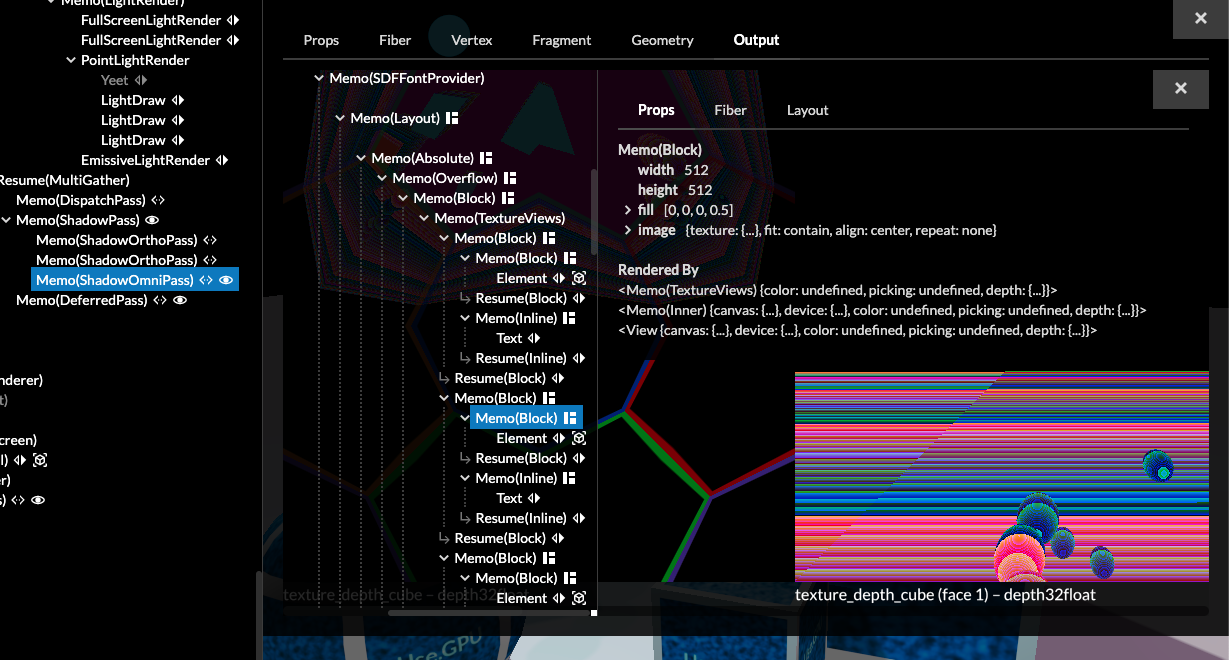
<p>To really put a bow on top, I upgraded the Use.GPU inspector so that you can directly view any render target in a RenderDoc-like way. This will auto-apply useful colorization shaders, e.g. to visualize depth. This is itself implemented as a Use.GPU Live canvas, sitting inside the HTML-based inspector, sitting on top of Live, which makes this a Live-in-React-in-Live scenario.</p>

<p>For shits and giggles, you can also inspect the inspector's canvas, recursively, ad infinitum. Useful for debugging the debugger:</p>

</div></div>

<div class="g10 i1"><div class="pad">

<p>
<img src="https://acko.net/files/use-gpu-goes-trad/inspect-inspect.png" alt="inspecting the inspector" />
</p>

</div></div>

<div class="g8 i2 mt1"><div class="pad">

<p>There are still of course some limitations. If, for example, you wanted to add a new light type, or add support for volumetric lights, you'd have to reach in more deeply to make that happen: the resulting code needs to be tightly optimized, because it runs per pixel and per light. But if you do, you're still going to be able to reuse 90% of the existing components as-is.</p>

<p>I do want a more comprehensive set of light types (e.g. line and area), I just didn't get around to it. Same goes for motion vectors and TXAA. However, with WebGPU finally nearing public release, maybe people will actually help out. Hint hint.</p>

</div></div>

<div class="c"></div>

<div class="c mt2"></div>

<div class="g10 i1"><div class="pad">
  <div style="position: relative; width: 100%; padding-bottom: 56%;">
  <iframe style="position: absolute; top: 0; left: 0; right: 0; bottom: 0; width: 100%; height: 100%;" src="https://www.youtube.com/embed/LQIZaMeQSqY" frameborder="0" allowfullscreen="allowfullscreen"></iframe>
  </div>
  
  <p class="tc"><i>Port of a Reaction Diffusion system by <a href="http://twitter.com/flexi23" target="_blank">Felix Woitzel</a>.</i></p>
</div></div>

<div class="c"></div>

<div class="g8 i2"><div class="pad">

<h2 class="mt2">A Clusterfuck of Textures</h2>

<p>A final thing to talk about is 2D image effects and how they work. Or rather, the way they don't work. It seems simple, but in practice it's kind of ludicrous.</p>

<p>If you'd asked me a year ago, I'd have thought a very clean, composable post-effects pipeline was entirely within reach, with a unified API that mostly papered over the difference between compute and render. Given that I can link together all sorts of crazy shaders, this ought to be doable.</p>

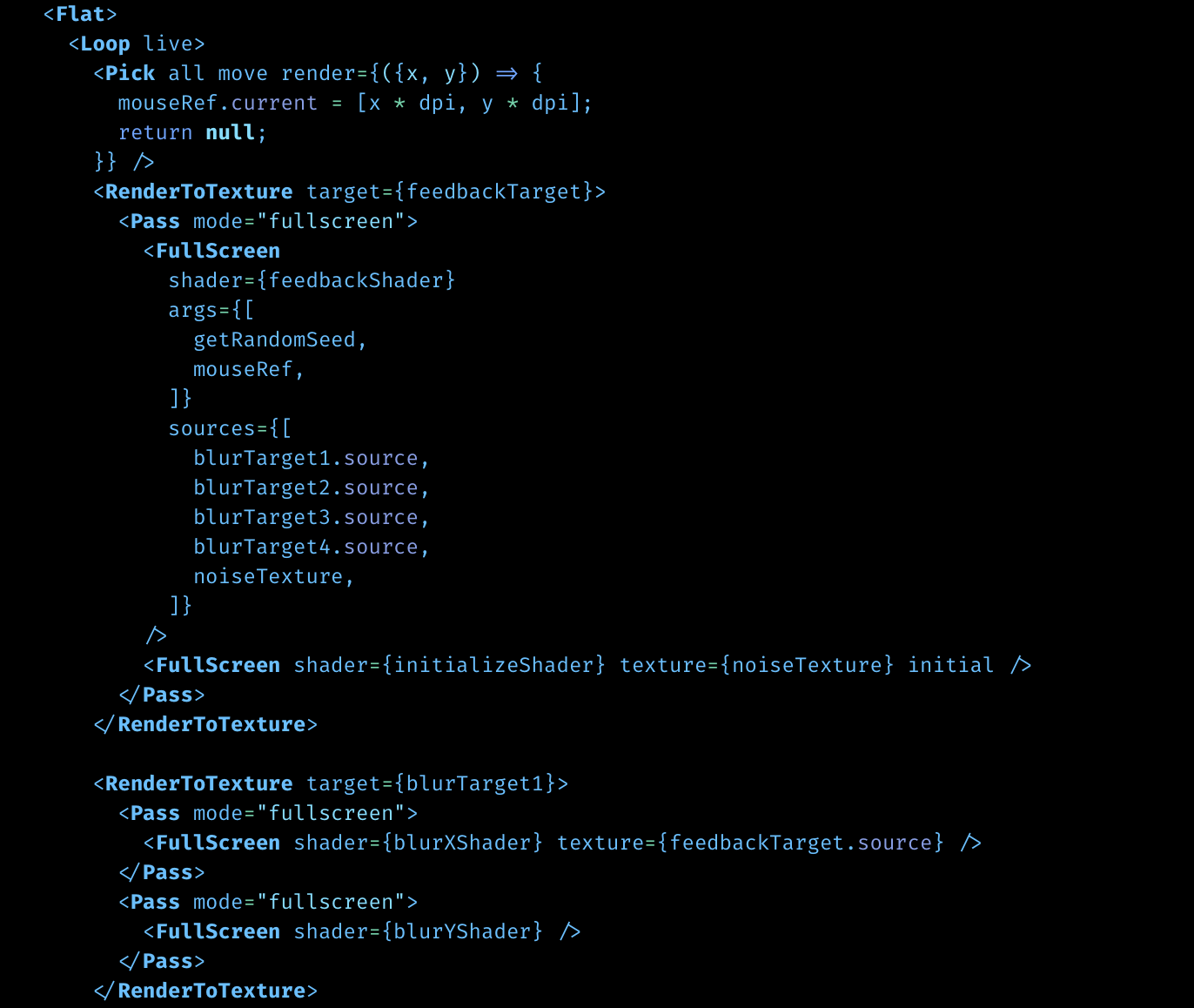
<p>Well, I did upgrade the built-in fullscreen conveniences a bit, so that it's now easier to make e.g. a reaction diffusion sim like this (<a href="https://gitlab.com/unconed/use.gpu/-/blob/master/packages/app/src/pages/rtt/multiscale.tsx" target="_blank">full code</a>):</p>

<p>
<img src="https://acko.net/files/use-gpu-goes-trad/rtt.png" alt="multiple render-to-texture pipelines" />
</p>

<p>The devil here is in the details. If you want to process 2D images on a GPU, you basically have several choices:</p>

<ul class="indent">
<li>Use a compute shader or render shader?</li>
<li>Which pixel format do you use?</li>
<li>Are you sampling one flat image or a MIP pyramid of pre-scaled copies?</li>
<li>Are you sampling color images, or depth/stencil images?</li>
<li>Use hardware filtering or emulate filtering in software?</li>
</ul>

<p>The big problem is that there is no single approach that can handle all cases. Each has its own quirks. To give you a concrete example: if you wrote a float16 reaction-diffusion sim, and then decided you actually needed float32, you'd probably have to rewrite all your shaders, because float16 is always renderable and hardware filterable, but float32 is not.</p>

<p>Use.GPU has a pretty nice set of Compute/Stage/Kernel components, which are elegant on the outside; but they require you to write <a href="https://gitlab.com/unconed/use.gpu/-/blob/master/packages/app/src/pages/rtt/cfd-compute/mccormack.wgsl#L34" target="_blank">pretty gnarly shader code</a> to actually use them. On the other side are the RenderToTexture/Pass/FullScreen components which conceptually do the same thing, and have much nicer shader code, but which don't work for a lot of scenarios. All of them can be broken by doing something seemingly obvious, that just isn't natively supported and difficult to check ahead of time.</p>

<p>Even just producing universal code to <i>display</i> any possible texture type on screen becomes a careful exercise in code-generation. If you're familiar with the history of these features, it's understandable how it got to this point, but nevertheless, the resulting API is abysmal to use, and is a never-ending show of surprise pitfalls.</p>

<p>Here's a non-exhaustive list of quirks:</p>

<ul class="indent">
<li>Render shaders are the simplest, but can only be used to write those pixel formats that are "renderable".</li>
<li>Compute shaders must be dispatched in groups of N, even if the image size is not a multiple of N. You have to manually trim off the excess threads.</li>
<li>Hardware filtering only works on some formats, and some filtering functions only work in render shaders.</li>
<li>Hardware filtering (fast) uses [0..1] UV float coordinates, software emulation in a shader (slow) uses [0..N] XY uint coordinates.</li>
<li>Reading and writing from/to the same render texture is not allowed, you have to bounce between a read and write buffer.</li>
<li>Depth+stencil images have their own types and have an additional notion of "aspect" to select one or both.</li>
<li>Certain texture functions cannot be called conditionally, i.e. inside an <code>if</code>.</li>
<li>Copying from one texture to another doesn't work between certain formats and aspects.</li>
</ul>

<p>My strategy so far has been to try and stick to native WGSL semantics as much as possible, meaning the shader code you do write gets inserted pretty much verbatim. But if you wanted to paper over all these differences, you'd have to invent a whole new shader dialect. This is a huge effort which I have not bothered with. As a result, compute vs render pretty much have to remain separate universes, even when they're doing 95% the same thing. There is also no easy way to explain to users which one they ought to use.</p>

<p>While it's unrealistic to expect GPU makers to support every possible format and feature on a fast path, there is little reason why they can't just pretend a little bit more. If a texture format isn't hardware filterable, somebody will have to emulate that in a shader, so it may as well be done once, properly, instead of in hundreds of other hand-rolled implementations.</p>

<p>If there is one overarching theme in this space, it's that limitations and quirks continue to be offloaded directly onto application developers, often with barely a shrug. To make matters worse, the "next gen" APIs like Metal and Vulkan, which WebGPU inherits from, do not improve this. They want you to become an expert at their own kind of busywork, instead of getting on with your own.</p>

<p>I can understand if the WebGPU designers have looked at the resulting venn-diagram of poorly supported features, and have had to pick their battles. But there's a few absurdities hidden in the API, and many non-obvious limitations, where the API spec suggests you can do a lot more than you actually can. It's a very mixed bag all things considered, and in certain parts, plain retarded. Ask me about <i>minimum binding size</i>. No wait, don't.</p>

<p class="mt2 mb2 tc" style="opacity: .5">* * *</p>

<p>Most promising is that as Use.GPU grows to do more, I'm not touching extremely large parts of it. This to me is the sign of good architecture. I also continue to focus on specific use cases to validate it all, because that's the only way I know how to do it well.</p>

<p>There are some very interesting goodies lurking inside too. To give you an example... that R3F client app I mentioned at the start. It leverages Use.GPU's <a href="https://usegpu.live/docs/reference-live-@use-gpu-state" target="_blank">state</a> package to implement a universal undo/redo system in 130 lines. A JS patcher is very handy to wrangle the WebGPU API's deep argument style, but it can do a lot more.</p>

<p class="mt2">One more thing. As a side project to get away from the core architecting, I made a viewer for levels for Dark Engine games, i.e. Thief 1 (1998), System Shock 2 (1999) and Thief 2 (2000). I want to answer a question I've had for ages: how would those light-driven games have looked, if we'd had better lighting tech back then? So it actually relights the levels. It's still a work in progress, and so far I've only done slow-ass offline CPU bakes with it, using a BSP-tree based raytracer. But it works like a treat.</p>

</div></div>

<div class="c"></div>

<div class="g10 i1 mt1"><div class="pad">
  <div style="position: relative; width: 100%; padding-bottom: 56%;">
  <iframe style="position: absolute; top: 0; left: 0; right: 0; bottom: 0; width: 100%; height: 100%;" src="https://www.youtube.com/embed/wYAlkjNbEjk" frameborder="0" allowfullscreen="allowfullscreen"></iframe>
  </div>
</div></div>

<div class="c"></div>

<div class="g8 i2 mt1"><div class="pad">

<p>I basically don't have to do any heavy lifting if I want to draw something, be it normal geometry, in-place data/debug viz, or zoomable overlays. Integrating old-school lightmaps takes about 10 lines of shader code and 10 lines of JS, and the rest is off-the-shelf Use.GPU. I can spend my cycles working on the problem I actually want to be working on. That to me is the real value proposition here.</p>

<p>I've noticed that when you present people with refined code that is extremely simple, they often just do not believe you, or even themselves. They assume that the only way you're able to juggle many different concerns is through galaxy brain integration gymnastics. It's really quite funny. They go looking for the complexity, and they can't find it, so they assume they're missing something really vital. The realization that it's simply not there can take a very long time to sink in.</p>

<p class="mt2"><i>Visit <a href="https://usegpu.live" target="_blank">usegpu.live</a> for more and to <a href="https://usegpu.live/demo/index.html">view demos</a> in a WebGPU capable browser</i>.</p>

</div></div>
]]></content>
  </entry>
  
  <entry>
    <title type="html"><![CDATA[The GPU Banana Stand]]></title>
    <link href="https://acko.net/blog/the-gpu-banana-stand/"/>
    <updated>2022-07-21T00:00:00+02:00</updated>
    <id>https://acko.net/blog/the-gpu-banana-stand</id>
    <content type="html"><![CDATA[<div class="g8 i2 first"><div class="pad">
  <h2 class="sub">Freshly whipped WebGPU, with ice cream</h2>
</div></div>

<div class="c"></div>

<p><img src="https://acko.net/files/gpu-banana-stand/cover.jpg" style="position: absolute; left: -5000px; top: 0;" alt="Cover Image - Fluid Dynamics" /></p>

<div class="g8 i2 mt1"><div class="pad">

<p>I recently rolled out version 0.7 of <a href="https://usegpu.live" target="_blank">Use.GPU</a>, my declarative/reactive WebGPU library.</p>

<p>This includes features and goodies by itself. But most important are the code patterns which are all nicely slotting into place. This continues to be welcome news, even to me, because it's a novel architecture for the space, drawing heavily from both reactive web tech and functional programming.</p>

<p>Some of the design choices are quite different from other frameworks, but that's entirely expected: I am not seeking the most performant solution, but the most composable. Nevertheless, it still has fast and minimal per-frame code, with plenty of batching. It just gets there via an unusual route.</p>

<p>WebGPU is not available for general public consumption yet, but behind the dev curtain Use.GPU is already purring like a kitten. So I mainly want more people to go poke at it. Cos everything I've been saying about incrementalism can work, and does what it says on the box. It's still alpha, but there are <a href="https://usegpu.live/docs/guides-getting-started" target="_blank">examples and documentation</a> for the parts that have stabilized, and most importantly, it's already pretty damn fun.</p>

<p>If you have a dev build of Chrome or Firefox on hand, you can follow along with the <a href="https://usegpu.live/demo/index.html" target="_blank">actual demos</a>. For everyone else, there's video.</p>

</div></div>

<div class="c"></div>

<div class="c mt1"></div>

<div class="g10 i1"><div class="pad">
  <div style="position: relative; width: 100%; padding-bottom: 56%;">
  <iframe style="position: absolute; top: 0; left: 0; right: 0; bottom: 0; width: 100%; height: 100%;" src="https://www.youtube.com/embed/us2SXQLbDIM" frameborder="0" allowfullscreen="allowfullscreen"></iframe>
  </div>
</div></div>

<div class="c"></div>

<div class="g8 i2 mt1"><div class="pad">

<h2 class="mt3">Immediate + Retained</h2>

<p>To recap, I built a clone of the core React run-time, called <i>Live</i>, and used it as the basis for a set of declarative and reactive components.</p>

<p>Here's how I approached it. In WebGPU, to render 1 image in pseudo code, you will have something like:</p>

<pre><code class="language-tsx wrap">const main = (props) =&gt; {
  const device = useGPUDevice(); // access GPU
  const resource = useGPUResource(device); // allocate a resource

  // ...

  dispatch(device, ...); // do some compute
  draw(device, resource, ...); // and/or do some rendering
};</code></pre>
<div class="c"></div>

<p>This is classic imperative code, aka <i>immediate mode</i>. It's simple but runs only once.</p>

<p>The classic solution to making this interactive is to add an event loop at the bottom. You then need to write specific code to update specific <code>resources</code> in response to specific events. This is called <i>retained</i> mode, because the <code>resources</code> are all created once and explicitly kept. It's difficult to get right and gets more convoluted as time goes by.</p>

<p>Declarative programming says instead that if you want to make this interactive, this should be equivalent to just calling <code>main</code> repeatedly with new input <code>props</code> aka args. Each <code>use…()</code> call should then either return the same thing as before or not, depending on whether its arguments changed: the <code>use</code> prefix signifies memoization, and in practice this involves React-like hooks such as <code>useMemo</code> or <code>useState</code>.</p>

<p>In a declarative model, resources can be dropped and recreated on the fly in response to changes, and code downstream is expected to cope. Existing resources are still kept somewhere, but the retention is implicit and hands-off. This might seem like an enormous source of bugs, but the opposite is true: if any upstream value is allowed to change, that means you are free to pass <i>down</i> changed values whenever you like too.</p>

<p>That's essentially what Use.GPU does. It lets you write code that feels immediate, but is heavily retained on the inside, tracking fine grained dependencies. It does so by turning every typical graphics component into a heavily memoized constructor, while throwing away most of the other usual code. It uses &lt;JSX&gt; so instead of <code>dispatch()</code> you write <code>&lt;Dispatch&gt;</code>, but the principle remains the same.</p>

<p>Like React, you don't actually re-run all of <code>main(...)</code> every time: every <code>&lt;Component&gt;</code> boundary is actually a resume checkpoint. If you crack open a random Use.GPU component, you will see the same <code>main()</code> shape inside.</p>

</div></div>

<div class="g8 i2 mt2">

<div class="tc">
  <img src="https://acko.net/files/gpu-banana-stand/iphone.jpg" alt="Revolutionary UI - Interplay of hardware and software (Steve Jobs)" />
</div>

</div>

<div class="c"></div>

<div class="g4 mt3 r">
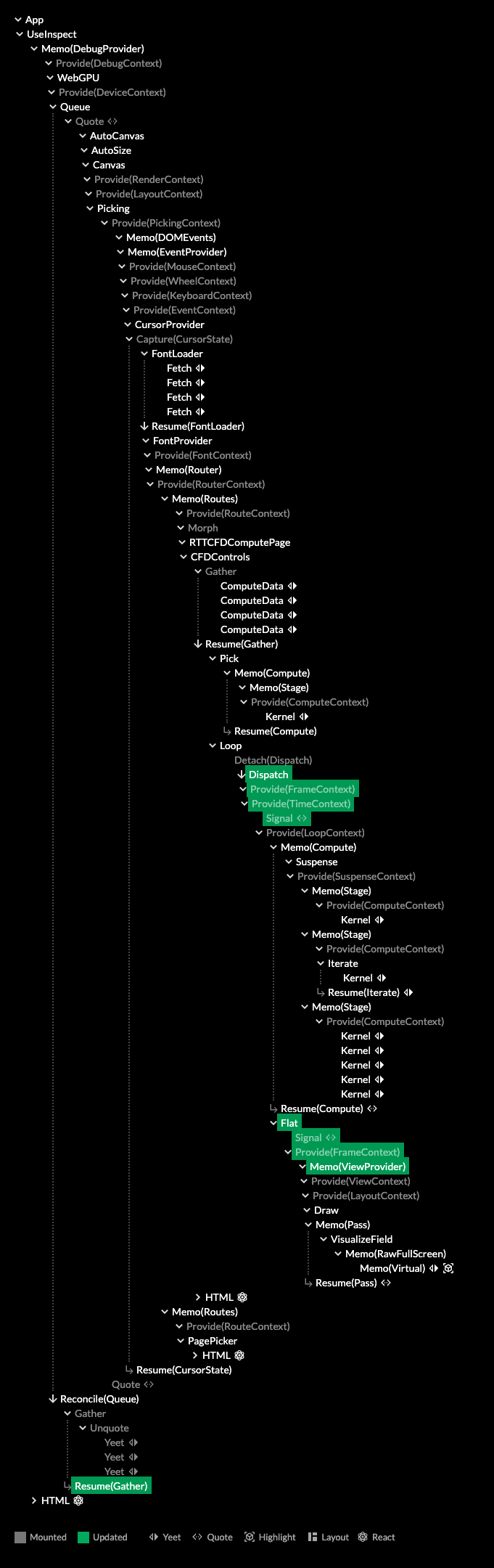
  <a href="https://acko.net/files/gpu-banana-stand/fluid-sim-tree.png"><img src="https://acko.net/files/gpu-banana-stand/fluid-sim-tree.png" alt="Example component tree" /></a>
  <p class="tc"><em>A Live component tree, showing changes in green.</em></p>
</div>

<div class="g8"><div class="pad">

<h2 class="mt3">3 in 1</h2>

<p>Live goes <a href="https://usegpu.live/docs/guides-live-vs-react" target="_blank">far beyond</a> the usual React semantics, introducing continuations, tree reductions, captures, and more. These are used to make the entire library self-hosted: everything is made out of components. There is no special layer underneath to turn the declarative model into something else. There is only the Live run-time, which does not know anything about graphics or GPUs.</p>

<p>The result is a tree of functions which is simultaneously:</p>

<ul class="indent">
<li>an execution trace</li>
<li>the application state</li>
<li>a dependency graph of that state</li>
</ul>

<p>When these 3 concerns are aligned, you get a fully incremental program. It behaves like a big reactive AST expression that builds and rewrites itself. This way, Live is an evolution of React into a fully rewindable, memoized <i>effect run-time</i>.</p>

<p>That's a mouthful, but when working with Use.GPU, it all comes down to that <code>main()</code> function above. This is exactly the mental model you should be having. All the rest is just window dressing to assemble it.</p>

<p>Instead of hardcoded <code>draw()</code> calls, there is a loop <code>for (let task of tasks) task()</code>. Maintaining that list of <code>tasks</code> is what all the reactivity is ultimately in service of: to apply minimal changes to the code to be run every frame, or the resources it needs. And to determine if it needs to run at all, or if we're still good.</p>

<p>So the tree in Use.GPU is executable <i>code</i> knitting itself together, and not data at all. This is very different from most typical scene trees or render graphs: these are pure data representations of objects, which are traversed up and down by static code, chasing existing pointers.</p>

<p>The tree form captures more than hierarchy. It also captures order, which is crucial for both dispatch sequencing and 2D layering. Live map-reduce lets parents respond to children without creating cycles, so it's still all 100% one-way data flow. It's like a node graph, but there is no artificial separation between the graph and the code.</p>

</div></div>

<div class="c"></div>

<div class="g8 i2"><div class="pad">

<p>You already have to decide where in your code particular things happen; a reactive tree is merely a disciplined way to do that. Like a borrow checker, it's mainly there for your own good, turning something that would probably work fine in 95% of cases into something that works 100%. And like a borrow checker, you will sometimes want to tell it to just f off, and luckily, there are a few ways to do that too.</p>

<p>The question it asks is whether you still want to write classic GPU orchestration code, knowing that the first thing you'll have to do is allocate some resources with no convenient way to track or update them. Or whether you still want to use node-graph tools, knowing that you can't use functional techniques to prevent it from turning into spaghetti.</p>

<p>If this all sounds a bit abstract, below are more concrete examples.</p>


<h2 class="mt3">Compute Pipelines</h2>

<p>One big new feature is proper support for compute shaders.</p>

<p>GPU compute is meant to be rendering without all the awful legacy baggage: just some GPU memory buffers and some shader code that does reading and writing. Hence, compute shaders can inherit all the goodness in Use.GPU that has already been refined for rendering.</p>

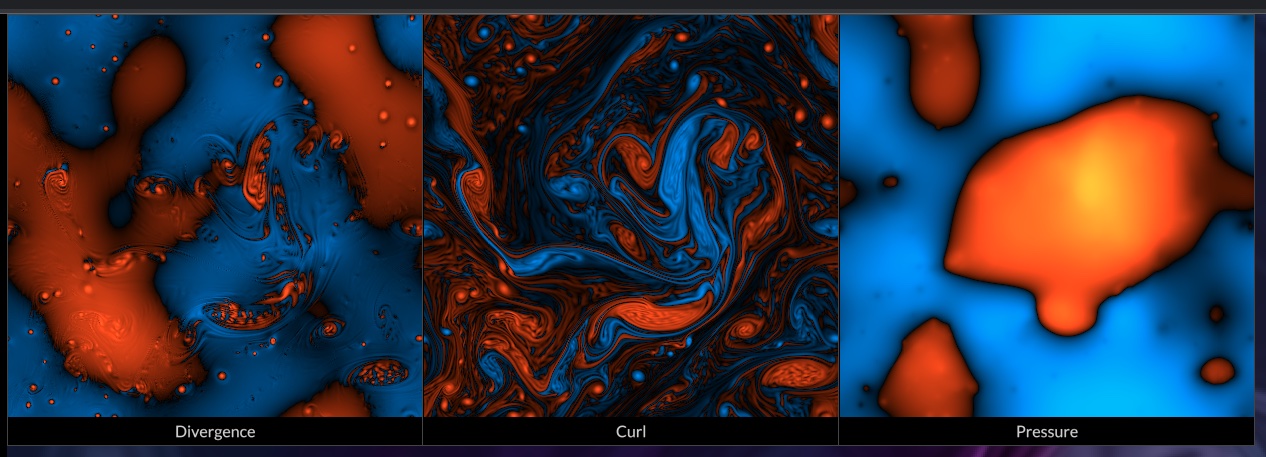
<p>I used it to build a neat fluid dynamics smoke sim example, with fairly decent numerics too.</p>

<p>The basic element of a compute pipeline is just <code>&lt;Dispatch&gt;</code>. This takes a shader, a workgroup count, and a few more optional props. It has two callbacks, one whether to dispatch conditionally, the other to initialize just-in-time data. Any of these props can change at any time, but usually they don't.</p>

<p>If you place this anywhere inside a <code>&lt;WebGPU&gt;&lt;Compute&gt;...&lt;/Compute&gt;&lt;/WebGPU&gt;</code>, it will run as expected. <code>WebGPU</code> will manage the device, while <code>Compute</code> will gather up the compute calls. This simple arrangement can also recover from device loss. If there are other dispatches or computes beside it, they will be run in tree order. This works because <code>WebGPU</code> provides a <code>DeviceContext</code> and gathers up dispatches from children.</p>

<p>This is just minimum viable compute, but not very convenient, so other components build on this:</p>

<p>- <code>&lt;ComputeData&gt;</code> creates a buffer of a particular format and size. It can auto-size to the screen, optionally at xN resolution. This can also track N frames of history, like a rotating double or triple buffer. You can use it as a data source, or pass it to <code>&lt;Stage target={...}&gt;</code> to write to it.</p>

<p>- <code>&lt;Kernel&gt;</code> wraps <code>&lt;Dispatch&gt;</code> and runs a compute shader once for every sample in the target. It has conveniences to auto-bind buffers with history, as well as textures and uniforms. It can cycle history every frame. It will also read workgroup size from the shader code and auto-size the dispatch to match the input on the fly.</p>

<p class="mb2">With these ingredients, a fluid dynamics sim (without visualization) becomes:</p>

</div></div>

<div class="g4 r" style="margin-top: 1em">
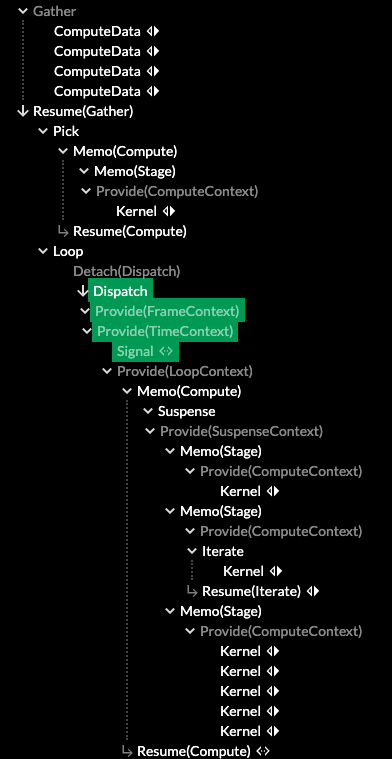
  <a href="https://acko.net/files/gpu-banana-stand/fluid-sim-tree-2.png"><img src="https://acko.net/files/gpu-banana-stand/fluid-sim-tree-2.png" alt="Zooming in on component tree" /></a>
  <p class="tc"><em>The expanded result.</em></p>
</div>

<div class="g8"><div class="pad">

<pre><code class="language-tsx wrap">&lt;Gather
  children={[
    // Velocity + density field
    &lt;ComputeData format="vec4&lt;f32&gt;" history={3} resolution={1/2} /&gt;,
    // Divergence
    &lt;ComputeData format="f32" resolution={1/2} /&gt;,
    // Curl
    &lt;ComputeData format="f32" resolution={1/2} /&gt;,
    // Pressure
    &lt;ComputeData format="f32" history={1} resolution={1/2} /&gt;
  ]}
  then={([
    velocity,
    divergence,
    curl,
    pressure,
  ]: StorageTarget[]) =&gt; (
    &lt;Loop live&gt;
      &lt;Compute&gt;
        &lt;Suspense&gt;
          &lt;Stage targets={[divergence, curl]}&gt;
            &lt;Kernel shader={updateDivCurl}
                       source={velocity} /&gt;
          &lt;/Stage&gt;
          &lt;Stage target={pressure}&gt;
            &lt;Iterate count={50}&gt;
              &lt;Kernel shader={updatePressure}
                         source={divergence}
                         history swap /&gt;
            &lt;/Iterate&gt;
          &lt;/Stage&gt;
          &lt;Stage target={velocity}&gt;
            &lt;Kernel shader={generateInitial}
                       args={[Math.random()]}
                       initial /&gt;
            &lt;Kernel shader={projectVelocity}
                       source={pressure}
                       history swap /&gt;
            &lt;Kernel shader={advectForwards}
                       history swap /&gt;
            &lt;Kernel shader={advectBackwards}
                       history swap /&gt;
            &lt;Kernel shader={advectMcCormack}
                       source={curl}
                       history swap /&gt;
          &lt;/Stage&gt;
        &lt;/Suspense&gt;
      &lt;/Compute&gt;
    &lt;/Loop&gt;
  )
/&gt;</code></pre>

</div></div>

<div class="c"></div>

<div class="g8 i2"><div class="pad">

<p>Explaining why this simulates smoke is beyond the scope of this post, but you can understand most of what it does just by reading it top to bottom:</p>

<ul class="indent">
<li>It will create 4 data buffers: <code>velocity</code>, <code>divergence</code>, <code>curl</code> and <code>pressure</code></li>
<li>It will set up 3 compute stages in order, targeting the different buffers.</li>
<li>It will run a series of compute kernels on those targets, using the output of one kernel as the input of the next.</li>
<li>All this will loop live.</li>
</ul>

<p>Each of the <code>shaders</code> is imported directly from a <code>.wgsl</code> file, because shader closures are a native data type in Use.GPU.</p>

<p>The appearance of <code>&lt;Suspense&gt;</code> in the middle mirrors the React mechanism of the same name. Here it will defer execution until all the shaders have been compiled, preventing a partial pipeline from running. The semantics of Suspense are realized via map-reduce over the tree inside: if any of them yeet a <code>SUSPEND</code> symbol, the entire tree is suspended. So it can work for anything, not just compute dispatches.</p>

<p>What is most appealing here is the ability to declare data sources, name them using variables, and just hook them up to a big chunk of pipeline. You aren't forced to use excessive nesting like in React, which comes with its own limitations and ergonomic issues. And you don't have to generate monolithic chunks of JSX, you can use normal code techniques to organize that part too.</p>

</div></div>

<div class="g12 mt2">

<div class="tc">
  <img src="https://acko.net/files/gpu-banana-stand/debug-viz.jpg" alt="Debug visualization - Divergence, Curl, Pressure" />
</div>

</div>

<div class="c"></div>

<div class="g4 mt3 r">
  <a href="https://acko.net/files/gpu-banana-stand/ui-tree.png"><img src="https://acko.net/files/gpu-banana-stand/ui-tree.png" alt="Example component UI tree" /></a>
  <p class="tc"><em>A tree of layout components, reduced into shapes, reduced into layers.</em></p>
</div>

<div class="g8"><div class="pad">
  
<h2 class="mt3">HTML/GPU</h2>

<p>The fluid sim example includes a visualization of the 3 internal vector fields. This leverages Use.GPU's HTML-like layout system. But the 3 "divs" are each directly displaying a GPU buffer.</p>

<p>The data is colored using a shader, defined using a <code>wgsl</code> template.</p>

<pre><code class="language-tsx wrap">const debugShader = wgsl`
  @link fn getSample(i: u32) -&gt; vec4&lt;f32&gt; {};
  @link fn getSize() -&gt; vec4&lt;u32&gt; {};
  @optional @link fn getGain() -&gt; f32 { return 1.0; };

  fn main(uv: vec2&lt;f32&gt;) -&gt; vec4&lt;f32&gt; {
    let gain = getGain(); // Configurable parameter
    let size = getSize(); // Source array size

    // Convert 2D UV to linear index
    let iuv = vec2&lt;u32&gt;(uv * vec2&lt;f32&gt;(size.xy));
    let i = iuv.x + iuv.y * size.x;

    // Get sample and apply orange/blue color palette
    let value = getSample(i).x * gain;
    return sqrt(vec4&lt;f32&gt;(value, max(value * .1, -value * .3), -value, 1.0));
  }
`;

const DEBUG_BINDINGS = bundleToAttributes(debugShader);

const DebugField = ({field, gain}) =&gt; {
  const boundShader = useBoundShader(
    debugShader,
    DEBUG_BINDINGS,
    [field, () =&gt; field.size, gain || 1]
  );
  const textureSource = useLambdaSource(boundShader, field);
  return (
    &lt;Element
      width={field.size[0] / 2}
      height={field.size[1] / 2}
      image={ {texture: textureSource} }
    /&gt;
  );
};
</code></pre>
<div class="c"></div>

<p>Above, the <code>DebugField</code> component binds the coloring shader to a vector <code>field</code>. It turns it into a <i>lambda source</i>, which just adds array size metadata (by copying from <code>field</code>).</p>

<p><code>DebugField</code> returns an <code>&lt;Element&gt;</code> with the shader as its <code>image</code>. This works because the equivalent of CSS <code>background-image</code> in Use.GPU can accept a shader function <code>(uv: vec2&lt;f32&gt;) -&gt; vec4&lt;f32&gt;</code>.</p>

</div></div>

<div class="g8 i2"><div class="pad">

<p>So this is all that is needed to slap a live, procedural texture on a UI element. You can use all the standard image alignment and sizing options here too, because why wouldn't you?</p>

<p>Most UI elements are simple and share the same basic archetype, so they will be batched together as much as drawing order allows. Elements with unique shaders however are realized using 1 draw call per element, which is fine because they're pretty rare.</p>

<p>This part is not new in 0.7, it's just gotten slightly more refined. But it's easy to miss that it can do this. Where web browsers struggle to make their rendering model truly extensible, Use.GPU instead invites you to jump right in using first-class tools. Cos again: <i>shader closures</i> are a <i>native data type</i> the same way that there was <i>money</i> in that <i>banana stand</i>. I don't know how to be any clearer than this.</p>

<p>The shader snippets will end up inlined in the right places with all the right bindings, so you can just go nuts.</p>

</div></div>

<div class="c"></div>

<div class="c mt1"></div>

<div class="g10 i1"><div class="pad">
  <div style="position: relative; width: 100%; padding-bottom: 56%;">
  <iframe style="position: absolute; top: 0; left: 0; right: 0; bottom: 0; width: 100%; height: 100%;" src="https://www.youtube.com/embed/m63lDb7pw7M" frameborder="0" allowfullscreen="allowfullscreen"></iframe>
  </div>
</div></div>

<div class="c"></div>

<div class="g8 i2 mt1"><div class="pad">

<h2 class="mt3">Dual Contouring</h2>

<p>3D plotting isn't complete without rendering implicit surfaces. In WebGL this was very hard to do well, but in WebGPU it's entirely doable. Hence there is a <code>&lt;DualContourLayer&gt;</code> that can generate a surface for any level in a volume. I chose <a href="https://www.boristhebrave.com/2018/04/15/dual-contouring-tutorial/" target="_blank">dual contouring</a> over e.g. marching cubes because it's always topologically sound, and also easy to explain.</p>

<p>Given a volume of data, you can classify each data point as inside or outside. You can then create a "minecraft" or "q-bert" mesh of cube faces, which cleanly separates all inside points from outside. This mesh will be topologically closed, provided it fits within the volume.</p>

<p class="tc"><a href="https://www.boristhebrave.com/2018/04/15/dual-contouring-tutorial/" target="_blank"><img src="https://acko.net/files/gpu-banana-stand/dc_tee_comparison.svg" class="flat" alt="dual contouring grid" style="max-width: 400px; margin: 0 auto" /><br /><span class="muted">BorisTheBrave.com</span></a></p>

<p>In practice, you check every X, Y and Z edge between every adjacent pair of points, and place a cube face that sits across perpendicular. This creates cubes that are offset by half a cell, which is where the "dual" in the name comes from.</p>

<p><a href="https://www.boristhebrave.com/2018/04/15/dual-contouring-tutorial/" target="_blank"><img src="https://acko.net/files/gpu-banana-stand/dc_single_face.png" alt="dual contouring grid" style="max-width: 200px; margin: 0 auto" class="flat" /></a></p>

<p>The last step is to make it smooth by projecting all the vertices onto the actual surface (as best you can), somewhere inside each containing cell. For "proper" dual contouring, this uses both the field and its gradients, using a difficult-to-stabilize least-squares fit. But high quality gradients are usually not available for numeric data, so I use a simpler linear technique, which is more stable.</p>

</div></div>

<div class="g6">
<img src="https://acko.net/files/gpu-banana-stand/dual-contour-flat.png" alt="dual contouring flat" />
</div>

<div class="g6">
<img src="https://acko.net/files/gpu-banana-stand/dual-contour-smooth.png" alt="dual contouring smooth" />
</div>

<div class="g8 i2 mt1"><div class="pad">

<p>The resulting mesh looks smooth, but does not have clean edges on the volume boundary, revealing the cube-shaped nature. To hide this, I generate a border of 1 additional cell in each direction. This is trimmed off from the final mesh using a per-pixel scissor in a shader. I also apply anti-aliasing similar to SDFs, so it's indistinguishable from actual mesh edges.</p>

<p class="tc"><img src="https://acko.net/files/gpu-banana-stand/scissor.png" alt="edge scissor" /></p>

<p><code>&lt;DualContourLayer&gt;</code> is the currently the most complex geometry component in the whole set. But in use, it's a simple layer which you just feed volume data to get a shaded mesh. On the inside it's realized using 2 compute dispatches and an indirect draw call, as well as a non-trivial vertex and fragment shader. It also plays nice with the lighting system, and the material system, the transform system, and so on, each of which comes from the surrounding context.</p>

<p>I'm very happy with the result, though I'm pretty disappointed in compute shaders tbh. The GPU ergonomics are plain terrible: despite knowing virtually nothing about the hardware you're on, you're expected to carefully optimize your dispatch size, memory access patterns, and more. It's pretty absurd.</p>

<p>The most basic case of "embarrassingly parallel shader" isn't even optimized for: you have to dispatch at least as many threads as the hardware supports, or it may have up to 2x, 4x, 8x... slowdown as X% sits idle. Then, with a workgroup size of e.g. 64, if the data length isn't a multiple of 64, you have to manually trim off those last threads in the shader yourself.</p>

<p>There are basically two worlds colliding here. In one world, you would never dream to size anything other than some (multiple of) power-of-two, because that would be inefficient. In the other world, it's ridiculous to expect that data comes in power-of-two sizes. In some ways, this is the real GPU ↔︎ CPU gap.</p>

<p>Use.GPU obviously chooses the world where such trade-offs are unreasonable impositions. It has lots of ergonomics around getting data in, in various forms, and it tries to paper over differences where it can.</p>

</div></div>

<div class="c"></div>

<div class="c mt2"></div>

<div class="g10 i1"><div class="pad">
  <div style="position: relative; width: 100%; padding-bottom: 56%;">
  <iframe style="position: absolute; top: 0; left: 0; right: 0; bottom: 0; width: 100%; height: 100%;" src="https://www.youtube.com/embed/bTiOoB2S7U4" frameborder="0" allowfullscreen="allowfullscreen"></iframe>
  </div>
</div></div>

<div class="c"></div>

<div class="g8 i2 mt1"><div class="pad">

<h2 class="mt3">Transforms and Differentials</h2>

<p>Most 3D engines will organize their objects in a tree using matrix transforms.</p>

<p>In React or Live, this is trivial because it maps to the normal component update cycle, which is batched and dispatched in tree order. You don't need dirty flags: if a matrix changes somewhere, all children affected by it will be re-evaluated.</p>

<pre><code class="language-tsx wrap">const Node = ({matrix, children}) =&gt; {
  const parent = useContext(MatrixContext);
  const combined = matrixMultiply(parent, matrix);
  return provide(MatrixContext, combined, children);
};
</code></pre>
<div class="c"></div>

<p>This is a common theme in Use.GPU: a mechanism that normally would have to be coded disappears almost entirely, because it can just re-use native tree semantics. However, Use.GPU goes much further. Matrix transforms are just one kind of transform. While they are a very convenient sweet spot, it's insufficient as a general case.</p>

<p>
<img src="https://acko.net/files/gpu-banana-stand/transformcontext.png" alt="dual contouring smooth" style="max-width: 400px; margin: 0 auto;" />
</p>

<p>So its <code>TransformContext</code> doesn't hold a matrix, it holds any shader function <code>vec4&lt;f32&gt; -&gt; vec4&lt;f32&gt;</code>. This operates on the positions. When you nest one transform in the other, it will chain both shader functions in series. The transforms are inlined directly into the affected vertex shaders. If a transform changes, downstream draw calls can incorporate it and get new shaders.</p>

<p>If you used this for ordinary matrices, they wouldn't merge and it would waste GPU cycles. Hence there are still classic matrix transforms in e.g. the GLTF package. This then compacts into a single <code>vec4&lt;f32&gt; -&gt; vec4&lt;f32&gt;</code> transform per mesh, which can compose with other, general transforms.</p>

<p>You can compose e.g. a spherical coordinate transform with a stereographic one, animate both, and it works.</p>

<p>It's weird, but I feel like I have to stress and justify that this is Perfectly Fine™... even more, that it's Okay To Do Transcendental Ops In Your Vertex Shader, because I do. I think most graphics dev readers will grok what I mean: focusing on performance-über–alles can smother a whole category of applications in the crib, when the more important thing is just getting to try them out at all.</p>

<p>Dealing with arbitrary transforms poses a problem though. In order to get proper shading in 3D, you need to transform not just the positions, but also the tangents and normals. The solution is a <code>DifferentialContext</code> with a shader function <code>(vector: vec4&lt;f32&gt;, base: vec4&lt;f32&gt;, contravariant: bool) -&gt; vec4&lt;f32&gt;</code>. It will transform the differential <code>vector</code> at a point <code>base</code> in either a covariant (tangent) or contravariant (normal) way.</p>

<p>There's also a differential combinator: it can <a href="https://gitlab.com/unconed/use.gpu/-/blob/master/packages/wgsl/src/transform/diff-chain.wgsl" target="_blank">chain analytical differentials</a> if provided, transforming the base point along. If there's no analytic differential, it will substitute a <a href="https://gitlab.com/unconed/use.gpu/-/blob/master/packages/wgsl/src/transform/diff-epsilon.wgsl" target="_blank">numeric one</a> instead.</p>

<p>You can e.g. place an implicit surface inside a cylindrical transform, and the result will warp and shade correctly. Differential indicators like tick marks on axes will also orient themselves automatically. This might seem like a silly detail, but it's exactly this sort of stuff that I'm after: ways to make 3D graphics parts more useful as general primitives to build on, rather than just serving as a more powerful triangle blaster.</p>

<p>It's all composable, so all optional. If you place a simple GLTF model into a bare draw pass, it will have a classic <code>projection</code> × <code>view</code> × <code>model</code> vertex shader with vanilla normals and tangents. In fact, if your geometry isn't shaded, it won't have normals or tangents at all.</p>

<p>Content like map tiles also benefits from Use.GPU's sophisticated z-biasing mechanism, to ensure correct visual layering. This is an evolution of classic polygon offset. The crucial trick here is to just size the offset proportionally to the actual point or line width, effectively treating the point as a sphere and the line as tube. However, as Use.GPU has 2.5D points and lines, getting this all right was quite tricky.</p>

<p>But, setting <code>zBias={+1}</code> on a line works to bias it exactly over a matching surface, regardless of the line width, regardless of 2D vs 3D, and regardless of which side it is viewed from. This is IMO the API that you want. At glancing angles <code>zBias</code> automatically loses effect, so there is no popping.</p>
  
<h2 class="mt3">A DSL for DSLs</h2>

<p>You could just say "oh, so this is just a domain-specific language for render and compute" and wonder how this is different from any previous plug-and-play graphics solution.</p>

<p>Well first, it's not a proxy for anything else. If you want to do something that you can't do with <code>&lt;Kernel&gt;</code>, you aren't boxed in, because a <code>&lt;Kernel&gt;</code> is just a <code>&lt;Dispatch&gt;</code> with bells on. Even then, <code>&lt;Dispatch&gt;</code> is also replaceable, because a <code>&lt;Dispatch&gt;</code> is just a <code>&lt;Yeet&gt;</code> of a lambda you could write yourself. And a <code>&lt;Compute&gt;</code> is ultimately also a yeet, of a per-frame lambda that calls the individual kernel lambdas.</p>

<p>This principle is pervasive throughout Use.GPU's API design. It invites you to use its well-rounded components as much as possible, but also, to crack them open and use the raw parts if they're not right for you. These components form a few different play sets, each suited to particular use cases and levels of proficiency. None of this has the pretense of being no-code; it merely does low-code in a way that does not obstruct full-code.</p>

<p>You can think of Use.GPU as a process of run-time macro-expansion. This seems quite appropriate to me, as the hairy problem being solved is preparing and dispatching code for another piece of hardware.</p>

<p>Second, there is a lot of value in DSLs for pipeline-like things. Graphs are just no substitute for real code, so DSLs should be real programming languages with escape hatches baked in by default. Much of the value here isn't in the comp-sci cred, but rather in the much harder work of untangling the mess of real-time rendering at the API level.</p>

<p>The resulting programs also have another, notable quality: the way they are structured is a pretty close match to how GPU code runs... as async dispatches of functions which are only partially ordered, and mainly only at the point where results are gathered up. In other words, Use.GPU is not just a blueprint for how the CPU side can look, it also points to a direction where CPU and GPU code can be made much more isomorphic than today.</p>

<p>When fully expanded, the resulting trees can still be quite the chonkers. But every component has a specific purpose, and the data flow is easy to follow using the included Live Inspector. A lot of work has gone into making the semantics of Live legible and memorable.</p>

</div></div>

<div class="g4 i4 mt2">
<img src="https://acko.net/files/gpu-banana-stand/quote.png" alt="jsx quoting + reconciling" />
<p class="tc"><em>Quoting: it's just like Lisp, but incremental.</em></p>
</div>

<div class="c"></div>

<div class="g8 i2"><div class="pad">

<h2 class="m2t2">Re-re-re-concile</h2>

<p>The neatest trick IMO is where the per-frame lambdas go when emitted.</p>

<p>In 0.7, Live treats the draw calls similar to how React treats the HTML DOM: as something to be reconciled out-of-band. But what is being reconciled is not HTML, it's just other Live JSX, which ends up in a new part of the current tree. So this will also run it. You can even portal back and forth at will between the two sub-trees, while respecting data causality and context scope.</p>

<p>Along the way Live has gained actual bona-fide <code>&lt;Quote&gt;</code> and <code>&lt;Unquote&gt;</code> operators, to drive this recursive <code>&lt;Reconcile&gt;</code>. This means Use.GPU now neatly sidesteps Greenspun's law by containing a <i>complete</i> and <i>well-specified</i> version of a Lisp. Score.</p>

<p>You could also observe that the Live run-time could itself be implemented in terms of Quote and Unquote, and you would probably be correct. But this is the kind of code transform that would buy only a modicum of algorithmic purity at the cost of a lot of performance. So I'm not going there, and leave that exercise for the programming language people. And likely that would eventually result in an optimization pass to bring it closer to what it already is today.</p>

<p>My real point is, when you need to write code to produce code, it needs to be Lisp or something very much like it. But <i>not because of purity</i>. It's because otherwise you will end up denying your API consumers affordances you would find essential yourself.</p>

<p>Typescript is not the ideal language to do this in, but under the circumstances, it is one of the least worst. AFAIK no language has the resumable generator semantics Live has, and I need a modern graphics API too, so practical concerns win out instead. Mirroring React is also good, because the tooling for it is abundant, and the patterns are well known by many.</p>

<p>This same tooling is also what lets me import WGSL into TS without reinventing all the wheels, and just piggy backing on the existing ES module system. Though try getting Node.js, TypeScript and Webpack to all agree what a <code>.wgsl</code> module should be for, it's uh... a challenge.</p>

<p class="mt2 mb2 tc" style="opacity: .5">* * *</p>

<p>The story of Use.GPU continues to evolve and continues to get simpler too. 0.7 makes for a pretty great milestone, and the <a href="https://usegpu.live/docs/roadmap">roadmap</a> is looking pretty green already.</p>

<p>There are still a few known gaps and deliberate oversights. This is in part because Use.GPU focuses on use cases that are traditionally neglected in graphics engines: quality vector graphics, direct data visualization, generative geometry, scalable UI, and so on. It took months before I ever added lighting and PBR, because the unlit, unshaded case had enough to chew on by itself.</p>

<p>Two obvious missing features are post-FX and occlusion culling.</p>

<p>Post-FX ought to be a straightforward application of the same pipelines from compute. However, doing this right also means building a good solution for producing derived render passes, such as normal and depth. The same also applies to shadow maps, which are also absent for the same reason.</p>

<p>Occlusion culling is a funny one, because it's hard to imagine a graphics renderer without it. The simple answer is that so far I haven't needed it because rendering 3D worlds is not something that has come up yet. My Subpixel SDF visualization example reached 1 million triangles easily, without me noticing, because it wasn't an issue even on an older laptop.</p>

<p>Most of those triangles are generative points and lines, drawn directly from compact source data:</p>

</div></div>

<div class="c mt1"></div>

<div class="g10 i1"><div class="pad">
  <div style="position: relative; width: 100%; padding-bottom: 56%;">
  <iframe style="position: absolute; top: 0; left: 0; right: 0; bottom: 0; width: 100%; height: 100%;" src="https://www.youtube.com/embed/4cTSSAMlIY0" frameborder="0" allowfullscreen="allowfullscreen"></iframe>
  </div>
</div></div>

<div class="c"></div>

<div class="g8 i2 mt1"><div class="pad">
  
<p>This is the same video from last time, I know, but here's the thing:</p>

<p>There is not a single browser engine where you could dump a million elements into a page and still have something that performs, at all. Just doesn't exist. In Use.GPU you can get there by accident. On a single thread too. Without the indirection of a retained DOM, you just have code that reduces code that dispatches code to produce pixels.</p>

</div></div>
]]></content>
  </entry>
  
  <entry>
    <title type="html"><![CDATA[The Case for Use.GPU]]></title>
    <link href="https://acko.net/blog/the-case-for-use-gpu/"/>
    <updated>2022-06-14T00:00:00+02:00</updated>
    <id>https://acko.net/blog/the-case-for-use-gpu</id>
    <content type="html"><![CDATA[<div class="g8 i2 first"><div class="pad">
  <h2 class="sub">Reinventing rendering one shader at a time</h2>
</div></div>

<div class="c"></div>

<p><img src="https://acko.net/files/burrito-gpu/cover.jpg" style="position: absolute; left: -5000px; top: 0;" alt="Cover Image - Burrito" /></p>

<div class="g8 i2 mt1"><div class="pad">  

<p>The other day I ran into a perfect example of exactly why GPU programming is so foreign and weird. In this post I will explain why, because it's a microcosm of the issues that lead me to build Use.GPU, a WebGPU rendering meta-framework.</p>

<p>What's particularly fun about this post is that I'm pretty sure some seasoned GPU programmers will consider it pure heresy. Not all though. That's how I know it's good.</p>

</div></div>

<div class="g8 i2 mt2">

<div class="tc">
  <img src="https://acko.net/files/burrito-gpu/gltf.jpg" alt="GLTF Damaged Helmet" />
  <p><em><a href="https://github.com/KhronosGroup/glTF-Sample-Models/tree/master/2.0/DamagedHelmet" target="_blank">GLTF model</a>, rendered with Use.GPU GLTF</em></p>
</div>

</div>

<div class="g8 i2"><div class="pad">

<h2 class="mt3">A Big Blob of Code</h2>

<p>The problem I ran into was pretty standard. I have an image at size WxH, and I need to make a stack of smaller copies, each half the size of the previous (aka MIP maps). This sort of thing is what GPUs were explicitly designed to do, so you'd think it would be straight-forward.</p>

</div></div>

<div class="g8 i2 mt1">

<div class="tc">
  <img style="padding: 10px; background: #fff; box-sizing: border-box;" src="https://acko.net/files/burrito-gpu/downscale.jpg" alt="Downscaling an image by a factor of 2" />
</div>

</div>

<div class="g8 i2 mt1"><div class="pad">

<p>If this was on a CPU, then likely you would just make a function <code>downScaleImageBy2</code> of type <code>Image =&gt; Image</code>. Starting from the initial <code>Image</code>, you apply the function repeatedly, until you end up with just a 1x1 size image:</p>

<pre><code class="language-tsx wrap">let makeMips = (image: Image, n: number) =&gt; {
  let images: Image[] = [image];
  for (let i = 1; i &lt; n; ++i) {
    image = downScaleImageBy2(image);
    images.push(image);
  }
  return images;
}
</code></pre>
<div class="c"></div>

<p class="mt2">On a GPU, e.g. WebGPU in TypeScript, it's a <em>lot</em> more involved. Something big and ugly like this... feel free to scroll past:</p>

</div></div>

<div class="g10 i1"><div class="pad">

<pre><code class="language-tsx wrap">// Uses:
// - device: GPUDevice
// - format: GPUTextureFormat (BGRA or RGBA)
// - texture: GPUTexture (the original image + initially blank MIPs)

// A vertex and pixel shader for rendering vanilla 2D geometry with a texture
let MIP_SHADER = `
  struct VertexOutput {
    @builtin(position) position: vec4&lt;f32&gt;,
    @location(0) uv: vec2&lt;f32&gt;,
  };

  @stage(vertex)
  fn vertexMain(
    @location(0) uv: vec2&lt;f32&gt;,
  ) -&gt; VertexOutput {
    return VertexOutput(
      vec4&lt;f32&gt;(uv * 2.0 - 1.0, 0.5, 1.0),
      uv,
    );
  }

  @group(0) @binding(0) var mipTexture: texture_2d&lt;f32&gt;;
  @group(0) @binding(1) var mipSampler: sampler;

  @stage(fragment)
  fn fragmentMain(
    @location(0) uv: vec2&lt;f32&gt;,
  ) -&gt; @location(0) vec4&lt;f32&gt; {
    return textureSample(mipTexture, mipSampler, uv);
  }
`;

// Compile the shader and set up the vertex/fragment entry points
let module = device.createShaderModule(MIP_SHADER);
let vertex = {module, entryPoint: 'vertexMain'};
let fragment = {module, entryPoint: 'fragmentMain'};

// Create a mesh with a rectangle
let mesh = makeMipMesh(size);

// Upload it to the GPU
let vertexBuffer = makeVertexBuffer(device, mesh.vertices);

// Make a texture view for each MIP level
let views = seq(mips).map((mip: number) =&gt; makeTextureView(texture, 1, mip));

// Make a texture sampler that will interpolate colors
let sampler = makeSampler(device, {
  minFilter: 'linear',
  magFilter: 'linear',
});

// Make a render pass descriptor for each MIP level, with the MIP as the drawing buffer
let renderPassDescriptors = seq(mips).map(i =&gt; ({
  colorAttachments: [makeColorAttachment(views[i], null, [0, 0, 0, 0], 'load')],
} as GPURenderPassDescriptor));

// Set the right color format for the color attachment(s)
let colorStates = [makeColorState(format)];

// Make a rendering pipeline for drawing a strip of triangles
let pipeline = makeRenderPipeline(device, vertex, fragment, colorStates, undefined, 1, {
  primitive: {
    topology: "triangle-strip",
  },
  vertex:   {buffers: mesh.attributes},
  fragment: {},
});

// Make a bind group for each MIP as the texture input
let bindGroups = seq(mips).map((mip: number) =&gt; makeTextureBinding(device, pipeline, sampler, views[mip]));

// Create a command encoder
let commandEncoder = device.createCommandEncoder();

// For loop - Mip levels
for (let i = 1; i &lt; mips; ++i) {

  // Begin a new render pass
  let passEncoder = commandEncoder.beginRenderPass(renderPassDescriptors[i]);
  
  // Bind render pipeline
  passEncoder.setPipeline(pipeline);

  // Bind previous MIP level
  passEncoder.setBindGroup(0, bindGroups[i - 1]);

  // Bind geometry
  passEncoder.setVertexBuffer(0, vertexBuffer);

  // Actually draw 1 MIP level
  passEncoder.draw(mesh.count, 1, 0, 0);

  // Finish
  passEncoder.end();
}

// Send to GPU
device.queue.submit([commandEncoder.finish()]);
</code></pre>
<div class="c"></div>

</div></div>

<div class="g8 i2 mt1"><div class="pad">

<p>The most important thing to notice is that it has a <code>for</code> loop just like the CPU version, near the end. But before, during, and after, there is an enormous amount of set up required.</p>

<p>For people learning GPU programming, this by itself represents a challenge. There's not just jargon, but tons of different concepts (pipelines, buffers, textures, samplers, ...). All are required and must be hooked up correctly to do something that the GPU should treat as a walk in the park.</p>

<p>That's just the initial hurdle, and by far not the worst one.</p>

</div></div>

<div class="g8 i2 mt2">

<div class="tc">
  <img src="https://acko.net/files/burrito-gpu/plot.png" alt="Use.GPU Plot" />
  <p><em>Use.GPU Plot aka MathBox 3</em></p>
</div>

</div>

<div class="g8 i2"><div class="pad">

<h2 class="mt3">The Big Lie</h2>

<p>You see, no real application would want to have the code above. Because every time this code runs, it would do all the set-up entirely from scratch. If you actually want to do this practically, you would need to rewrite it to add lots of caching. The shader stays the same every time for example, so you want to create it once and then re-use it. The shader also uses relative coordinates 0...1, so you can use the same geometry even if the image is a different size.</p>

<p>Other parts are less obvious. For example, the render <code>pipeline</code> and all the associated <code>colorState</code> depend entirely on the color format: RGBA or BGRA. If you need to handle both, you would need to cache two versions of everything. Do you need to?</p>

<p>The data dependencies are quite subtle. Some parts depend only on the data type (i.e. <code>format</code>), while other parts depend on an actual data value (i.e. the contents of <code>texture</code>)... but usually both are aspects of one and the same object, so it's very difficult to effectively separate them. Some dependencies are transitive: we have to create an array of <code>views</code> to access the different sizes of the  <code>texture</code> (image), but then several other things depend on <code>views</code>, such as the <code>colorAttachments</code> (inside <code>pipeline</code>) and the <code>bindGroups</code>. </p>

<p>There is one additional catch. Everything you do with the GPU happens via a <code>device</code> context. It's entirely possible for that context to be dropped by the browser/OS. In that case, it's your responsibility to start anew, recreating every single resource you used. This is btw the API design equivalent of a pure dick move. So whatever caching solution you come up with, it cannot be fire-and-forget: you need to invalidate and refresh too. And we all know how hard that is.</p>

<p><b>This is what all GPU rendering code is like. You don't spend most of your time doing the work, you spend most of your time orchestrating for the work to happen.</b> What's amazing is that it means every GPU API guide is basically a big book of lies, because it glosses over these problems entirely. It's just assumed that you will intuit automatically how it should actually be used, even though it actually takes weeks, months, years of trying. You need to be intimately familiar with the whys in order to understand the how.</p>

<p>One can only conclude that the people making the APIs rarely, if ever, talk to the people using the APIs. Like backend and frontend web developers, the backend side seems blissfully unaware of just how hairy things get when you actually have to let <em>people</em> interact with your software instead of just other software. Instead, you get lots of esoteric features and flags that are never used except in the rarest of circumstances.</p>

<p>Few people in the scene really think any of this is a problem. This is just how it is. The art of creating a GPU renderer is to carefully and lovingly choose every aspect of your particular solution, so that you can come up with a workable answer to all of the above. What formats do you handle, and which do you not? Do all meshes have the same attributes or not? Do you try to shoehorn everything through one uber-pipeline/shader, or do you have many? If so, do you create them by hand, or do you use code generation to automate it? Also, where do you keep the caches? And who owns them?</p>

<p>It shouldn't be a surprise that the resulting solutions are highly bespoke. Each has its own opinionated design decisions and quirks. Adopting one means buying into all of its assumptions wholesale. You can only really swap out two renderers if they are designed to render exactly the same kind of thing. Even then, upgrading e.g. from Unreal Engine 4 to 5 is the kind of migration only a consultant can love.</p>

<p>This goes a very long way towards explaining the problem, but it doesn't actually explain the why.</p>


</div></div>

<div class="g8 i2 mt1">

<div class="tc">
  <img src="https://acko.net/files/burrito-gpu/picking.jpg" alt="Use.GPU Picking" />
  <p><em>Use.GPU has first class GPU picking support.</em></p>
</div>

</div>

<div class="g8 i2"><div class="pad">

<h2 class="mt3">Memory vs Compute</h2>

<p>There is a very different angle you can approach this from.</p>

<p>GPUs are, essentially, massively parallel pure function applicators. You would expect that functional programming would be a huge influence. Except it's the complete opposite: pretty much all the established practices derive from C/C++ land, where the men are men, state is mutable and the pointers are unsafe. To understand why, you need to face the thing that FP is usually pretty bad at: dealing with the performance implications of its supposedly beautiful abstractions.</p>

<p>Let's go back to the CPU model, where we had a function <code>Image =&gt; Image</code>. The FP way is to compose it, threading together a chain of <code>Image → Image → .... → Image</code>. This acts as a new function <code>Image =&gt; Image</code>. The surrounding code does not have to care, and can't even notice the difference. Yay FP.</p>

</div></div>

<div class="g10 i1 mt1">

<div class="tc">
  <img style="padding: 10px; background: #fff; box-sizing: border-box;" src="https://acko.net/files/burrito-gpu/filter.jpg" alt="Making an image gray scale, and then increasing the contrast" />
</div>

</div>

<div class="g8 i2 mt1"><div class="pad">

<p>But suppose you have a function that makes an image grayscale, and another function that increases the contrast. In that case, their composition <code>Image =&gt; Image</code> + <code>Image =&gt; Image</code> makes an extra intermediate image, not just the result, so it uses twice as much memory bandwidth. On a GPU, this is the main bottleneck, not computation. A fused function <code>Image =&gt; Image</code> that does both things at the same time is typically twice as efficient. </p>

<p>The usual way we make code composable is to split it up and make it pass bits of data around. As this is exactly what you're not supposed to do on a GPU, it's understandable that the entire field just feels like bizarro land.</p>

<p>It's also trickier in practice. A grayscale or contrast adjustment is a simple 1-to-1 mapping of input pixels to output pixels, so the more you fuse operations, the better. But the memory vs compute trade-off isn't always so obvious. A classic example is a 2D blur filter, which reads NxN input pixels for every output pixel. Here, instead of applying a single 2D blur, you should do a separate 1D Nx1 horizontal blur, save the result, and then do a 1D 1xN vertical blur. This uses less bandwidth in total.</p>

<p>But this has huge consequences. It means that if you wish to chain e.g. Grayscale → Blur → Contrast, then it should ideally be split right in the middle of the two blur passes:</p>

</div></div>

<div class="g12 mt1">

<div class="tc">
  <img style="padding: 10px; background: #fff; box-sizing: border-box;" src="https://acko.net/files/burrito-gpu/blur.jpg" alt="Grayscale + Blur X → Blur Y + Contrast" />
  <p><em>Image → (Grayscale + Horizontal Blur) → Memory → (Vertical Blur + Contrast) → ...</em></p>
</div>

</div>

<div class="g8 i2"><div class="pad">

<p>In other words, you have to slice your code along invisible <em>internal</em> boundaries, not along obvious external ones. Plus, this will involve all the same bureaucratic descriptor nonsense you saw above. This means that a piece of code that normally would just call a function <code>Image =&gt; Image</code> may end up having to orchestrate several calls instead. It must allocate a place to store all the intermediate results, and must manually wire up the relevant save-to-storage and load-from-storage glue on both sides of every gap. Exactly like the big blob of code above.</p>

<p>When you let C-flavored programmers loose on these constraints, it shouldn't be a surprise that they end up building massively complex, fused machines. They only pass data around when they actually have to, in highly packed and compressed form. It also shouldn't be a surprise that few people beside the original developers really understand all the details of it, or how to best make use of it.</p>

<p>There was and is a massive incentive for all this too, in the form of AAA gaming. Gaming companies have competed fiercely under notoriously harsh working conditions, mostly over marginal improvements in rendering quality. The progress has been steady, creeping ever closer to photorealism, but it comes at the enormous human cost of having to maintain code that pretty much becomes unmaintainable by design as soon as it hits the real world.</p>

<p>This is an important realization that I had a long time ago. That's because composing <code>Image =&gt; Image</code> is basically how Winamp's AVS visualizer worked, which allowed for fully user-composed visuals. This was at a time when CPUs were highly compute-constrained. In those days, it made perfect sense to do it this way. But it was also clear to anyone who tried to port this model to GPU that it would be slow and inefficient there. Ever since then, I have been exploring how to do serious fused composition for GPU rendering, while retaining full end-user control over it.</p>


</div></div>

<div class="g8 i2 mt1">

<div class="tc">
  <img src="https://acko.net/files/burrito-gpu/rtt.jpg" alt="Use.GPU RTT" />
  <p><em>Use.GPU Render-To-Texture, aka Milkdrop / AVS (except in Float16 Linear RGB)</em></p>
</div>

</div>

<div class="g8 i2"><div class="pad">

<h2 class="mt3">Burrito-GPU</h2>

<p>Functional programmers aren't dumb, so they have their own solutions for this. It's much easier to fuse things together when you don't try to do it midstream.</p>

<p>For example, monadic IO. In that case, you don't compose functions <code>Image =&gt; Image</code>. Rather, you compose a list of all the operations to apply to an image, without actually doing them yet. You just gather them all up, so you can come up with an efficient execution strategy for the whole thing at the end, in one place.</p>

<p>This principle can be applied to shaders, which are pure functions. You know that the composition of function <code>A =&gt; B</code> and <code>B =&gt; C</code> is of type <code>A =&gt; C</code>, which is all you need to know to allow for further composition: you don't need to actually compose them yet. You can also use functions as arguments to other shaders. Instead of a value <code>T</code>, you pass a function <code>(...) =&gt; T</code>, which a shader calls in a pre-determined place. The result is a tree of shader code, starting from some <code>main()</code>, which can be linked into a single program.</p>

<p>To enable this, I defined some custom <code>@attributes</code> in WGSL which my shader linker understands:</p>

<pre><code class="language-wgsl wrap">@optional @link fn getTexture(uv: vec2&lt;f32&gt;) -&gt; vec4&lt;f32&gt; { return vec4&lt;f32&gt;(1.0, 1.0, 1.0, 1.0); };

@export fn getTextureFragment(color: vec4&lt;f32&gt;, uv: vec2&lt;f32&gt;) -&gt; vec4&lt;f32&gt; {
  return color * getTexture(uv);
}
</code></pre>
<div class="c"></div>

<p>The function <code>getTextureFragment</code> will apply a texture to an existing <code>color</code>, using <code>uv</code> as the texture coordinates. The function <code>getTexture</code> is virtual: it can be linked to another function, which actually fetches the texture color. But the texture could be entirely procedural, and it's also entirely optional: by default it will return a constant white color, i.e. a no-op.</p>

<p>It's important here that the functions act as real closures rather than just strings, with the associated data included. The goal is to not just to compose the shader code, but to compose all the orchestration code too. When I bind an actual texture to <code>getTexture</code>, the code will contain a texture binding, like so:</p>

<pre><code class="language-wgsl wrap">@group(...) @binding(...) var mipTexture: texture_2d&lt;f32&gt;;
@group(...) @binding(...) var mipSampler: sampler;

fn getTexture(uv: vec2&lt;f32&gt;) -&gt; vec4&lt;f32&gt; {
  return textureSample(mipTexture, mipSampler, uv);
}
</code></pre>
<div class="c"></div>

<p>When I go to draw anything that contains this piece of shader code, the texture should travel along, so it can have its bindings auto-generated, along with any other bindings in the shader.</p>

<p>That way, when our blur filter from earlier is assigned an input, that just means linking it to a function <code>getTexture</code>. That input could be a simple image, or it could be another filter being fused with. Similarly, the output of the blur filter can be piped directly to the screen, or it could be passed on to be fused with other shader code.</p>

<p>What's really neat is that once you have something like this, you can start taking over some of the work the GPU driver itself is doing today. Drivers already massage your shaders, because much of what used to be fixed-function hardware is now implemented on general purpose GPU cores. If you keep doing it the old way, you remain dependent on whatever a GPU maker decides should be convenient. If you have a monad-ish shader pipeline instead, you can do this yourself. You can add support for a new packed data type by polyfilling in the appropriate encoder/decoder code yourself automatically.</p>

<p>This is basically the story of how web developers managed to force browsers to evolve, even though they were monolithic and highly resistant to change. So I think it's a very neat trick to deploy on GPU makers.</p>

<p>There is of course an elephant in this particular room. If you know GPUs, the implication here is that every call you make can have its own unique shader... and that these shaders can even change arbitrarily at run-time for the same object. Compiling and linking code is not exactly fast... so how can this be made performant?</p>

<p>There are a few ingredients necessary to make this work.</p>

<p>The easy one is, as much as possible, pre-parse your shaders. I use a webpack plug-in for this, so that I can include symbols directly from <code>.wgsl</code> in TypeScript:</p>

<pre><code class="language-tsx wrap">import { getFaceVertex } from '@use-gpu/wgsl/instance/vertex/face.wgsl';
</code></pre>
<div class="c"></div>

<p>A less obvious one is that if you do shader composition using source code, it's actually far less work than trying to compose byte code, because it comes down to controlled string concatenation and replacement. If guided by a proper grammar and parse tree, this is entirely sound, but can be performed using a single linear scan through a highly condensed and flattened version of the syntax tree.</p>

<p>This also makes perfect sense to me: byte code is "back end", it's designed for optimal consumption by a run-time made by compiler engineers. Source code is "front end", it's designed to be produced and typed by humans, who argue over convenience and clarity first and foremost. It's no surprise which format is more bureaucratic and which allows for free-form composition.</p>

<p>The final trick I deployed is a system of structural hashing. As we saw before, sometimes code depends on a value, sometimes it only depends on a value's type. A structural hash is a hash that only considers the types, not the values. This means if you draw the same <em>kind</em> of object twice, but with different parameters, they will still have the same structural hash. So you know they can use the exact same shader and pipeline, just with different values bound to it.</p>

<p>In other words, structural hashing of shaders allows you to do automatically what most GPU programmers orchestrate entirely by hand, except it works for any combination of shaders produced at run-time.</p>

<p>The best part is that you don't need to produce the final shader in order to know its hash: you can hash along the way as you build the monadic data structure. Even before you actually start linking it, you can know if you already have the result. This also means you can gather all the produced shaders from a program by running it, and then bake them to a more optimized form for production. It's a shame WebGPU has no non-text option for loading shaders then...</p>

<h2 class="mt3">Use the GPU</h2>

<p>If you're still following along, there is really only one unanswered question: where do you cache?</p>

<p>Going back to our original big blob of code, we observed that each part had unique data and type dependencies, which were difficult to reason about. Given rare enough circumstances, pretty much all of them could change in unpredictable ways. Covering all bases seems both impractical and insurmountable.</p>

<p>It turns out this is 100% wrong. Covering all bases in every possible way is not only practical, it's eminently doable.</p>

<p>Consider some code that calls some kind of constructor:</p>

<pre><code class="language-tsx wrap">let foo = makeFoo(bar);
</code></pre>
<div class="c"></div>

<p>If you set aside all concerns and simply wish for a caching pony, then likely it sounds something like this: "When this line of code runs, and <code>bar</code> has been used before, it should return the same <code>foo</code> as before."</p>

<p>The problem with this wish is that this line of code has zero context to make such a decision. For example, if you only remember the last <code>bar</code>, then simply calling <code>makeFoo(bar1)</code> <code>makeFoo(bar2)</code> will cause the cache to be trashed every time. You cannot simply pick an arbitrary N of values to keep: if you pick a large N, you hold on to lots of irrelevant data just in case, but if you pick a small N, your caches can become worse than useless.</p>

<p>In a traditional heap/stack based program, there simply isn't any obvious place to store such a cache, or to track how many pieces of code are using it. Values on the stack only exist as long as the function is running: as soon as it returns, the stack space is freed. Hence people come up with various <code>ResourceManager</code>s and <code>HandlePool</code>s instead to track that data in.</p>

<p>The problem is really that you have no way of identifying or distinguishing one particular <code>makeFoo</code> call from another. The only thing that identifies it, is its place in the call stack. So really, what you are wishing for is a stack that isn't ephemeral but permanent. That if this line of code is run in the exact same <em>run-time context</em> as before, that it could somehow restore the previous state on the stack, and pick up where it left off. But this would also have to apply to the function that this line of code sits in, and the one above that, and so on.</p>

<p>Storing a copy of every single stack frame after a function is done seems like an insane, impractical idea, certainly for interactive programs, because the program can go on indefinitely. But there is in fact a way to make it work: you have to make sure your application has a completely finite execution trace. Even if it's interactive. That means you have to structure your application as a fully rewindable, one-way data flow. It's essentially an Immediate Mode UI, except with memoization everywhere, so it can selectively re-run only parts of itself to adapt to changes.</p>

<p>For this, I use two ingredients:<br />
- React-like hooks, which gives you permanent stack frames with battle-hardened API and tooling<br />
- a Map-Reduce system on top, which allows for data and control flow to be returned back to parents, after children are done</p>

<p>What hooks let you do is to turn constructors like <code>makeFoo</code> into:</p>

<pre><code class="language-tsx wrap">let foo = useFoo(bar, [...dependencies]);
</code></pre>
<div class="c"></div>

<p>The <code>use</code> prefix signifies memoization in a permanent stack frame, and this is conditional on <code>...dependencies</code> not changing (using pointer equality). So you explicitly declare the dependencies everywhere. This seems like it would be tedious, but I find actually helps you reason about your program. And given that you pretty much stop writing code that isn't a constructor, you actually have plenty of time for this.</p>

<p>The map-reduce system is a bit trickier to explain. One way to think of it is like an async/await:</p>

<pre><code class="language-tsx wrap">async () =&gt; {
  // ...
  let foo = await fetch(...);
  // ...
}
</code></pre>
<div class="c"></div>

<p>Imagine for example if <code>fetch()</code> didn't just do an HTTP request, but actually subscribed and kept streaming in updated results. In that case, it would need to act like a promise that can resolve multiple times, without being re-fetched. The program would need to re-run the part after the <code>await</code>, without re-running the code before it.</p>

<p>Neither promises nor generators can do this, so I implement it similar to how promises were first implemented, with the equivalent of a <code>.then(...)</code>:</p>

<pre><code class="language-tsx wrap">() =&gt; {
   // ...
   return gather(..., (foo) =&gt; {
     //...
   });
}
</code></pre>
<div class="c"></div>

<p>When you isolate the second half inside a plain old function, the run-time can call it as much as it likes, with any prior state captured as part of the normal JS closure mechanism. Obviously it would be neater if there was syntactic sugar for this, but it most certainly isn't terrible. Here, <code>gather</code> functions like the resumable equivalent of a <code>Promise.all</code>.</p>

<p>What it means is that you can actually write GPU code like the API guides pretend you can: simply by creating all the necessary resources as you need them, top to bottom, with no explicit work to juggle the caches, other than listing dependencies. Instead of bulky OO classes wrapping every single noun and verb, you write plain old functions, which mainly construct things.</p>

<p>In JS there is the added benefit of having a garbage collector to do the destructing, but crucially, this is not a hard requirement. React-like hooks make it easy to wrap imperative, non-reactive code, while still guaranteeing clean up is always run correctly: you can pass along the code to destroy an object or handle in the same place you construct it.</p>

<p>It really works. It has made me over 10x more productive in doing anything GPU-related, and I've done this in C++ and Rust before. It makes me excited to go try some new wild vertex/fragment shader combo, instead of dreading all the tedium in setting it up and not missing a spot. What's more, all the extra performance hacks and optimizations that I would have to add by hand, it can auto-insert, without me ever thinking about it. WGSL doesn't support 8-bit storage buffers and only has 32-bit? Well, my version does. I can pass a <code>Uint8Array</code> as a <code>vec&lt;u8&gt;</code> and not think about it.</p>

<p>The big blob of code in this post is all real, with only some details omitted for pedagogical clarity. I wrote it the other day as a test: I wanted to see if writing vanilla WebGPU was maybe still worth it for this case, instead of leveraging the compositional abstractions that I built. The answer was a resounding no: right away I ran into the problem that I had no place to cache things, and the solution would be to come up with yet another ad-hoc variant of the exact same thing the run-time already does.</p>

<p>Once again, I reach the same conclusion: the secret to cache invalidation is no mystery. A cache is impossible to clear correctly when a cache does not track its dependencies. When it does, it becomes trivial. And the best place to cache small things is in a permanent stack frame, associated with a particular run-time call site. You can still have bigger, more application-wide caches layered around that... but the keys you use to access global caches should generally come from local ones, which know best.</p>

<p>All you have to do is completely change the way you think about your code, and then you can make all the pretty pictures you want. I know it sounds facetious but it's true, and the code works. Now it's just waiting for WebGPU to become accessible without developer flags.</p>

<p>Veterans of GPU programming will likely scoff at a single-threaded run-time in a dynamic language, which I can somewhat understand. My excuse is very straightforward: I'm not crazy enough to try and build this multi-threaded from day 1, in a static language where every single I has to be dotted, and every T has to be crossed. Given that the run-time behaves like an async incremental data flow, there are few shady shortcuts I can take anyway... but the ability to leverage the <code>any</code> type means I can yolo in the few places I really want to. A native version could probably improve on this, but whether you can shoehorn it into e.g. Rust's type and ownership system is another matter entirely. I leave that to other people who have the appetite for it.</p>

<p>The idea of a "bespoke shader for every draw call" also doesn't prevent you from aggregating them into batches. That's how Use.GPU's 2D layout system works: it takes all the emitted shapes, and groups them into unique layers, so that shapes with the same kind of properties (i.e. archetype) are all batched together into one big buffer... but only if the z-layering allows for it. Similar to the shader system itself, the UI system assumes every component <em>could</em> be a special snowflake, even if it usually isn't. The result is something that works like dear-imgui, without its obvious limitations, while still performing spectacularly frame-to-frame.</p>

</div></div>

<div class="g8 i2 mt1">

<div class="tc">
  <img src="https://acko.net/files/burrito-gpu/layout.png" alt="Use.GPU Layout" />
  <p><em>Use.GPU Layout - aka HTML/CSS</em></p>
</div>

</div>

<div class="g8 i2"><div class="pad">

<p>For an encore, it's not just <em>a</em> box model, but <em>the</em> box model, meaning it replicates a sizable subset of HTML/CSS with pixel-perfect precision <em>and</em> perfectly smooth scaling. It just has a far more sensible and memorable naming scheme, and it excludes a bunch of things nobody needs. Seeing as I have over 20 years of experience making web things, I dare say you can trust I have made some sensible decisions here. Certainly more sensible than W3C on a good day, amirite?</p>

<p class="mt2 mb2 tc" style="opacity: .5">* * *</p>

<p>Use.GPU is not "finished" yet, because there are still a few more things I wish to make composable; this is why only the shader compiler is currently <a href="https://www.npmjs.com/package/@use-gpu/shader" target="_blank">on NPM</a>. However, given that Use.GPU is a fully "user space" framework, where all the "native" functionality sits on an equal level with custom code, this is a matter of degree. The "kernel" has been ready for half a year.</p>

<p>One such missing feature is derived render passes, which are needed to make order-independent transparency pleasant to use, or to enable deferred lighting. I have consistently waited to build abstractions until I have a solid set of use cases for it, and a clear idea of how to do it right. Not doing so is how we got into this mess into the first place: with ill-conceived extensions, which often needlessly complicate the base case, and which nobody has really verified if it's actually what devs need.</p>

<p>In this, I can throw shade at both GPU land <em>and</em> Web land. Certain Web APIs like WebAudio are laughably inadequate, never tested on anything more than toys, and seemingly developed without studying what existing precedents do. This is a pitfall I have hopefully avoided. I am well aware of how a typical 3D renderer is structured, and I am well read on the state of the art. I just think it's horribly inaccessible, needlessly obtuse, and in high need of reinventing.</p>

</div></div>

<div class="c"></div>

<div class="c mt1"></div>

<div class="g10 i1"><div class="pad">
  <div style="position: relative; width: 100%; padding-bottom: 56%;">
  <iframe style="position: absolute; top: 0; left: 0; right: 0; bottom: 0; width: 100%; height: 100%;" src="https://www.youtube.com/embed/4cTSSAMlIY0" frameborder="0" allowfullscreen="allowfullscreen"></iframe>
  </div>
</div></div>

<div class="c"></div>

<div class="g8 i2 mt1"><div class="pad">

<p><b>Edit</b>: There is now more documentation at <a href="https://usegpu.live" target="_blank">usegpu.live</a>.</p>

<p>The code is <a href="http://gitlab.com/unconed/use.gpu" target="_blank">on Gitlab</a>. If you want to play around with it, or just shoot holes in it, please, be my guest. It comes with a dozen or so demo examples. It also has a sweet, fully reactive inspector tool, shown in the video above at ~1:30, so you don't even need to dig into the code to watch it work.</p>

<p>There will of course be bugs, but at least they will be novel ones... and so far, a lot fewer than usual.</p>

</div></div>

<div class="c"></div>
]]></content>
  </entry>
  
  <entry>
    <title type="html"><![CDATA[Introducing Facing.me]]></title>
    <link href="https://acko.net/blog/introducing-facing-me/"/>
    <updated>2012-04-25T00:00:00+02:00</updated>
    <id>https://acko.net/blog/introducing-facing-me</id>
    <content type="html"><![CDATA[<div class="g8 i2 first"><div class="pad">

  <h2 class="sub">A unique way to meet people</h2>

</div></div>

<div class="c"></div>

<aside class="g5">
  <p class="tc">
    <img style="top: 0" src="/files/fme/facing.me.face.jpg" alt="Facing.me" />
  </p>
</aside>

<div class="g7"><div class="pad">

<p>
We've been sending out whispers for a while now, but it's finally out: a new web site called <a href="http://facing.me">Facing.me</a>. Coded and designed by <a href="http://mikejholly.com">Michael Holly</a>, <a href="http://rosshj.com/">Ross Howard-Jones</a> and myself, it promises a <em>unique way to meet people online</em>. This would be the point where the obvious question is dropped: wait, what… you built a <em>dating site</em>?</p>

<p>Sort of. Let me explain.</p>

<p>Having spent many years in the web world, we'd all gotten a bit complacent. The web has settled into its comfortable rhythms. Sites and applications can be modelled quickly and coded on your framework of choice. And nowadays, Web 2.0 cred comes baked in: clean URLs, semantic HTML, AJAX, data feeds, APIs, etc. Isn't this what we all wanted?</p>

<p>But the web continues to evolve, and giants are roaming the playground. Sites like Facebook and Twitter hold people's attention with surgical precision, while engines like Google answer your queries with lightning speed. Given that we've all slotted such services into our workflows and indeed lives, it seems only natural that 'indie' developers should keep up. We can't pretend that a 2000-era style web-page-with-ajax-sprinkles is the pinnacle of modern interactive design.</p>

<p>So we set out to try something different.</p>

</div></div>

<div class="img12">
  <a href="http://facing.me"><img src="/files/fme/facing.me.site.jpg" alt="Facing.me website" /></a>
</div>

<!--
<div class="g8 i2 first"><div class="pad">  

</div></div>
-->

<div class="g6"><div class="pad">

<h2>A Guy Walks into a Bar...</h2>

<p>If you've managed to score an invite, the first thing you'll see is the wall of faces that loads and fills the screen. The second thing you'll notice—we hope at least—is the lack of everything else.</p>

<p>The metaphor we kept in mind was the idea of walking into a bar, and looking around. If you see someone you like, you can go up to them and strike up a conversation. So that's exactly what the app lets you do, through video chat. You can pan around to see more people, and just keep going. If you're looking for something specific, you can filter your view with a simple "I'm looking for…" dialog.</p>

<p>As you mouse around, you can see who's online, and flip open their profile. If you want to strike up a video chat, it happens right there too. If the person is online, they'll see your request immediately in a popup and can choose to accept or decline after reviewing your profile. If they're offline, they'll see your request next time they visit.</p>

<p>To avoid missed connections, you can 'like' people you're interested in. You'll see (and hear) a notification pop up the moment they're online. You can keep the app open in a background tab and never miss a thing.</p>

<p>Aside from some minor social glue and a few fun little extras for you to discover, that's it. It's our twist on a <em>minimally viable product</em> if you will. Studies have shown that online matching algorithms are a poor predictor for how well people mesh in person. Until you meet face-to-face, you just don't know. We think direct, spontaneous video chat is a better first step rather than endless profile matching and messaging.</p>

</div></div>

<aside class="g6 m1">
  <p class="p0"><img src="/files/fme/facing.me.start.jpg" alt="Facing.me welcome screen" /></p>

  <p class="p0"><img src="/files/fme/facing.me.profile.jpg" alt="Facing.me welcome screen" /></p>

  <p class="p0"><img src="/files/fme/facing.me.growl.jpg" alt="Facing.me notification" /></p>

  <p class="p0"><img src="/files/fme/facing.me.like.jpg" alt="Facing.me liking" /></p>
</aside>

<div class="g8 i2"><div class="pad">

<h2>Polishing Bacon</h2>

<p>But despite its minimalism, a big aspect of Facing.me is the effort and care we put into it. Our goal was to achieve a level of polish typically reserved for premium iPhone apps and bring it into the browser. We wrapped the whole thing in a crisp design, enhanced with tasteful web fonts. But most importantly, we sought to expose the app's functionality with as little interruption as possible. To do that, we layered on plenty of transitions driven by CSS3 and JavaScript, and stream in data and content as needed.</p>

<p>Based on previous work in custom animations—and <a href="/blog/abusing-jquery-animate-for-fun-and-profit-and-bacon">bacon</a>—we refined the approach of using jQuery as an animation helper for completely custom transitions. We tell jQuery to animate placeholder properties on orphaned proxy divs, and key off those animations with per-frame code to drive the fancy stuff.</p>

</div></div>

<div class="img12">
  <img src="/files/fme/transition.jpg" alt="facing.me animation example" />
</div>

<div class="g8 i2"><div class="pad">
<p>As a result, we can have a photo grow a picture frame as you pick it up, and then flip it around to show a person's full profile. This careful choreography involves animating about a dozen CSS properties, including borders, shadows, margins and 3D transforms, all with custom expressions and hand-tuned animation curves. Similar transitions are used for lightbox dialogs.</p>

<p>Throughout all of this, the animations remain eminently manageable. We can interrupt and reverse them at any point, and run multiple copies at the same time, thanks to pervasive use of view controllers. Far from being a useless tech demo, it actually enables us to craft the user experience exactly the way we like it: being able to acknowledge user intentions with intuitive feedback no matter what's going on, and firing off new events and requests without worrying about the internal state. Gone are the fragile jQuery behavior soups of old.</p>

<p>The one downside is that only the newer browsers—i.e. Chrome, Safari and Firefox—get to see everything the way it was intended. And actually the performance in Firefox is still a bit disappointing. IE9 users will have to be satisfied with a crude 2D approximation until IE10 comes out.</p>

</div></div>

<div class="g8 first"><div class="pad">

<h2>Rapid Rails and Real-Time Node</h2>

<p>To make all this work effectively on the server-side, we used a dual-mode stack of Rails and Node.js.</p>

<p>The Rails side houses the app's models and controllers, and provides an API for all the client-side JavaScript to do its job. Video chats are handled through Flash and routed through its built-in peer-to-peer functionality.</p>

<p>The node.js component acts as a real-time presence daemon which users connect to over socket.io. It's used to drive the status notifications and to coordinate the video chats. We can exchange any sort of notifications between users with a publish-subscribe model, opening up many interesting avenues for future development.</p>

<p>Overall, this approach has worked out great. Rails' ActiveRecord and the stack around it allowed us to build out functionality quickly and with just the right amount of necessary baggage. We made generous use of Ruby Gems to save time while still maintaining full control.</p>

<p>Node.js's event-driven model adds real-time signalling with no hassle. For the few cases where node.js needs to interface with the Rails database directly, we slot in some manual SQL to take care of that. For everything else, Rails and node.js exchange signed data through the browser.</p>

</div></div>

<aside class="g4 m1"><div class="pad">
  <p><img src="/files/fme/nodejs.png" alt="Node.js" /></p>

  <p><img src="/files/fme/rails.jpg" alt="Rails" /></p>
</div></aside>

<div class="g8 i2 first"><div class="pad">

<h2>Come Take it for a Spin</h2>

<p>Finally, we also put our heads together and made a promo video, voiced by the lovely <a href="https://twitter.com/t1nah">Tina Hoang</a>:</p>

</div></div>

<div style="max-width: 854px; width: 100%; margin: 0 auto">

  <iframe src="http://player.vimeo.com/video/41056588?title=0&amp;byline=0&amp;portrait=0" width="854" height="480" frameborder="0" allowfullscreen="allowFullScreen"></iframe>

</div>

<div class="g8 i2"><div class="pad">

<p>Built in our spare time by just 3 guys in a virtual garage, we're pretty proud of the end result. We'd love for you to take it for a spin, so <a href="http://facing.me">head over to facing.me</a> and grab yourself an invite. There's a feedback form built-in, and any suggestions are welcome.</p>

<p>Discuss on <a href="https://plus.google.com/112457107445031703644/posts/efHMJE1Wxx2">Google Plus</a>.</p>

</div></div>
]]></content>
  </entry>
  
  <entry>
    <title type="html"><![CDATA[This is Your Brain on CSS]]></title>
    <link href="https://acko.net/blog/this-is-your-brain-on-css/"/>
    <updated>2012-02-19T00:00:00+01:00</updated>
    <id>https://acko.net/blog/this-is-your-brain-on-css</id>
    <content type="html"><![CDATA[<div style="display: none"><img src="/files/mri/cover.jpg" alt="" /></div>

<div class="g8 i2 first"><div class="pad">

<p>First things first: the CSS 3D renderer used to power <strike>this</strike> <em>the previous</em> site is now <a href="https://github.com/unconed/CSS3D.js">available on GitHub.com</a>. However, it's still limited to only solid lines and planes. It's also limited to WebKit browsers, as Firefox's CSS 3D support just isn't quite there yet.</p>

<p>
  But CSS 3D is not a one trick pony, and as with many things, what you get out of it depends entirely on what you put in. So here's a disembodied head made out of CSS 3D. It consists of nothing more than a bunch of images stacked up against each other, and integrates perfectly with the existing 3D parallax on this site. Click and drag to rotate, or use the slider to look inside.
</p>

<link rel="stylesheet" href="/files/mri/head.css" type="text/css" media="screen" />

<div id="head-3d">
  <div class="head-viewport" style="height: 500px;">
    <div class="CSS3DCamera" data-var="transform">
      <div class="pedestal">
        
      </div>
      <div class="VolumetricView" data-var="phi slice"></div>
    </div>
  </div>
  <div class="Slider" data-var="slice"></div>
</div>

<p>
  Making the basic effect was actually quite easy. I took an MRI from the <a href="http://graphics.stanford.edu/data/voldata/">Stanford Volume Data Archive</a> and wrote a small script to turn it into a sheet of CSS sprites. There's <a href="http://acko.net/files/mri/MRbrain-color.jpg">one file for color</a>, <a href="http://acko.net/files/mri/MRbrain-alpha8.png">one for opacity</a>, totalling about 2.1 MB. Both files are composited into Canvases and placed in slices into the DOM, offset forward or backwards in 3D. Then there's just some minor logic to rotate the slices in 90 degree increments to follow the camera.
</p>

<p>
  But the slices are rendered as is, and the MRI consists of <a href="http://acko.net/files/mri/MRbrain-alpha8.png">boring grayscale data</a>. Luckily, I can precompute any amount of shaders and effects I want and just bake them into the slices. I geeked out by applying fake specular lighting, for that 'fresh meat' look, and volumetric obscurance to enhance the sense of depth on the inside. I changed the palette to gory colors based on local density, giving the impression of flesh and bone knitting itself together. Creepy, but cool.
</p>

<p>
  I wrapped it in a custom widget, using straight up CSS rather than Three.js this time. I've wanted to play with <a href="http://worrydream.com/Tangle/">Tangle.js</a>, so I used that to hook up the camera controls and slider. That's pretty much it. In an ideal world, the jarring transition when rotating would be covered up by a nice transition, but the browsers don't like it.
</p>

</div></div>

<script type="text/javascript">
// <!--
Acko.queue(function () {

    var model = {
      initialize: function () {
        // State
        this.theta = 0.0;
        this.phi = 0.5;
        this.slice = 0;
      },

      update: function () {
        this.transform = 'rotateX('+ -this.theta +'rad) rotateY('+ this.phi +'rad)';
      },
    };

    Tangle.classes.CSS3DCamera = {
      initialize: function (element, options, tangle, variables) {
        this.element = element;

        this.element.style.transformStyle = 'preserve-3d';

        var that = this;
        element.addEventListener('mousedown', function (event) {
          that.drag = true;
          that.dragLast = that.dragOrigin = { x: event.pageX, y: event.pageY };
          event.preventDefault();
        });
        document.addEventListener('mouseup', function (event) {
          that.drag = false;
        });
        document.addEventListener('mousemove', function (event) {
          if (!that.drag) return;
          var total = { x: event.pageX - that.dragOrigin.x, y: event.pageY - that.dragOrigin.y },
              delta = { x: event.pageX - that.dragLast.x, y: event.pageY - that.dragLast.y };
          that.dragLast = { x: event.pageX, y: event.pageY };
          mousemove(that.dragOrigin, total, delta);
        });

        function mousemove(origin, total, delta) {
          var phi = tangle.getValue('phi') + delta.x * .01,
              theta = Math.min(1, Math.max(-.2, tangle.getValue('theta') + delta.y * .01));

          tangle.setValue('phi', phi);
          tangle.setValue('theta', theta);
        }
      },

      update: function (element, value) {
        this.element.style.WebkitTransform = value;
        this.element.style.MozTransform = value;
        this.element.style.transform = value;
      },
    },

    Tangle.classes.Slider = {
      initialize: function (element, options, tangle, variables) {
        var that = this;

        this.tangle = tangle;
        this.element = element;

        this.bar = document.createElement('div');
        this.bar.className = 'bar';
        this.element.appendChild(this.bar);

        this.handle = document.createElement('div');
        this.handle.className = 'handle';
        this.element.appendChild(this.handle);

        this.element.addEventListener('mousedown', function (event) {
          var el = this.element, o = 0;
          do {
            o += el.offsetLeft;
            el = el.offsetParent;
          } while (el);

          this.origin = o;
          this.width = this.bar.offsetWidth;
          this.drag = true;
          return false;
        }.bind(this));

        document.addEventListener('mousemove', function (event) {
          if (!that.drag) return;
          tangle.setValue('slice', Math.max(0, Math.min(1, (event.pageX - that.origin) / that.width)));
        });
        document.addEventListener('mouseup', function () {
          that.drag = false;
        });
      },

      update: function (element, value) {
        this.handle.style.left = (100*value) + '%';
      },
    },

    Tangle.classes.VolumetricView = {
      initialize: function (element, options, tangle, variables) {
        var that = this;

        this.tangle = tangle;
        this.element = element;

        this.width = 364;
        this.height = 384;
        this.depth = 256;

        this.resX = 182;
        this.resY = 192;
        this.slices = 108;
        this.stride = 8;
        this.rows = Math.ceil(this.slices / this.stride);

        this.createSlices();

        var load = 0;
        this.image = new Image();
        this.image.onload = function () {
          if (++load == 2) that.drawSlices(); 
        };

        this.mask = new Image();
        this.mask.onload = function () {
          if (++load == 2) that.drawSlices(); 
        };

//        this.image.src = 'data/MRbrain.png';
        this.image.src = '/files/mri/MRbrain-color.jpg';
        this.mask.src = '/files/mri/MRbrain-alpha8.png';
      },

      update: function (element, value) {
        var l = Math.abs(Math.cos(value)) > Math.abs(Math.sin(value));

        if (this.l != l || this.slice != slice) {
          var slice = this.tangle.getValue('slice'), index, 
              n = (l ? Math.cos(value) : Math.sin(value)) > 0,
              sn = n ? slice : 1 - slice;

          index = +(this.slicesX.length * sn);

          var display = l ? 'block' : 'none';
          forEach(this.slicesX, function (el, i) {
            el.style.display = display;

            var opacity;
            if (i >= index) {
              opacity = n ? .95 : .001;
            }
            else {
              opacity = !n ? .95 : .001;
            }

            el.style.opacity = opacity;
          });

          index = +(this.slicesZ.length * sn);

          var display = !l ? 'block' : 'none';
          forEach(this.slicesZ, function (el, i) {
            el.style.display = display;

            var opacity;
            if (i >= index) {
              opacity = n ? .95 : .001;
            }
            else {
              opacity = !n ? .95 : .001;
            }

            el.style.opacity = opacity;
          });

          this.slice = slice;
          this.l = l;
        }
      },

      createSlices: function () {
        this.element.innerHTML = '';
        this.ctxX = [];
        this.ctxZ = [];

        // X slices
        for (var i = 0; i < this.slices; ++i) {
          var z = -((i / this.slices) - .5) * this.depth,
              t = 'translateZ(' + z + 'px) translateX(70px)';

          var canvas = document.createElement('canvas');
          canvas.className = 'x';
          canvas.width = this.resX;
          canvas.height = this.resY;
          canvas.style.width = this.width + 'px';
          canvas.style.height = this.height + 'px';
          canvas.style.WebkitTransform = t;
          canvas.style.MozTransform = t;
          canvas.style.transform = t;
          canvas.style.position = 'absolute';

          this.element.appendChild(canvas);
          this.ctxX.push(canvas.getContext('2d'));
        }

        // Z slices
        for (var i = 0; i < this.resX; ++i) {
          var z = -(this.depth - this.width) / 2,
              x = ((i / this.resX) - .5) * this.width,
              t = 'translateX(' + x + 'px) translateX(70px) rotateY(90deg) translateZ(' + z + 'px)';

          var canvas = document.createElement('canvas');
          canvas.className = 'z';
          canvas.width = this.slices;
          canvas.height = this.resY;
          canvas.style.width = this.depth + 'px';
          canvas.style.height = this.height + 'px';
          canvas.style.WebkitTransform = t;
          canvas.style.MozTransform = t;
          canvas.style.transform = t;
          canvas.style.opacity = 0;
          canvas.style.position = 'absolute';

          this.element.appendChild(canvas);
          this.ctxZ.push(canvas.getContext('2d'));
        }

        this.slicesX = this.element.querySelectorAll('canvas.x');
        this.slicesZ = this.element.querySelectorAll('canvas.z');
      },

      drawSlices: function () {

        var s = this.stride,
            sl = this.slices,
            r = this.rows,
            w = this.resX,
            h = this.resY,
            img = this.image,
            mask = this.mask,
            ctxX = this.ctxX,
            ctxZ = this.ctxZ;

        var alpha, color;

        // X slices
        forEach(this.slicesX, function (slice, i) {
          var c = ctxX[i],
              ox = (i % s) * w, oy = Math.floor(i / s) * h;

          // Draw alpha channel and get pixels
          c.drawImage(mask, ox, oy, w, h, 0, 0, w, h);
          alpha = c.getImageData(0, 0, w, h);

          // Draw color channel and get pixels
          c.drawImage(img, ox, oy, w, h, 0, 0, w, h);
          color = c.getImageData(0, 0, w, h);

          // Copy red to alpha.
          var src = alpha.data, dst = color.data;
          for (var y = 0; y < h; ++y) {
            for (var x = 0; x < w; ++x) {
              var o = (x + y * w) * 4;
              dst[o + 3] = src[o];
            }
          }

          // Draw RGBA.
          c.putImageData(color, 0, 0);
        });

        // Z slices
        forEach(this.slicesZ, function (slice, i) {
          var c = ctxZ[i];

          // Render transposed slices as vertical strips.
          for (var j = 0; j < sl; ++j) {
            var ox = (j % s) * w, oy = Math.floor(j / s) * h;

            // Draw alpha channel
            c.drawImage(mask, ox + i, oy, 1, h, j, 0, 1, h);
          }

          // Get pixels
          alpha = c.getImageData(0, 0, w, h);

          // Render transposed slices as vertical strips.
          for (var j = 0; j < sl; ++j) {
            var ox = (j % s) * w, oy = Math.floor(j / s) * h;

            // Draw color channel
            c.drawImage(img, ox + i, oy, 1, h, j, 0, 1, h);
          }
          // Get pixels
          color = c.getImageData(0, 0, w, h);

          // Copy red to alpha.
          var src = alpha.data, dst = color.data;
          for (var y = 0; y < h; ++y) {
            for (var x = 0; x < w; ++x) {
              var o = (x + y * w) * 4;
              dst[o + 3] = src[o];
            }
          }

          // Draw RGBA.
          c.putImageData(color, 0, 0);
        });
      },

    };

    var tangle = new Tangle(document.querySelector('#head-3d'), model);

}, 200);
// -->
</script>

<script>
// <!--
//
//  Tangle.js
//  Tangle 0.1.0
//
//  Created by Bret Victor on 5/2/10.
//  (c) 2011 Bret Victor.  MIT open-source license.

var Tangle = this.Tangle = function (rootElement, modelClass) {

    var tangle = this;
    tangle.element = rootElement;
    tangle.setModel = setModel;
    tangle.getValue = getValue;
    tangle.setValue = setValue;
    tangle.setValues = setValues;

    var _model;
    var _nextSetterID = 0;
    var _setterInfosByVariableName = {};   //  { varName: { setterID:7, setter:function (v) { } }, ... }
    var _varargConstructorsByArgCount = [];


    //
    // construct

    initializeElements();
    setModel(modelClass);
    return tangle;


    //
    // elements

    function initializeElements() {
        var elements = rootElement.getElementsByTagName("*");
        var interestingElements = [];
        
        // build a list of elements with class or data-var attributes
        
        for (var i = 0, length = elements.length; i < length; i++) {
            var element = elements[i];
            if (element.getAttribute("class") || element.getAttribute("data-var")) {
                interestingElements.push(element);
            }
        }

        // initialize interesting elements in this list.  (Can't traverse "elements"
        // directly, because elements is "live", and views that change the node tree
        // will change elements mid-traversal.)
        
        for (var i = 0, length = interestingElements.length; i < length; i++) {
            var element = interestingElements[i];
            
            var varNames = null;
            var varAttribute = element.getAttribute("data-var");
            if (varAttribute) { varNames = varAttribute.split(" "); }

            var views = null;
            var classAttribute = element.getAttribute("class");
            if (classAttribute) {
                var classNames = classAttribute.split(" ");
                views = getViewsForElement(element, classNames, varNames);
            }
            
            if (!varNames) { continue; }
            
            var didAddSetter = false;
            if (views) {
                for (var j = 0; j < views.length; j++) {
                    if (!views[j].update) { continue; }
                    addViewSettersForElement(element, varNames, views[j]);
                    didAddSetter = true;
                }
            }
            
            if (!didAddSetter) {
                var formatAttribute = element.getAttribute("data-format");
                var formatter = getFormatterForFormat(formatAttribute, varNames);
                addFormatSettersForElement(element, varNames, formatter);
            }
        }
    }
            
    function getViewsForElement(element, classNames, varNames) {   // initialize classes
        var views = null;
        
        for (var i = 0, length = classNames.length; i < length; i++) {
            var clas = Tangle.classes[classNames[i]];
            if (!clas) { continue; }
            
            var options = getOptionsForElement(element);
            var args = [ element, options, tangle ];
            if (varNames) { args = args.concat(varNames); }
            
            var view = constructClass(clas, args);
            
            if (!views) { views = []; }
            views.push(view);
        }
        
        return views;
    }
    
    function getOptionsForElement(element) {   // might use dataset someday
        var options = {};

        var attributes = element.attributes;
        var regexp = /^data-[\w\-]+$/;

        for (var i = 0, length = attributes.length; i < length; i++) {
            var attr = attributes[i];
            var attrName = attr.name;
            if (!attrName || !regexp.test(attrName)) { continue; }
            
            options[attrName.substr(5)] = attr.value;
        }
         
        return options;   
    }
    
    function constructClass(clas, args) {
        if (typeof clas !== "function") {  // class is prototype object
            var View = function () { };
            View.prototype = clas;
            var view = new View();
            if (view.initialize) { view.initialize.apply(view,args); }
            return view;
        }
        else {  // class is constructor function, which we need to "new" with varargs (but no built-in way to do so)
            var ctor = _varargConstructorsByArgCount[args.length];
            if (!ctor) {
                var ctorArgs = [];
                for (var i = 0; i < args.length; i++) { ctorArgs.push("args[" + i + "]"); }
                var ctorString = "(function (clas,args) { return new clas(" + ctorArgs.join(",") + "); })";
                ctor = eval(ctorString);   // nasty
                _varargConstructorsByArgCount[args.length] = ctor;   // but cached
            }
            return ctor(clas,args);
        }
    }
    

    //
    // formatters

    function getFormatterForFormat(formatAttribute, varNames) {
        if (!formatAttribute) { formatAttribute = "default"; }

        var formatter = getFormatterForCustomFormat(formatAttribute, varNames);
        if (!formatter) { formatter = getFormatterForSprintfFormat(formatAttribute, varNames); }
        if (!formatter) { log("Tangle: unknown format: " + formatAttribute); formatter = getFormatterForFormat(null,varNames); }

        return formatter;
    }
        
    function getFormatterForCustomFormat(formatAttribute, varNames) {
        var components = formatAttribute.split(" ");
        var formatName = components[0];
        if (!formatName) { return null; }
        
        var format = Tangle.formats[formatName];
        if (!format) { return null; }
        
        var formatter;
        var params = components.slice(1);
        
        if (varNames.length <= 1 && params.length === 0) {  // one variable, no params
            formatter = format;
        }
        else if (varNames.length <= 1) {  // one variable with params
            formatter = function (value) {
                var args = [ value ].concat(params);
                return format.apply(null, args);
            };
        }
        else {  // multiple variables
            formatter = function () {
                var values = getValuesForVariables(varNames);
                var args = values.concat(params);
                return format.apply(null, args);
            };
        }
        return formatter;
    }
    
    function getFormatterForSprintfFormat(formatAttribute, varNames) {
        if (!sprintf || !formatAttribute.test(/\%/)) { return null; }

        var formatter;
        if (varNames.length <= 1) {  // one variable
            formatter = function (value) {
                return sprintf(formatAttribute, value);
            };
        }
        else {
            formatter = function (value) {  // multiple variables
                var values = getValuesForVariables(varNames);
                var args = [ formatAttribute ].concat(values);
                return sprintf.apply(null, args);
            };
        }
        return formatter;
    }

    
    //
    // setters
    
    function addViewSettersForElement(element, varNames, view) {   // element has a class with an update method
        var setter;
        if (varNames.length <= 1) {
            setter = function (value) { view.update(element, value); };
        }
        else {
            setter = function () {
                var values = getValuesForVariables(varNames);
                var args = [ element ].concat(values);
                view.update.apply(view,args);
            };
        }

        addSetterForVariables(setter, varNames);
    }

    function addFormatSettersForElement(element, varNames, formatter) {  // tangle is injecting a formatted value itself
        var span = null;
        var setter = function (value) {
            if (!span) { 
                span = document.createElement("span");
                element.insertBefore(span, element.firstChild);
            }
            span.innerHTML = formatter(value);
        };

        addSetterForVariables(setter, varNames);
    }
    
    function addSetterForVariables(setter, varNames) {
        var setterInfo = { setterID:_nextSetterID, setter:setter };
        _nextSetterID++;

        for (var i = 0; i < varNames.length; i++) {
            var varName = varNames[i];
            if (!_setterInfosByVariableName[varName]) { _setterInfosByVariableName[varName] = []; }
            _setterInfosByVariableName[varName].push(setterInfo);
        }
    }

    function applySettersForVariables(varNames) {
        var appliedSetterIDs = {};  // remember setterIDs that we've applied, so we don't call setters twice
    
        for (var i = 0, ilength = varNames.length; i < ilength; i++) {
            var varName = varNames[i];
            var setterInfos = _setterInfosByVariableName[varName];
            if (!setterInfos) { continue; }
            
            var value = _model[varName];
            
            for (var j = 0, jlength = setterInfos.length; j < jlength; j++) {
                var setterInfo = setterInfos[j];
                if (setterInfo.setterID in appliedSetterIDs) { continue; }  // if we've already applied this setter, move on
                appliedSetterIDs[setterInfo.setterID] = true;
                
                setterInfo.setter(value);
            }
        }
    }
    

    //
    // variables

    function getValue(varName) {
        var value = _model[varName];
        if (value === undefined) { log("Tangle: unknown variable: " + varName);  return 0; }
        return value;
    }

    function setValue(varName, value) {
        var obj = {};
        obj[varName] = value;
        setValues(obj);
    }

    function setValues(obj) {
        var changedVarNames = [];

        for (var varName in obj) {
            var value = obj[varName];
            var oldValue = _model[varName];
            if (oldValue === undefined) { log("Tangle: setting unknown variable: " + varName);  continue; }
            if (oldValue === value) { continue; }  // don't update if new value is the same

            _model[varName] = value;
            changedVarNames.push(varName);
        }
        
        if (changedVarNames.length) {
            applySettersForVariables(changedVarNames);
            updateModel();
        }
    }
    
    function getValuesForVariables(varNames) {
        var values = [];
        for (var i = 0, length = varNames.length; i < length; i++) {
            values.push(getValue(varNames[i]));
        }
        return values;
    }

                    
    //
    // model

    function setModel(modelClass) {
        var ModelClass = function () { };
        ModelClass.prototype = modelClass;
        _model = new ModelClass;

        updateModel(true);  // initialize and update
    }
    
    function updateModel(shouldInitialize) {
        var ShadowModel = function () {};  // make a shadow object, so we can see exactly which properties changed
        ShadowModel.prototype = _model;
        var shadowModel = new ShadowModel;
        
        if (shouldInitialize) { shadowModel.initialize(); }
        shadowModel.update();
        
        var changedVarNames = [];
        for (var varName in shadowModel) {
            if (!shadowModel.hasOwnProperty(varName)) { continue; }
            if (_model[varName] === shadowModel[varName]) { continue; }
            
            _model[varName] = shadowModel[varName];
            changedVarNames.push(varName);
        }
        
        applySettersForVariables(changedVarNames);
    }


    //
    // debug

    function log (msg) {
        if (window.console) { window.console.log(msg); }
    }

};  // end of Tangle


//
// components

Tangle.classes = {};
Tangle.formats = {};

Tangle.formats["default"] = function (value) { return "" + value; };

// -->
</script>

]]></content>
  </entry>
  
  <entry>
    <title type="html"><![CDATA[Making Love to WebKit]]></title>
    <link href="https://acko.net/blog/making-love-to-webkit/"/>
    <updated>2012-01-09T00:00:00+01:00</updated>
    <id>https://acko.net/blog/making-love-to-webkit</id>
    <content type="html"><![CDATA[<div class="g8 i2 first"><div class="pad">
  <h2 class="sub">Parallax, GPUs and Technofetishism</h2>

  <p>
    If the world is going to end in 2012, Acko.net will at least go out in style: I've redesigned. Those of you reading through RSS readers will want to <a href="http://acko.net/">enter through the front door</a> in a WebKit-browser like Chrome, Safari or even an iPad.
  </p>

  <p class="bubble">
    The last design was meant to feel spacious, the new design <em>is</em> spacious, thanks to generous use of CSS 3D transforms.
  </p>

  <h3>CSS 3D vs. WebGL</h3>
  
  <p>
    This idea started with an accidental discovery: if you put a CSS perspective on a scrollable &lt;DIV&gt;, then 3D elements inside that &lt;DIV&gt; will retain their perspective while you scroll. This results in smooth, native parallax effects, and makes objects jump out of the page, particularly when using an analog input device with inertial scrolling.
  </p>

  <p>
    This raises the obvious question: how far can you take it? Of course, this only works on WebKit browsers, who currently have the only CSS 3D implementation out of beta, so it's not a viable strategy by itself yet. IE10 and Firefox will be the next browsers to offer it. There's WebGL in Chrome and Firefox that can be used to do similar things, but WebGL is its own sandbox: you can't put DOM elements in there, or use native interaction. And any amount of WebGL rendering in response to e.g. scrolling is going to involve some amount of lag. Still, I wasn't going put a lot of effort into making a CSS 3D-only design without some backup.
  </p>

  <p>
    That's why I actually built the whole thing on top of <a href="https://github.com/mrdoob/three.js/">Three.js</a>, mrdoob's excellent JavaScript 3D engine. Aside from providing a comprehensive standard library for 3D manipulation, it also lets you swap out the rendering component. Out of the box, it can render to a 2D canvas, a WebGL canvas, or SVG.
  </p>

</div></div>
<div class="g7"><div class="pad">

  <h3>The DOM Scenegraph</h3>
  
  <p>
    So I augmented it with a CSS 3D renderer (<a href="https://github.com/unconed/CSS3D.js">GitHub</a>). It reads out the scene and renders each object using DOM elements, shaped and transformed into the right 3D position, orientation and appearance. They sit ‘in’ the page, and the browser projects and composits them for you. Of course, this only works for simple geometric shapes like lines or rectangles, but luckily that's all I need.
  </p>
  
  <p>
    It would be too slow to have to render out new elements for every frame, so the CSS 3D renderer's elements persist. Moving or rotating an object involves just changing a CSS property. Same for the camera: the entire scene is wrapped in a &lt;DIV&gt; that has its own 3D transform.
  </p>

  <p>
    So it's VRML all over again, but this time, it actually sort of performs. With our browsers being actual 3D engines, it's not a huge leap from here to having a &lt;MESH&gt; tag in HTML6, can-of-worms-factor not withstanding.
  </p>

  <p>
    Having built a quick prototype, I was satisfied with how well it worked, particularly in Safari on OS X, where the cross-pollination from the iPhone's mature tile-based GPU renderer has clearly paid off and there is no lag at all.
  </p>

</div></div>

<aside class="g5">
  <p class="m3"><img src="/files/making-love-to-webkit/dom.png" alt="CSS 3D DOM" />The DOM tree of this page. Yup, nasty.</p>
</aside>

<div class="c"></div>

<aside class="g5">
  <p class="m3"><img src="/files/making-love-to-webkit/old-acko.png" alt="Acko.net old design" />Previous design (<a href="/tag/acko.net">Archive</a>)</p>
  <p><img src="/files/making-love-to-webkit/sketch.jpg" alt="Initial sketch" />Initial sketch</p>
  <p><img src="/files/making-love-to-webkit/editor.png" alt="Initial sketch" />Scene editor</p>
</aside>

<div class="g7"><div class="pad">

  <h3>
    Design Process
  </h3>

  <p>
    Now all that was needed was a design. Last time I drew out a manual perspective drawing in Illustrator, which was tedious, but still basically came down to designing a flat image. This time, it would have to work in 3D. I started with a quick sketch to get a feel for the perspective, now that it no longer needed to double as a flat frame for the site's content.
  </p>
  
  <p>
    Simple geometric shapes, parallel lines, consistent angles. Simple enough. But if real perspective was involved, I would have to place items so they would look good from multiple angles, and each would need convincing depth and shading. To do this all by hand, typing out coordinates and perpetually refreshing the page, would take forever.
  </p>
  
  <p>
    So instead I built a simple editor to speed up the process. It's super ghetto, and basically just exists to manipulate the colors, positions and orientations of objects in a Three.js scene. It spits out a JSON object describing them, which can then be unserialized again into a scene.
  </p>

  <p>
    This also helped maintain a consistent palette. The colors are built from a few base tints, brightened or darked in linear RGB—i.e. before gamma correction. This ensures even tones and allowed for easy color adjustments.
  </p>

  <p>
    The editor is almost entirely keyboard operated, but with its minimum amount of features I was at least able to place items in 3D, copy/paste objects and see it from any angle or position I wanted. To 'save', I just copied the output into a .JS file, where I could make manual tweaks too if necessary.
  </p>

  <p>
    As for the actual site and content, I wanted to keep it much more sober. Like many others these days, I want to treat blogging more like publishing. That way I can focus on crafting each post more like an article with illustrations and asides rather than just a text blog.
  </p>
    
  <p>
    Hence, while there's a big party upstairs, it's all <a href="http://www.amazon.com/Elements-Typographic-Style-Robert-Bringhurst/dp/0881791326">typography</a> down below. The font of choice is <a href="http://processtypefoundry.com/fonts/klavika/">Klavika</a>, a humanist/geometric sans-serif with just the right kind of “Dutch Art Museum Signage” meets “Cyberpunk” I was looking for. The layout is a responsive multi-column grid that collapses down for smaller screens and devices. Finally, a strict vertical rhythm is enforced in the lines to keep everything nice and tidy.

  </p>
  
</div></div>

<div class="g9"><div class="pad">
  <h4>Editor</h4>
  <iframe frameborder="0" src="/files/slacko/load.html" width="680" height="580"></iframe>
  <p class="m0 l0">
    <a href="http://acko.net/files/slacko/editor.html" target="_blank" class="editor-open">Open editor in new window</a>
  </p>
</div></div>

<div class="g3"><div class="pad">
  <h4>Controls</h4>
  <ul class="flat">
    <li><kbd>Click</kbd>+<kbd>Drag</kbd> — Orbit camera</li>

    <li><kbd>Enter</kbd> — New object</li>
    <li><kbd>Space</kbd> — Clone object</li>
    <li><kbd>Backspace</kbd> — Delete object</li>
    <li><kbd>Tab</kbd> / <kbd>Shift</kbd>+<kbd>Tab</kbd><br />Cycle through objects</li>

    <li><kbd>W</kbd><kbd>A</kbd><kbd>S</kbd><kbd>D</kbd>&nbsp; <kbd>Q</kbd><kbd>E</kbd><br />Move object</li>
    <li><kbd>Shift</kbd>+<kbd>W</kbd><kbd>A</kbd><kbd>S</kbd><kbd>D</kbd> &nbsp; <kbd>Q</kbd><kbd>E</kbd><br />Resize object</li>
    <li><kbd>Ctrl</kbd>+<kbd>W</kbd><kbd>A</kbd><kbd>S</kbd><kbd>D</kbd> &nbsp; <kbd>Q</kbd><kbd>E</kbd><br />Move camera</li>

    <li><kbd>[</kbd><kbd>]</kbd> — Lower/raise units</li>
    <li><kbd>Z</kbd><kbd>X</kbd><br />Orbit distance</li>
    <li><kbd>T</kbd>/<kbd>T</kbd>/<kbd>U</kbd><br />Tag/untag/untag all</li>
  </ul>
</div></div>

<div class="g8 i2"><div class="pad">
  <h3>She cannae take the power cap'n!</h3>
  <p>
    307 objects later it was finished, and not a single image was used. Unfortunately, as you can see there are tons of glitches in the editor—though some objects only have one side by design, and it works a lot better in a separate window. CSS 3D was never meant to do this, and you often see incorrect depth layering and flickering. Luckily most of these are caused by the floating grid markers and aren't a problem in the final view. The rest was resolved by splitting up objects or dual layering problematic surfaces, but some minor problems remain. Also for some reason, the background &lt;DIV&gt;'s click areas extend beyond their visible area, causing some click layering issues that I had to work around. Text resizing in the browser also leads to breakage, though multi-touch zoom works in Safari.
  </p>
  
  <p>
    Performance in Safari is wonderfully smooth too, but Chrome OS X starts to lag a bit. Luckily the effects are turned off as soon as they go off screen, so any lag should be confined to the top of the page. Finally, there's also a random bug where sometimes the page will refuse to scroll if the mouse is over a 3D object, which is unfortunate, but also near-impossible to reproduce reliably.
  </p>
  
  <p>
    In theory the iPad would perform second, but it has its own issues. The use of page-in-page scrolling disables inertia, but this is entirely beyond my control. The other issue is that sometimes, the iPad will decide to render the page content at lower resolution, making it hard to read. I guess the CSS wizardry confuses its GPU texture management. A refresh usually fixes this.
  </p>
  
  <p>
    I also discovered some funny ways of abusing CSS 3D for weird effects. If you have a WebKit browser, scroll to the top and enter the Konami code for an impressionistic version of the same thing.
  </p>
    
  <p>
    I guess I'm now the proud owner of the first unofficial CSS 3D ‘ACID’ test. I'm eager to see how the next browser handles it. If it ends up being a silly idea in the long run, I can always just switch the output to WebGL, but for now I'm willing to run with it. I put in a universal CSS 3D detector and prefixes for all the major browsers.
  </p>
  
  <p>
    For non-CSS 3D browsers, I simply rendered the header into a static image. It's not as fun without the shifting perspective, but it adds its own kind of optical illusion as you scroll down.
  </p>
  
  <h3>
    Putting it all together
  </h3>
  
  <p>
    To power the site, I got rid of Drupal and replaced it with the nimble <a href="http://jekyllrb.com/">Jekyll</a>. Hat tip to <a href="http://walkah.net/">James Walker</a>, who did the same thing just a few days earlier and put all the code on GitHub to learn from.
  </p>
    
  <p>
    I've been really impressed with Jekyll's simple workflow, and though it's all static HTML, it's a refreshing change of pace. And thanks to client-side JS, it doesn't preclude adding interactive elements at all. I can treat my site as just a database of documents retrievable over HTTP, and wrap the logic around that.
  </p>
  
  <p>
    So I created a nice client-side navigator that transitions between pages, using 2D transforms, which also work on Firefox. It uses the HTML5 pushState API and replaces regular links with AJAX requests. Aside from being a faster way to navigate around, it also lets me link up multiple articles in a series elegantly. When you go back to a previous screen, it literally presses the browser's back button, thus avoiding creating a long, useless history trail. You go back exactly the way you came, scrolling back to where you were, just like the real back/forward buttons do. For example, click over to my <a href="/blog/making-worlds-introduction/">Making Worlds</a> series of posts. You can come back right away.
  </p>
  
  <p>
    I didn't use any libraries or router frameworks for this, simply because I wanted to have done it all myself at least once. As it now says on my <a href="/about">About page</a>, quoting Feynman: <em>"What I cannot create, I do not understand"</em>. The only way to grok the intricacies of something like browser history state, which we all use every day, is to dive in and replicate it. Otherwise, you'll just take carefully choreographed behavior for granted and your mental model will be incomplete.
  </p>

  <p>
    To keep code size down, I compiled a custom build of Three.js with only the parts I need. I also used YUI compressor to minify the CSS and JS. However, I don't mean to obfuscate the code: the important bits will make their way onto Github soon enough.
  </p>
  
  <p><em>Update: The CSS 3D renderer and editor are now <a href="https://github.com/unconed/CSS3D.js">available on GitHub</a>.</em></p>
  
  <h3>
    And Done?
  </h3>

  <p>
    I migrated over most of the content and did some house cleaning while I was at it. Most things should be back, but further fixes will be made. I also haven't implemented any commenting solution so far, but I'll be adding it back somehow as soon as I figure something out. In the mean time, there's <a href="https://plus.google.com/112457107445031703644/posts/HDJMgpDRAey">a Google Plus thread</a>.
  </p>

  <p>
    The final result looks like something that would perhaps once unironically be labeled <strong>The Information Superhighway</strong> in a magazine from the 90s, though with less neon green. I like it.
  </p>

</div></div>
]]></content>
  </entry>
  
  <entry>
    <title type="html"><![CDATA[Noir meets web]]></title>
    <link href="https://acko.net/blog/noir-meets-web/"/>
    <updated>2008-10-23T00:00:00+02:00</updated>
    <id>https://acko.net/blog/noir-meets-web</id>
    <content type="html"><![CDATA[<div class="g8 i2 first"><div class="pad">
  
<p>After 4 years of LeuvenSpeelt.be aka the <em>Interfacultair Theaterfestival</em> at my old university, the organisers are calling it quits. I was their resident web monkey, and designed a <a href="/tag/theater">new site and poster every year</a>. I always saw these designs as an opportunity to explore unconventional web design, as the sites were low on content and high on marketing — essentially being fancy brochures with a news feed.
</p>

<p>
With a track record of originality, I figured we should end it in style, so I whipped up a new page which explains the reasons for quitting (i.e. the politics) and highlights the work done with a timeline and some photos.
</p>

<p class="tc">
<a href="/files/leuvenspeelt/2009/index.html"><img class="natural" src="/files/leuvenspeelt/itf2009.jpg" alt="" /></a>
</p>

<p>
I wanted the reader to get a sense of ambiguity and dread that comes with ending big projects, so for inspiration I looked to Film Noir, known for its mystery and shady morals. The scene is meant to look like the desk of the typical private detective, who is trying to make sense of a case.
</p>

<p>
The end result was pretty close to how I imagined it, though the limitations of the web as a medium required me to tone down the contrast quite a bit for readability. This makes it lose some of the noir-ness, but overall the cohesion of the piece is still right. Because it's just a good-bye page, it probably won't get as much exposure as the previous editions, but it's the thought that counts.
</p>

<p>
I think it's a fitting end to a project that, more than anything else, has taught me about graphical design and style.
</p>

<p>
Tools used: 3D Studio Max (with Mental Ray), Photoshop, TextMate
</p></div></div>
]]></content>
  </entry>
  
  <entry>
    <title type="html"><![CDATA[Welcome to the World of Tomorrow!]]></title>
    <link href="https://acko.net/blog/welcome-to-the-world-of-tomorrow/"/>
    <updated>2008-07-20T00:00:00+02:00</updated>
    <id>https://acko.net/blog/welcome-to-the-world-of-tomorrow</id>
    <content type="html"><![CDATA[<div class="g8 i2 first"><div class="pad"><p><small>(with apologies to <a href="http://en.wikipedia.org/wiki/Futurama">Matt Groening</a>)</small>
</p>

<p>
After about <a href="/blog/new-design-for-acko-net">two years</a>, it's time for another make-over of my site.
</p>

<p>
My last design had a relatively quirky look, with a bold red/yellow theme built from various irregular vector shapes. The idea was to step away from the typical mold of rectangular aligned frames on a page. I tried to incorporate some elements of perspective into the page composition, but it ended up being a relatively flat, geometrical theme.
</p>

<p>
This time I wanted to work on the depth aspect and try to create something that feels spacious. To do this, I based the entire redesign on a two-point perspective. While the content itself is normal 2D markup, it sits in a 3D frame.
</p>

<p>
<img class="natural" src="/files/redesign-2008/wirepron.png" title="Some of the guide lines used in the construction process." alt="" /></p>

<p>
<img class="natural" src="/files/making-love-to-webkit/old-acko.png" alt="" /></p>

<p>
The header image is a regular illustration file (which is 100% manual vector work) and the content is typical HTML/CSS. However there is a twist: the perspective from the header is continued into the content with some simple 3D decorations, created on-demand with Canvas tags and JavaScript (<a href="javascript:void(0);" onclick="highlightCanvases();return false;">highlight canvases</a>, check out the footer).
</p>

<p>
While this perspective works perfectly near the top, the further down you go, the more vertically stretched the shapes get and it ends up looking weird. To compromise, the projection actually gets more and more isometric the further down you go. This creates an interesting effect when scrolling down.
</p>

<p>
The design also uses various CSS3 methods (@font-face, text-shadow, box-shadow) throughout, and uses sIFR 3 as a fallback for the headline font. Unfortunately CSS3 is still mostly unsupported in the browserscape, so only Safari 3.1 users get the luxury combo of <em>pretty, fast and no Flash</em>. Everyone else will have to suffer through hacks.
</p>

<p>
As a total surprise, the canvas-rocket-science trickery even works in IE6 thanks to Google's <a href="http://excanvas.sourceforge.net/">ExplorerCanvas</a> library.
</p>

<p>
I'll probably be tweaking it a bit more in the days to come, but feedback is appreciated.
</p>

</div></div>
]]></content>
  </entry>
  
</feed>